These days writing a command-line OS for 8-bit or 16-bit era computers is almost an old trick, but GNO/ME (any relation to GNOME is purely accidental) has the difference of both having Unix-like features like signals, pipes and multitasking, while also having been written back in the day, in the 90s. Author Jawald Bazyar shows it off here (26 minutes):
The story also includes a story of the author’s teenage dialup exploration, and stumbling upon a Unix system without a password on its root account, and other such young computing adventures.
GNO/ME can be obtained, for running in an emulator or on bare metal, here, if that’s your idea of a good time.
It’s a weird bit of console gaming lore than Sony was so proud of the PS2’s Cell processor that they actually officially ported Linux to it. All you had to do was buy the “Linux Kit,” which contained two DVDs, a module that added monitor-capable video out and Ethernet ports, and a “gigantic” 40GB hard drive.
As it turns out, the PS2 was actually all that great a Linux machine, and it was soon outclassed by PCs. That hasn’t stopped there from being a Playstation Linux community, with a website that sadly announces that it most soon close down in a post dating to 2009. It feels a bit like one of those “Closing Liquidation” signs that sometimes stores that have no plans of shutting down put up, in the hopes of attracting some extra customers. Oh well, I’m sure it’ll perish eventually, such is the way of all things. I just hope they can hold out a few extra decades.
Buying a complete unopened PS2 Linux box nowadays can cost you well over $1,000.
It was released in 2002; Linux itself was first created in 1991.
It’s based on the Japanese distribution Kondara, which itself was based off of Red Hat, and it shows due to it using RPM for its package format.
It runs WindowMaker for its GUI, which is based off of NeXTSTEP, the predecessor of the GUI used in current-day macOS.
In 2025 this is very much a Stupid Computer Trick, or perhaps a Stupid Console Trick, but ActionRetro has so much fun running OSes on various unexpected hardware that it’s difficult to fault him for it.
Here is the page, just to get the link out of the way. It was written by sdomi back in 2023. They were also one of the people who presented the talk from a couple of days ago about turning Chromebooks into more-useable laptops.
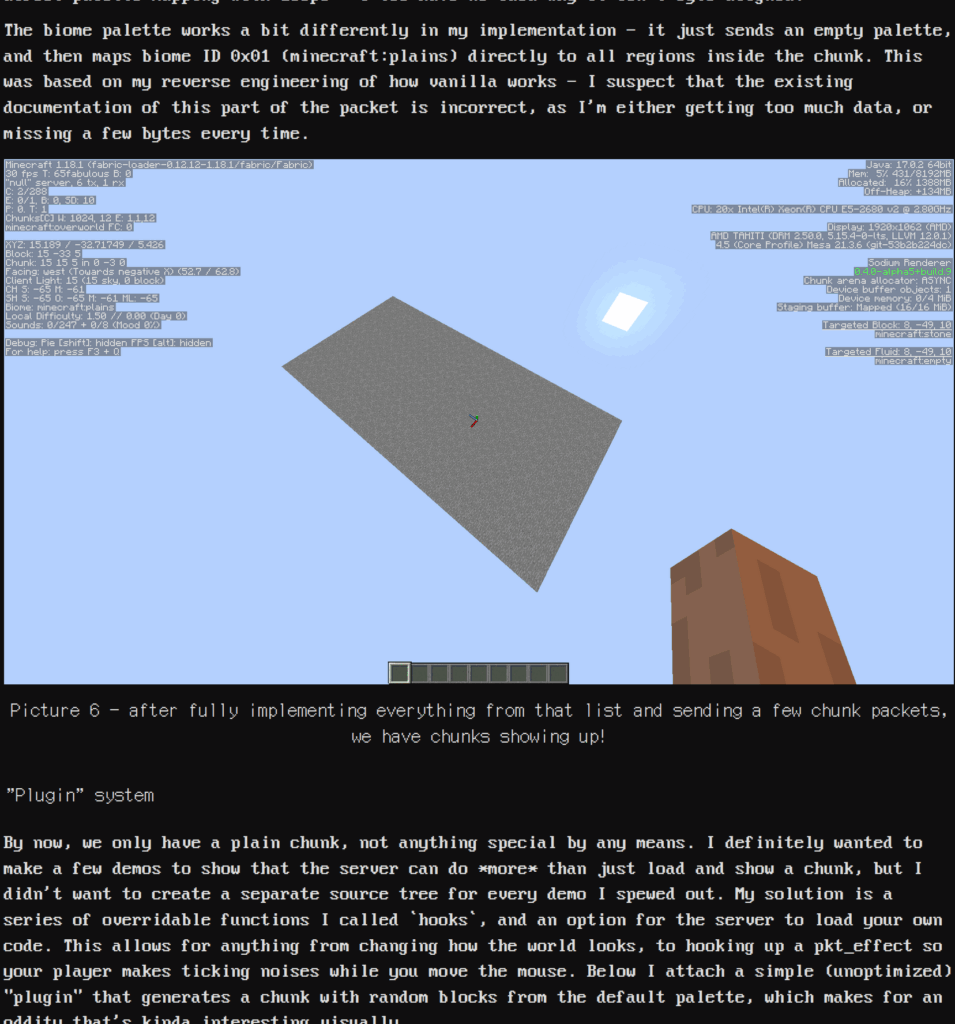
Part of the page describing the wholly-questionable project.
People who know what both Minecraft and bash are are right now exclaiming WTF. People who just know what Minecraft, of which there are very many, might be wondering why writing a server in bash is such a big deal. People who only know what bash is… well, you should remember to take your medication, and remember your gerontologist appointment on Thursday.
bash is the primary scripting language over in the Linux Dimension. Think of it as the old DOS command prompt, but much more powerful. How powerful is it? Well evidently you can write a Minecraft server in it, of course. It can do lots of other, less ludicrous things too. I use it to help get the data into shape for my Loadstar Compleat project. It is not made, to put it lightly, for things like this.
These days “bash” is sometimes used as a synonym for a range of command shells, like zsh, ksh and the like. This is a mistake of course, but to an untutored eye they all look broadly similar, and work in a similar way.
This shouldn’t be mistaken as producing a useable Minecraft server, suitable for hanging out with your friends, building blocky castles and fleeing from creepers in. As much as I can gather, it produces the bare minimum needed to connect to the game. And it cheats slightly by using awk to handle loops and some numbers. But much of the point of bash is to connect other tools together into a data flow, so I’ma allow it.
Is that hyperbolic? It probably is. But the heart wants what it wants, and what mine wants is CP/M for the MOS 6502 processor. Set Side B is a blog about computer entertainment, in all its many forms, and this qualifies in my mind, because it’s not like anyone’s going to be using it do real work. Right?
I found out about it through the (mostly) wonderful blog The Oasis BBS. It’s called CP/M 65, and it was made possible when CP/M’s source was opened in 2022. Wait, maybe I should explain what CP/M is. Sure, it has a Wikipedia page, but I like explaining it.
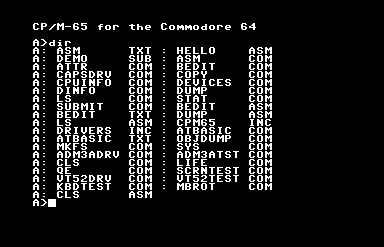
Output of the DIR command on the C64 with the system disk in the drive.
Gary Kildall created CP/M, “Control Program for Microcomputers,” for the Z80 microprocessor, and it became the first widely-used standard OS for home computing. Its importance and influence cannot possibly be overstated: PC-DOS (later known as MS-DOS) was created as a clone of CP/M for the 8086 processor, meaning, the reason .COM files are still technically considered executables, and why we still have drive letters in Windows 11, are both directly because of CP/M.
A case could be made that, if IBM hadn’t made the IBM PC out of standard parts, making possible the huge market for clone machines, it’d still be a CP/M world today, in some way. It was the first standard OS, one where it ran on machines made by more than one manufacturer. Many of the CP/M machines companies, the Kaypros and Osbournes, are gone now, but they had quite a large niche at one time.
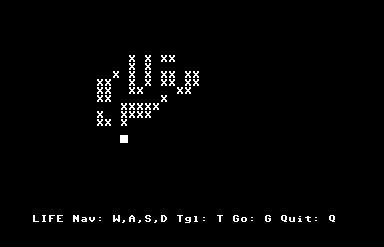
Conway’s Game of Life, for CP/M 65. Because it’s not really a computer until someone’s run Life on it.
Commodore released a CP/M cartridge for the Commdore 64, an amazingly ridiculous and rare package because the C64 used a 6502 processor. The cartridge worked only because it contained a Z80 processor inside itself, and put the 6502 in the system to sleep to do work. It ran much more slowly than other CP/M systems, and on top of that it still had to use Commodore’s 1541 disk drive, a fatal flaw, because it meant that while it could run CP/M software, it couldn’t read the disks that had them, because CP/M’s native disk format couldn’t be read by the 1541’s read heads. (The C128 had a built-in Z80, and the 1571 disk drive that was made for it could read CP/M disks natively, but by that time CP/M was already dying, pushed out by the PC standard and all those clones I mentioned.)
This thing I’m posting about, CP/M 65, has no relationship to that woeful product. It’s a port of CP/M to the 6502 processor. It can’t run Z80 CP/M software. But in all other senses, it is CP/M. What that means is that it has its own BIOS.
CP/M’s BIOS is what allowed its software to run machines made by different manufacturers. The BIOS acted as a translation layer between the hardware and the software. Programs wouldn’t interact with the hardware directly, but instead make calls through the BIOS whenever they needed to use some part of the hardware, like when it needed to access the disk or output characters to the screen. The result was that unless the software was written specifically to take advantage of a computer’s specialized hardware anything extra it had would go unused, but it also meant that a software developer could write one program and, so long as it restricted itself to interacting with the system through that BIOS, it could run on any CP/M machine that could read the disk.
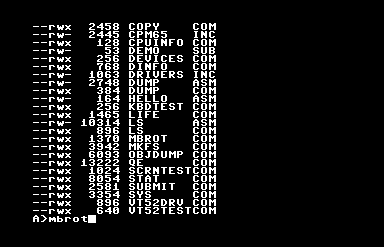
DIR is the built-in CP/M command to report disk contents, but this release contains LS for those with that muscle memory.
CP/M 65 provides such a BIOS for all of its supported platforms, and as a result, while using it will give you a plane-jane, character-mode program, it’ll let you write a program that will run on any of them. Indeed, since this version of CP/M supports relocating executables, its programs can run on a much wider variety of hardware than original CP/M could. You can write a single program that can run on a Commodore 64, VIC-20, BBC Micro, Atari 8-bit, Apple II, KIM-1(!) and, if you can find the incredibly obscure keyboard and disk drive hardware for it or else emulate them, the Super Nintendo Entertainment System(!!).
But on a C64 it shines slightly more than the others, because it has integrated fastload routines, meaning that it gets around the C64’s greatest flaw, its horribly slow disk drive.
So this basically means now 6502s have their own cross-platform version of DOS, or something a lot like it. It has little software, but it does have an assembler, and a version of BASIC, and if you don’t mind writing it on a (pah!) modern computer, you can also write programs for it in other languages.
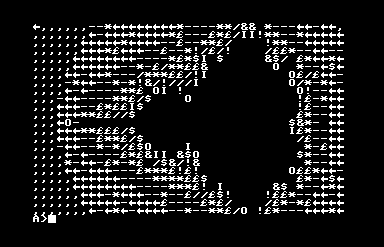
Behold the PETSCII Mandelbrot set!
If you want to try this wonderfully misbegotten thing, something like Frankenstein’s Monster wearing a ribbon, its GitHub is here, and you can find binary release disk images here. The one with the extension .d64 is the C64 version, and it loads right up in the Commodore computer emulator VICE, although I found out it’ll fail to boot unless you turn on “True Disk Emulation” for Drive 8. But it works! It comes with an assembler and BASIC, and a vi-like text editor, an implementation of Conway’s Life, and even a Mandelbrot set plotter. I kind of want to write software for it!
CORRECTION: Silly me, here I was assuming that CP/M 65 itself was a fairly recent thing, but as it turns out it’s been around for around 30 years!
CORRECTION FOR THE CORRECTION: Well the guy working in this very long Youtube playlist (maybe 31 hours?) created it in 2022, which isn’t 30 years ago. Ah well!
I had a bad fall from a bike a few days ago and my arm is still really weak, which has affected how much typing I can put into these posts. Still, I am getting better, and so here’s two videos of people installing Windows NT 4.0 to Nintendo consoles, using an ISO of the install CD and tools and information posted here, and in the Gamecube’s case some hardware mods.
This kind of hack isn’t of the type like people claiming to “install” Windows to a Nintendo DS, but in fact are using DOSbox running on the DS. They get a bit of credit for coming up with a clever solution, but it’s not running on the metal, in the parlance. This is about actually running literal Microsoft NT on the actual Nintendo Gamecube/Wii, with no emulation layers or similar shenanigan interposed between.
The first one is from “Spawn Wave,” who has the Bright Young Broadcaster style to his video, meaning, his records from a dark room of equipment, his camera close to his face, he speaks loudly and squeezes in that like and/or subscribe prompt early, and generally tries to impress personality into his video. Mind, I don’t think all of this has to be bad, and Spawn Wave is a lot less obnoxious than many other YouPotatoes I’ve seen. There’s a blessed lack of sound effects or swoopy editing. His video’s only nine minutes long, so if you’re pressed for time, this is the one to watch.
I tend to prefer videos more like Michael MJD’s overview, which is also much longer at 31 minutes. He’s installing on a Wii, which is more powerful and performs better, and doesn’t need hardware mods. His is of the Hands Intruding From Offscreen school of video, but he’s more laid-back, and with that much time can fit more information without having to squeeze it in. This is better for people wanting to positively luxuriate in the process of installing NT4 to systems not intended for it.
The question of why, oh why, someone would do this, must remain unanswered. Some people just like making computers do weird things. It’s an odd form of entertainment, but entirely valid. Now, when will someone get Linux running on CoreWar?