There is a universe of Japanese home computer games that are largely unknown in Western territories, especially the US which never got a local MSX machine. Some of these games can be played officially with emulation via Project EGG, and some of those are even available on Switch as part of EGGCONSOLE.
But the problem remains, most of them are in Japanese, a difficult language to pick up if you didn’t grow up with it. Well the Youtube channel Beyond the Scanlines has selected a few of them that are playable without any Japanese language knowledge (14 minutes).
Guardic is a strategic exploratory shooter from Compile that’s both an interesting game in its own right and the predecessor of the NES classic The Guardian Legend (Guardic Gaiden on Famicom).
Hydlide is a game that’s available on NES and is pretty infamous there, but it does play a bit better in its original version.
Slipheed is a classic shooter with 3D graphics that still hold up pretty well today.
The Scheme is a platform that I honestly don’t know much about, except from this video!
And of course Zanac is another classic Compile shooter. I think the Famicom/NES version is mostly better, but don’t sell this version short.
Please consider enjoying, if that is something you are able to enjoy. That is to say, to you, it’s enjoyable. If it isn’t, if it’s enjoy-not-able, maybe tomorrow’s post will meet your inscrutable fancy. (That is to day, sour fancy is able to be inscruted.)
The World Wide Web is now over thirty years old. In that time, more content has vanished from it than remains now, but some of it can still be dredged up from the shadowy archives of the Wayback Machine. This is the latest chapter in our never-ending search to find the cool gaming stuff that time forgot….
Microsoft pioneered a form of hypertext that came onto the scene around the same time that HTML, the format that web browsers read and display, did. As sometimes happens with Microsoft, they didn’t really understand what they had there, and relegated it to a format for help files, called WinHelp, which debuted on Windows 3.0.
HTML unquestionably won out over it, but the WinHelp format, extension .htp, and its successor Compiled HTML Help or CHM, has some advantages. Both are self-contained, bundling all of the individual pages of the help system into a single file, and didn’t need network access to read them. That ease of transport meant in the early days of the World Wide Web you could sometimes find downloadable Windows Help files, and that’s the format that the “Roadmap to the Information Superhighway” was released in.
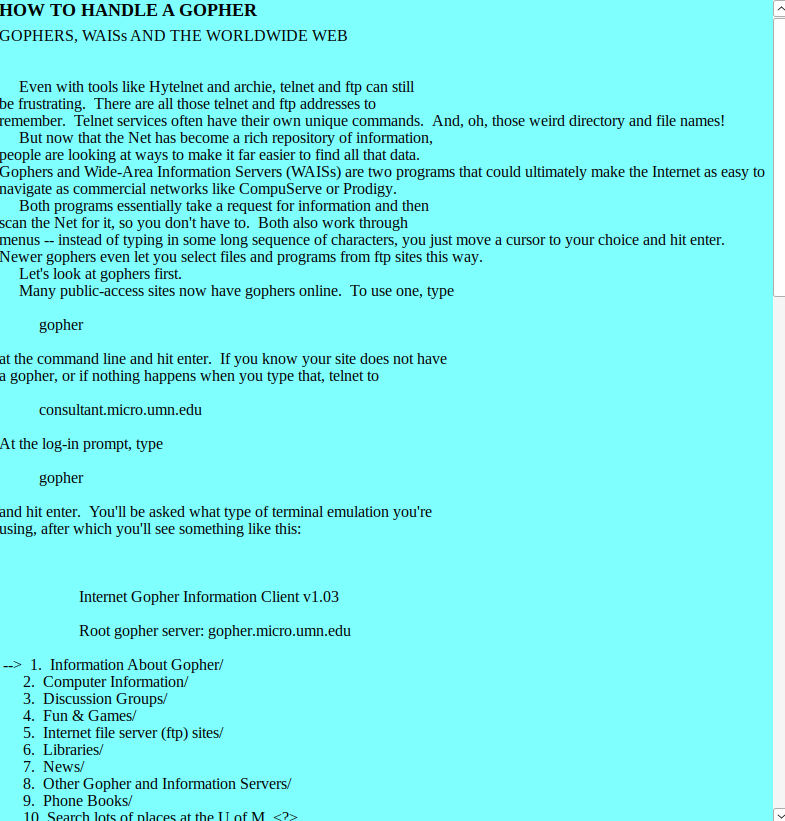
The Roadmap, from Spring 1995. Just take a moment to bask in that green-on-bright-cyan text.
In the early years of the Web it quickly became obvious that there was a great need to enhance findability, that the greatest website in the world was useless if no one knows it exists. The Roadmap, and the previous year’s upstart Yahoo (later called Yahoo Directory) were two attempts to combat the obscurity problem. I insist that this problem has always been with us, that the creation and rapid adoption of Google just made it less obvious for a while, and now that the Goog’s enshittified its bed, entering its dotage and embracing “AI,” it’s become more visible how difficult it is to find interesting things online. (It’s why I’m still a devoted Metafilter member and poster even now, 27 years after its creation.)
The Roadmap to the Information Superhighway (it calls itself the Official Roadmap) is mostly a list of tutorials and links. It is so old that it refers to “the Mosaic,” Mosaic being the first popular web browser. Yet even back then enshittification was still present in online spaces, and this edition of the Roadmap was deep into it, so some of the links you click on will open up, in its own window, an ad for its “Internet Yellow Pages.” They were double-dipping: the Roadmap itself cost money, $39 for a subscription, which is probably why it was supplanted by Yahoo, and even print listings of websites.
A portion of the Roadmap’s section on Gopher
In 1995 the Web had only been around for five years or so, and substantial portions of it were still accessible only through protocols like News, Gopher, Telnet and even web BBSes, so a portion of its text went to explaining how to use these services. There’s even a page on how to use Finger, which being a very Unixy thing, was something a lot of people just didn’t use even then.
I’d like to someday go through all its links and find out what percentage of them, but even then there were a lot of websites, and yet I fear the proportion of them that are still active is depressingly low. I’ve complained here before how some people still seem to think the internet is forever, when it is really really not, we’ve lost countless pages and sites, and the Internet Archive’s collection of them is spotty. It’s a miracle that it exists at all, and they are well-deserving of your donation dollars, if you can spare a few. It’s a miracle that they host the copy of the Roadmap that I link above.
A hint to browsing the roadmap from WINE, at least one of its links, the one reading What Is the Internet Superhighway?, crashes its Help reader when I open it.
To return to the phenomenon of WinHelp, the original Windows Help stopped being bundled with Windows Vista, and Windows 10 completely dropped support for it. You can still load Help files, like the Roadmap, on Linux systems using WINE, and that’s where my screenshots come from. Isn’t it just like Microsoft to invent a technology that other people now support far better than they do?
Metroid’s famous JUSTIN BAILEY password was not a secret hardcoded password included by the developers, the fact that it worked was completely accidental.
Secret of Evermore didn’t use Secret of Mana’s engine (despite apparent simularities), and was never intended to be a sequel to Secret of Mana, nor did it replace Seiken Densetsu III in Square’s US release schedule.
The Mega Drive II (released in the US as the Genesis, as opposed to the Sega Genesis) did not remove the original’s Z80 co-processor, it just used a smaller version of it in a different package.
The Atari Jaguar didn’t claim its system was “64-bit” by adding up the bits of two 32-bit processors, it was a lot more complicated than that and the system contained 16, 32 and 64-bit components. (Measuring by bitness is often misleading anyway.)
There was a claim that Satoru Iwata himself implemented compression in Pokemon Gen 2 (Gold/Silver/Crystal) that allowed the Kanto region from Gen 1 to be included as well. Iwata did implement compression for Gen 2, but it was to increase decompression speed, not to save more space.
Eternal Darkness: Challenge From the Dark Side on Sega CD didn’t use an Amiga-like Hold-And-Modify mode to display 256 colors at once. This game doesn’t display that many colors anyway, it uses dithering to increase the apparent number of colors onscreen.
And finally, a pretty well-known fact now: the mirror room in Super Mario 64 doesn’t reflect the room that Mario is in, but just renders another copy of Mario that echoes his movements, reversed.
EDIT: I got the time wrong for Eastern Daylight! It’s 5-7 PM (today, Sunday), not 4-6. Oops!
It’s yet another of those times of year again! The specific moment to look forward to? It’s the preview event for Roguelike Celebration 2026, taking place online tomorrow (Sunday)! You can get a free ticket for it here. Although tickets are free, you will still need to get one to attend.
The preview event this year happens on September 13th from 2 to 4 PM Pacific Daylight Time, meaning 5 to 7 PM on the US East Coast. The talks this year are:
Ancient Roguelikes: The Pre-History of Roguelike Games by Martin Pichlmair
Bitwise Black Magic: How to Computer, Better Faster Stronger by Greg L
Don’t Save The @: What Roguelikes Teach Us About Story Structure by Jamie Brittain
The full conference is happening online from October 17-18. You’ll need to get a ticket for it too; they nominally aren’t free, but you can usually receive one gratis if you can’t afford it and ask nicely. For more information please check out the homepage for Roguelike Celebration here.
Well another DragonCon is done for the year. I currently sit in the Westin, a high class hotel I ordinarily could never afford, here after the con has concluded only by the grace of a roomshare, a bunch of people who chip in for a room together, an arrangement I think is ordinarily against the rules, but hotels put up with because it ultimately gets them more business for a thing like DragonCon.
DragonCon bills itself as “the largest multi-genre and pop culture convention in the world.” That may seem artfully put, and it may be, but DC casts a very wide net of subjects. A few examples, it hosts an “Apocalypse Rising” track of world-ending fiction, a Military Sci-Fi track in addition to tracks for general sci-fi, Star Trek and Star Wars, a Digital Media track, a British culture and media track, Anime and general animation tracks, a puppetry track that’s a lot of fun, and much more.
DragonCon crosses with this blog’s umbrella via the Video Gaming track and associated events, including two arcades, a console gaming space, and (though it takes a bit of exploration to find) a couple of installations of Artemis Cosmos, formerly known at the Artemis Starship Bridge Simulator.
The Electronic Frontier Foundation is not directly involved, but has a relationship with Electronic Frontier Georgia, and they maintain a small but informative presence there. Yet while there is are fair number of game-related activites there DragonCon is not generally thought of as one of the big video gaming conventions, in a field containing the PAXes, or even Southern Fried Gaming Expo, which takes place in the same city a month earlier, and has hundreds of video arcade and pinball machines.
This was the 40th anniversary of the convention, which had 80,000 attendees in 2017, and fills five hotels and multiple floors of two other buildings besides. This year they hosted Richard Garriott, a.k.a. Lord British, who was involved in multiple panels. Garriott was in fact a guest at the first DragonCon back in 1987, and has returned occaisionally since. I met him at one of his panels, and he said he’d answer my questions via email. I haven’t written them yet, and when he sees the kinds of things I ask he may have second thoughts about it. We’ll see.
Stephen Seitz once again ran his multiple Gamecube gaming panels at night, where people could pop in to play video games like Smash Bros. Melee and the original Kirby Air Ride, set up to play using the Gamecube’s little-used LAN mode. Air Ride is starting to look a little long in the tooth now, finally, that a greatly expanded sequel is out for the Switch 2, but the original is still very playable.
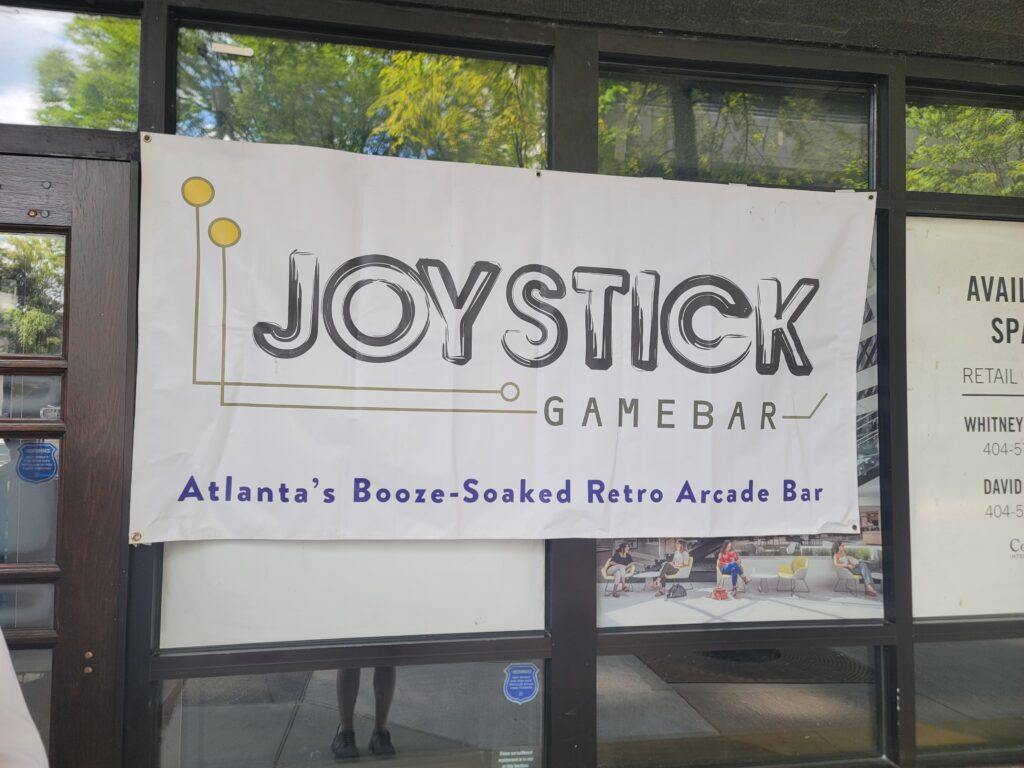
The two arcades at DragonCon this year, as in recent years, were the retro-themed Joystick Gamebar, serving alcoholic drinks and classic arcade games and pinballs, and Save Points mostly Japanese lineup. Of the two I enjoyed Joystick’s more this time. Arcade games at cons often end up a little cursed; for example, the Twilight Zone machine never felt like its flippers lined up well with ramp shots, and the upper flipper was a bit weak making it hard to hit the important Piano shot.
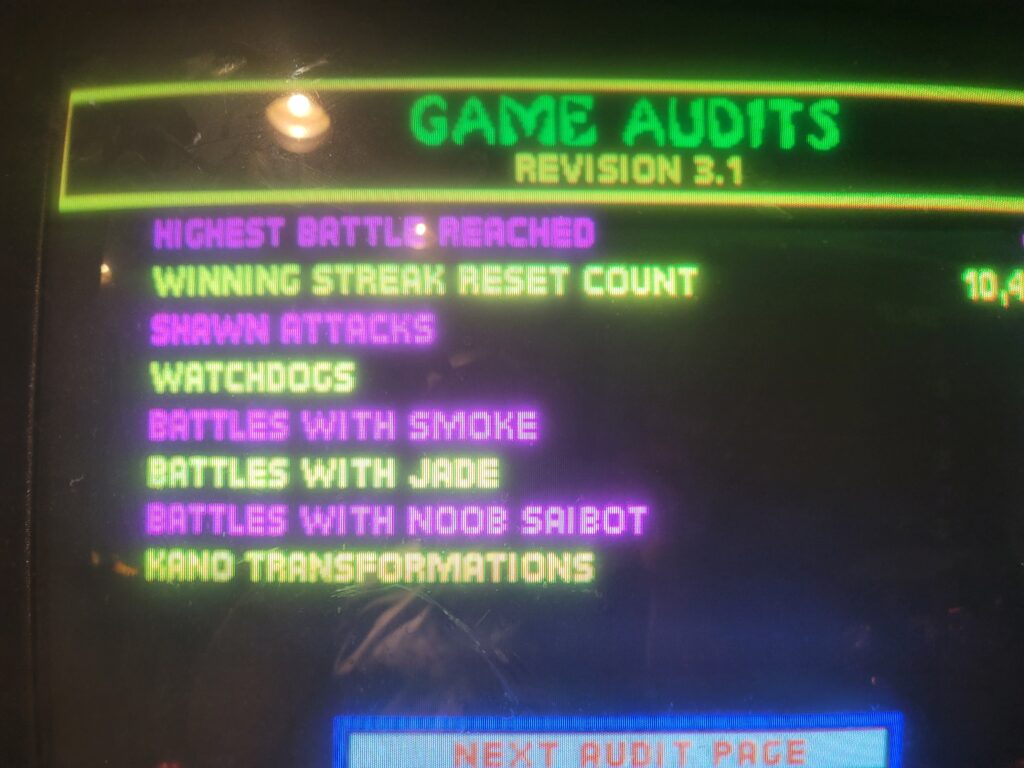
The best-playing pin at Joystick this year was White Water, a classic Williams machine with high risk/high reward play. At one point I had the Grand Champion score on the machine at 524 million, although I got edged out later on. I got to show off Ed Boon’s secret “EJB” menu in Mortal Kombat II a few times to interested players. A few other great games there this time were Joust, Gauntletn Atari Tetris, NBA JAM, Donkey Kong, Frogger and multiple Pac games.
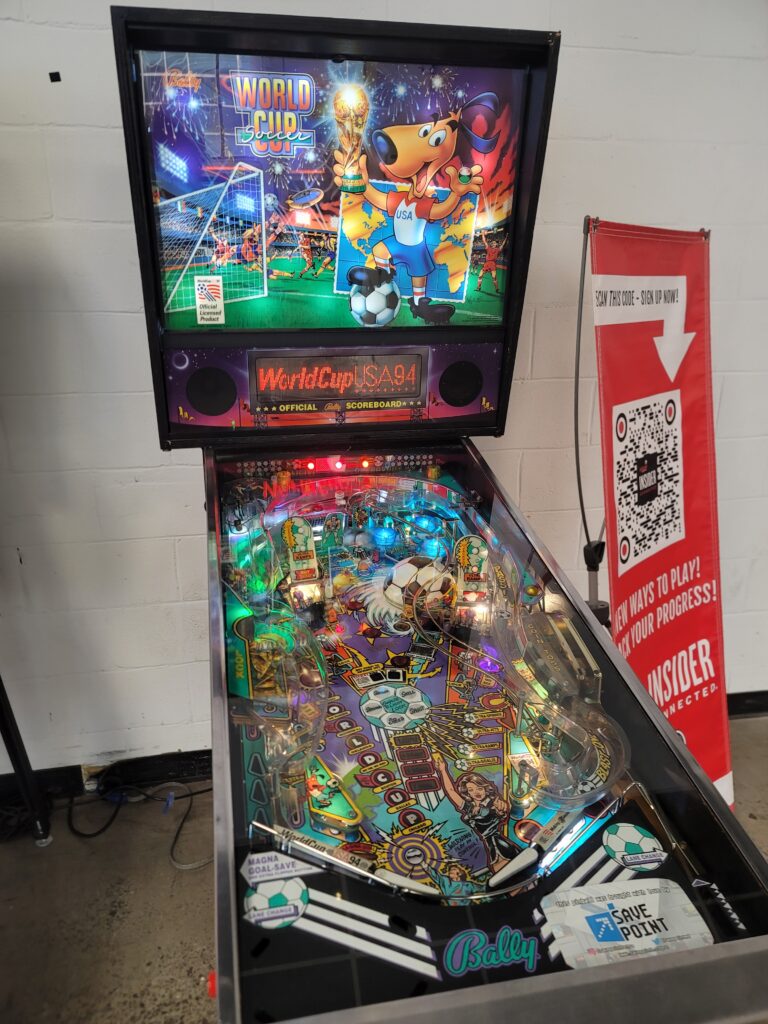
Save Point’s arcade tends to skew heavily towards Japanese rhythm and fighting games, some of them recent, which aren’t my favorite types so I don’t have a great deal to say about them. In previous years they brought out the Japan-only arcade version of Rhythm Heaven, Sega’s weird Cosmic Smash, a Point Blank sequel and, most interesting of all, Rainbow Bombergirl. The most interesting games there this time out were Sega’s Monkey Ball (the predecessor of the console Super Monkey Ball series), a Japanese Tetris game, the original Space Invaders, a sped-up Ms. Pac-Man and, in the arcade area, Bally’s classic World Cup ’93.
Next year my plan is to volunteer in the board gaming and RPG tracks. I hope that I get in for, while I know a number of money saving tricks, DragonCon gets more expensive for me to attend every year. Here are some photos from this year’s convention, with commentary.
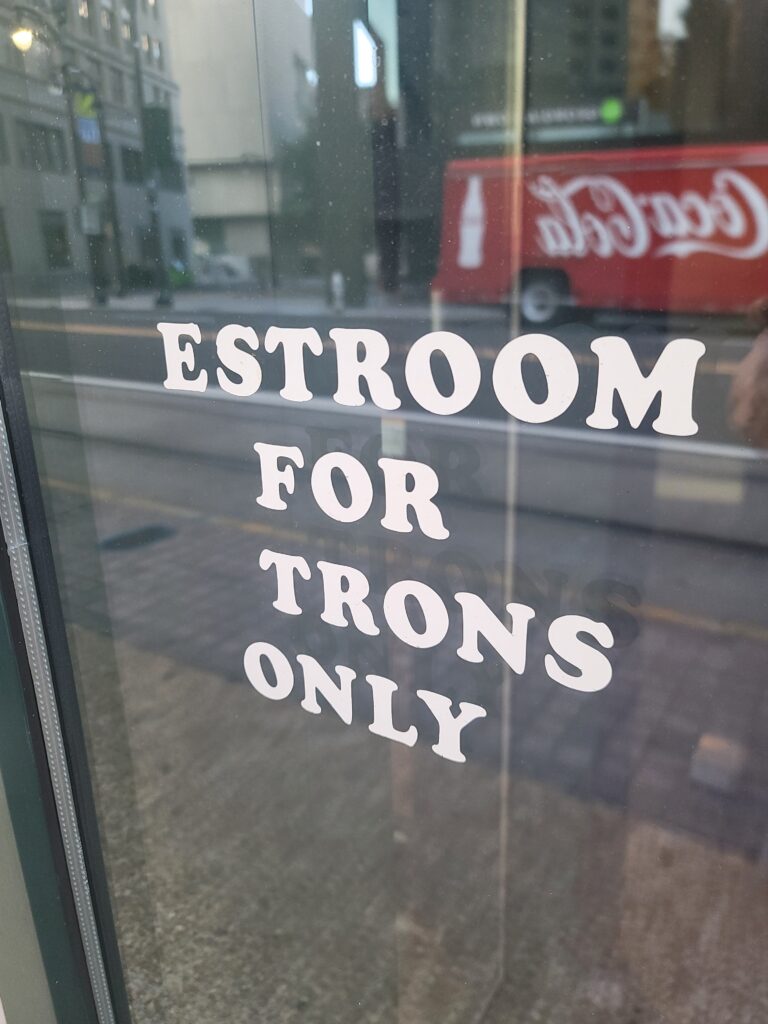
From Mortal Kombat II’s EJB MenuWorld Cup Soccer ’94The ever-charming Richard “Lord British” Garriott, after his talk about his plans for reviving Ultima once he, due to a quirk of copyright law, wrests control of it away from Electronic Arts.Monkey Ball! They also had The Typing of the Dead, but it wasn’t nearly as well-localized as the English Dreamcast version, and all the text was Romanized Japanese words.The banner for the Joystick Gamebar, posted on the outside of its temporary location in a defunct Benihana.BE ADVISE! ESTROOM FOR TRONS ONLY!
We’re still in “low effort” mode here while DragonCon is going on, so here is a video list (2 hours 26 minutes long) of U Can Beat Videogames‘ 100 “top” secrets in games, whatever “top” means here. Most popular? Most famous? Can’t say. It does serve as an entertaining condensation of years of UCBVG’s strategy videos. Watch it directly to remember old games, or leave it on in the background while you do other things.
The internet has been around in one form or other since the 1960s, but we can date the creation of the first web browser to Christmas Day, 1990. But there have been other services upon the internet, and although people don’t mention this nearly as often as they once did, they deserve to be recognized separately. The internet is not the Web.
Some of these services, which actually began off the internet itself, as features on private networks, are MUDs, or “Multi-User Dungeons,” the first form of what are now called MMORPGs. And one type of these is the graphical MUD, where you don’t have just a parser and a text crawl telling you your surroundings and what’s happening, but you can see your character and what lies around them.
To my knowledge the first graphical MUD is not a settled question. Here are a few early MUDs and MUD-like worlds: Habitat, Club Caribe, Isle of Kesmai, Neverwinter Nights (the AOL version). Before all of these though there were the multiplayer dungeons on ancient PLATO systems, which were frequently presented graphically. Some later graphical worlds include Worldsaway, The Palace, Ultima Online, the oft-forgotten Sims Online, Runescape, Legends of Kesmai, Everquest, Second Life, World of Warcraft (of course), Conan Exiles, Glitch, and a slew of other titles. Now I think it’s safe to say there have been more forgotten online graphical worlds than remembered. Some of these forgotten games were even popular. Who remembers Asheron’s Call? Dark Age of Camelot? City of Heroes? The answer: a cadre of former members who retain fond memories of it, even after Capitalism demanded that the world they once lived in sink beneath the cold waves.
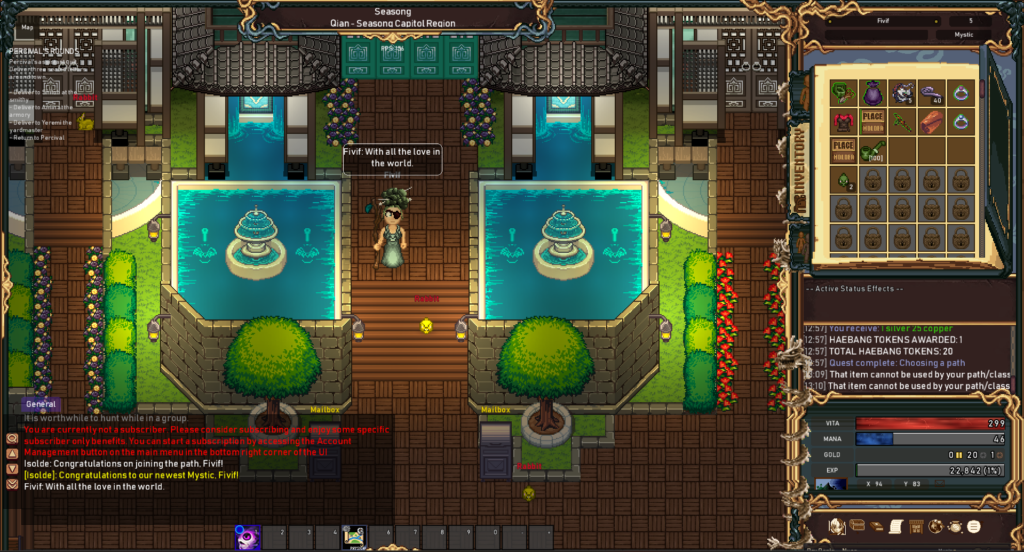
One of these worlds was, and still is, called Nexus.tk. While Nexus continues to survive through the years, a while ago a number of players splintered off from it and started a new game along its lines, Chronicles of Samhan, which is now open for a “soft launch.” A friend-of-the-blog, the worthy Statue, is interested is involved in its running, and they care very deeply about it, and if they care, we care too. Here is a screenshot:
It has purposely pixel art-ish graphics, a tile-based game world, monsters to fight, items to earn and levels to gain. Right now there aren’t many players, but that itself is a point of interest, a way to get in early and gain wealth and stature when the competition is low. I know that Chronicles of Samhan is run on a shoestring budget, completely on the backs and out of the wallets of a handful of hobbyists. They are unlikely to go corporate and enshittify it to hell, and these days that’s another point in its favor.
There have been many of these worlds, hundreds of them, and there’ll probably be hundreds more before this Internet grinds to a halt. I think everyone should try a few of them. Joining up is free, so as I often say, why not give it a try?
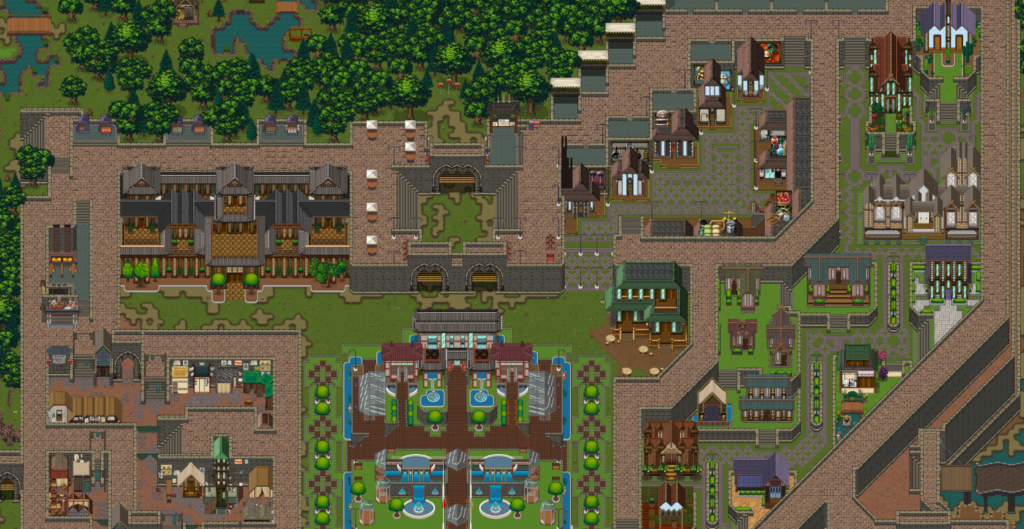
A few images showing off the fairly large regions to explore:
A portion, zoomed out, of the town of Seasong and nearly areasA portion of the Marvel Mines
We’re approaching DragonCon again in a few days, meaning my time is going to be taken up with wandering around and probably playing more of Bombergirl in their game room. So for the next week it’s low effort posts to make our demanding once-daily schedule. Here we go!
NeoGamer on Youtube has an entertaining, not to mention loooong, video with short clips from 200 strange games they’ve played in their channel. (1 hour 27 minutes) Right off the bat they start out weird, and they don’t let up. Please consume responsibly.
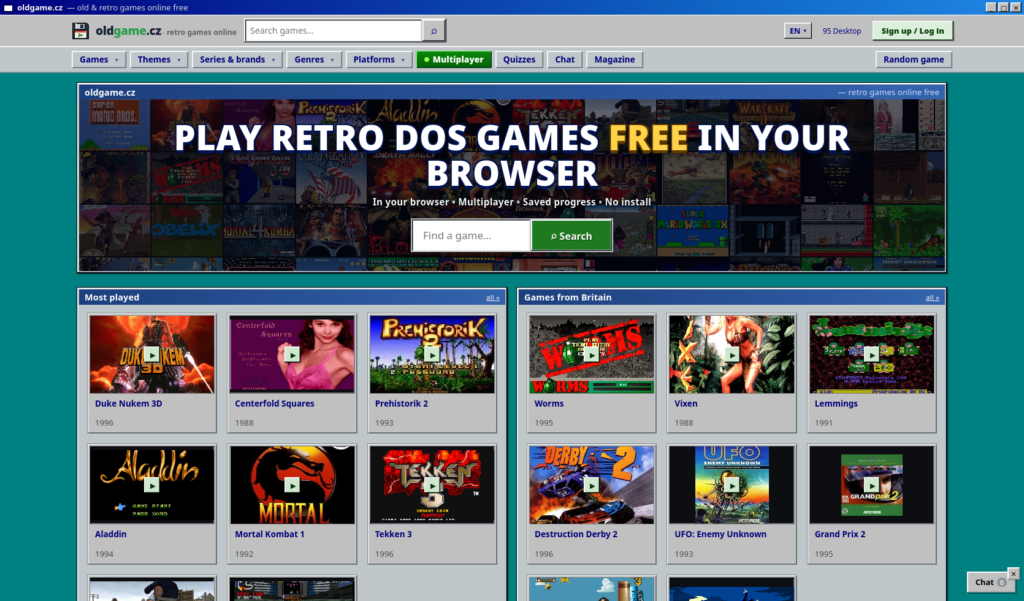
The people who run oldgame.cz (English link) emailed me and outright asked if we’d link to them. Imagine that, an honest request without any exchange of money involved! Someone just offering to give me something to post about today. It’s a thing of beauty, it is it is.
Honestly I don’t know that much about them, but the page says you can play DOS games in your browser there. I know they’re not the only people who offer that (heck, the Internet Archive even does it), but the barest examination of their site doesn’t show any intrusive ads, paywalls or scammy behavior, so I’m happy to give them the link.
Of course, I reserve the right to remove the link later if they suddenly morph into Trantor the Malware Demon. But barring that, please enjoy!
The C64 Appreciation Society has two videos on works by Access Software, which got its start making Commodore 64 games. Their first product was an interesting wargame called Beach-Head. It followed an interconnected mini-game structure, where your success at each game determined how many ships would survive to make it to the beach, which gave the player more chances to make it through an obstacle gauntlet and destroy the weak points on the enemy fortress. Beach-Head was particularly known for its graphics and its excellent sound design. In this video on Beach-Head (27 minutes), The C64 Appreciation Society plays through the game, showing off strategy and explaining its history along the way.
Access Software made other games, and would eventually begin the Tex Murphy series, but unquestionably their greatest legacy was their line golf sims, which began on the C66 with Leaderboard Golf (16 minutes). They’d move on eventually to making PC golf games, especially the Links series, which were so well-regarded that Microsoft bought the company specifically to make more golf games.
Eventually their work on computer golf would result in the formation of a subsidiary called TruGolf that made golf simulators, consisting of a huge screen and set of sensors that detects how you swing clubs and shows you your ball’s flight afterward, in a kind of deluxe version of Wii Sports Golf. Although Access would be eventually sold to Take-Two and is now no more, TruGolf survives to this day, and now they make simulators for other sports than golf, such as bowling and baseball.
You might not believe this from our unassuming appearance, but I consider Set Side B to be “The Real Deal.” I work hard to present something, anything, to you on the subject of computer entertainment each and every day. Often it’s a simple link to something someone has written, or a video they made. Sometimes, when time and energy allows, it’s a longer piece that one of us has made ourselves. We try to keep it on the site of things you’re less likely to find elsewhere, but you’ll find lots of crazy random stuff here, and that’s by design. And please know that, if something doesn’t go up at 10 AM on a day, it’s because something has gone wrong.
In April we’ll have been doing this for five years, and I am set to continue bringing new things to you into the future even after that. Some days it’s hard to find something new to post; some days I have multiple things that I want to bring to you, and it’s a hard decision which to present first.
But I understand that the sheer variety of things that SSB presents may be bewildering. I mention sometimes that our three watchwords are Retro, Indie and Niche. If you’re interested in just one of these three, to the exclusion of the others, then you probably want to read a specific category. Nearly everything posted here goes into one of the three categories Retro, Indie or Niche, or else on Sundays when we relax the format a bit, into SundaySundry. In this way, Set Side B is really like four blogs in one, five if you count the rarely-used news and blognews categories (this post falls under blognews). You can find all the categories on a post beneath its author box in the left sidebar <-.
Let me break these down:
By “Retro” I mean older games generally. I am of an age that I consider anything before the N64 era to be Retro, but I am considering updating that to before the Playstation 2 era. I judge that the PS2/Xbox/Nintendo Gamecube/Dreamcast era is around when game graphics reached the point, on casual observation, where you had to stop and look for a sec to notice that it wasn’t photorealistic, where increases in graphical quality hit the point of diminishing returns. I’m not saying that graphics didn’t improve after that point, far from it, but that we reached the point where capabilities increased, but didn’t enable completely new kinds of things. Evolutionary, not revolutionary. So I think the PS1/N64/Saturn age is where we’ll draw the line at what Retro means.
On to “Indies,” these are the province of my co-blogger Josh Bycer, who runs the Game Wisdom channel on Youtube. Note that, if you go by the raw text of the category name, a spurious decision made early in the blog’s history means that the category name is plural, so, “indies”. These are small-team, or even solo developers, which is where, due to the immense reluctance to rock the boat that most AAA developers have, much of the energy in pushing forward the frontiers of gaming reside now. It’s not solely Josh’s province though, and I also find things to add to this pile from time to time, often, suitably enough, under the gamefinds tag.
I’ll admit that the “Niche” category is a bit of a cheat, a way to include some things that don’t fall under the other two. Intended to spotlight games that are interesting takes on a genre, especially roguelikes, often it’s the feed that gets all the Nintendo-related stuff. Nintendo is often considered an AAA developer, but they still have the potential to surprise sometimes. If Microsoft or Sony decided to pack it in and leave game publishing then it’d be a blow, sure, but the loss of Nintendo, and their weirdly-persisting toymaker vibe, would be disastrous. In my opinion, of course.
“SundaySundry” is where our weekly collection of game culture finds, mostly videos, goes. Again, because of a decision made early on, usually this group is presented as Sundry Sunday, with the order of the words reversed from the category.
There are some other categories too, which overlap with these. Probably the most important of these is @Play, the continuation of my old GameSetWatch columns on roguelikes. This is mostly the same as the roguelike category, and both are subsets of Retro for the most part. You can also find lots of cool stuff in the romhacks category.
In addition to categories, I’m a strong believer in tagging, and all of the categories listed are also tags. Tags are a much more fine-grained system though. Game series, titles, developers, and individual content makers each get their own tags. The way Set Side B’s Mastodon autoposter works, it tries to include as many tags as it can in the body of the post, even to the exclusion of much of its description, but whatchu gonna do? Because of all the tags I add to posts, you can get around pretty well just by using tags! There’s a list of our most common tags in our tag cloud in the right sidebar, but so you won’t have to search for the link it here it is again.
The right sidebar is also where you’ll find the sign-up for our email-based, very non-Signal newsletter. That’s working now right? I should ask the always-wonderful Phil Nelson, who maintains the site and pays the bills, is that’s operational now. We’ve considered adding the odd extra thing exclusively for the newsletter. When it’s working, that is.
So there you have it. If you’re only, only interested in roguelikes, you now have the means to only see material relating to that. If your lifeblood is indie gaming, then you can get that too, and may I congratulate you on your worth as a human being. If you just want to see silly video stuff about games, then away with you to the back alley of Sunday Sundry, where the disreputable sorts who dispense with that kind of stuff lurk, as with that sunglasses-wearing frog who hands out romhacks.