Ocarina of Time 3D’s Horse Race Is Screwy

Skawo over on Youtube explains a lot of early 3D Zelda weirdnesses well, and they have a new video (8 minutes) explaining a great strangeness in Ocarina 3D on the 3DS. Here it is, a basic summary follows:

The scene: Lon Lon Range. The time: Adult Link’s period. The event: rescuing Epona from farm usurper Ingo. To do it, you have to beat Ingo in two races, each two laps, around the pasture.

The basic gise is that, in the 3DS version only, for some reason walking away from the race while it’s still going on can allow you to still win. Skawo demonstrates the phenomenon in their video.

So, how? In the N64 version, race progress is tracked by checking for Link and Ingo passing through three spheres in order, then a finish line. Both games contain a provision to prevent Ingo from despawning when far away, so Ingo does go around the track twice. In both versions a horse’s position is tracked by the center ground point of its model. In the 3DS version, however, for just the final finish line check, the game instead checks the draw position of each horse’s front-most hoof instead, to avoid cases where a horse’s front leg and its center point might disagree on which crossed the line first.

The issue is, if Ingo isn’t on screen, his horse isn’t drawn, and its legs’ position isn’t updated, so Ingo can’t win the race if he isn’t on camera. He can still win by default, if Link takes more than three minutes to finish.

The full details are in the video. It is interesting how unintended consequences like this can sabotage a programmer’s best intentions. I’m left wondering, now that terrible “AI” coding agents are being allowed to program things on their own, how many such bugs will creep into programming of all times? My own coding experience make me sure it’s going to be many.

I also wonder how many silly errors like this are going to sneak into the Switch 2 remake of Ocarina of Time, whether it’s coded by a human or a big pile of linear algebra?

Image borrowed from XKCD.

Romhack Thursday: The Ocarina of Time Practice Rom

On Romhack Thursdays, we bring you interesting finds from the world of game modifications.

Every GDQ, I find out about several things that I feel are worth telling all of you about. It happened once again this year, and that’s why I’m now pointing you to an invaluable speedrunning resource, the Ocarina of Time Practice Rom.

Of course, I don’t think you’ll want to speedrun it. But if you ever want to test something out in the game and don’t want to play through the whole of OoT to do it, it could be very useful. It’s distributed in the form of a patch program, available for Windows, Mac or Linux, and you’ll have to do a bit of command-line typing to run it. And you’ll have to supply the rom file yourself, of course, but that’s the case with all the offerings proffered by our sunglasses-wearing green friend up above. The makers offer support for the Virtual Console release of Ocarina of Time, but if you choose to play it in real hardware, you should know that the Practice Rom requires the 4 MB Expansion RAM upgrade for your N64. If you came by your Nintendo 64 unit second-hand, open the little hatch on the top of the console: if the little module in there has a red top, that’s the “Expansion Pak,” as Nintendo called it. If it has a black top, then you don’t have the expansion, just the “Jumper Pak” that came standard. If there’s just a hole in there, then you don’t have either, and your system won’t work!

Let’s assume that you get it all working, and both have a new copy of the Practice Rom and a way to run it. How does it work, and what does it do? Once it’s started up, it’ll take you to the game’s title screen like usual. Press Start and you’ll be at the File Select screen as usual. Enter a name and start the file, and you’ll even be taken to the intro cutscene.

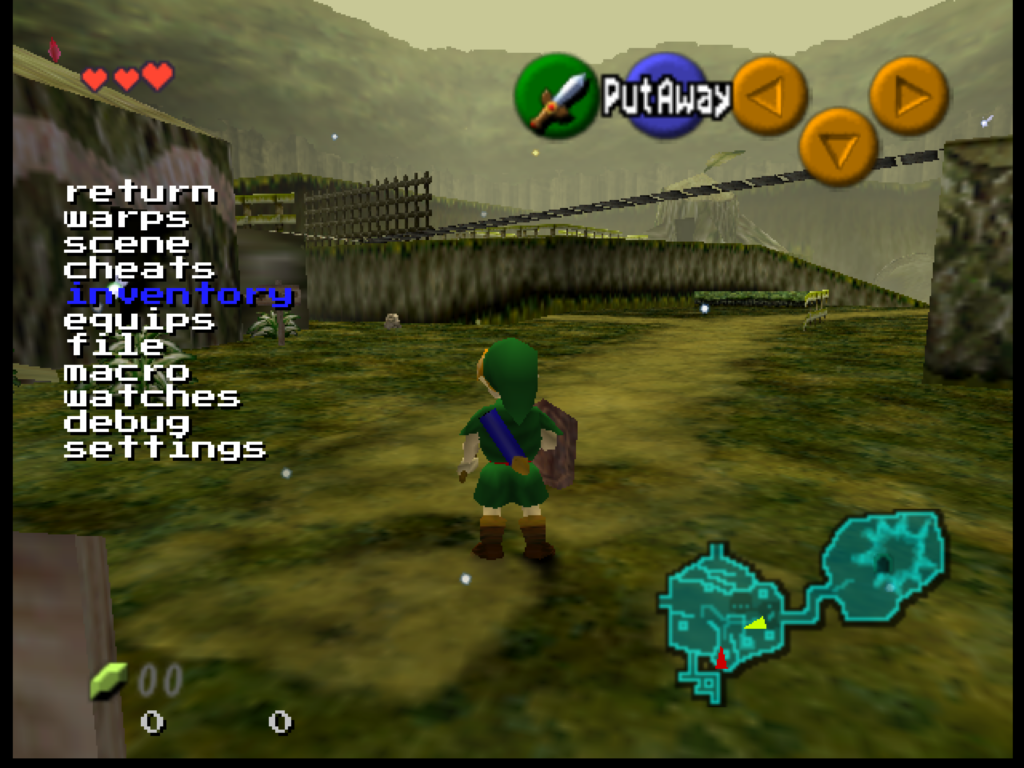
But no one says you’ll have to wait through it. Hold the R button and press L, and a menu will appear:

From here, you can use the Control Pad, or whatever your controller’s version of it is, to navigate this menu, while you continue to play the game, in real-time, with the Control Stick and other buttons. Pressing L selects things from the menu, and R goes back up a level.

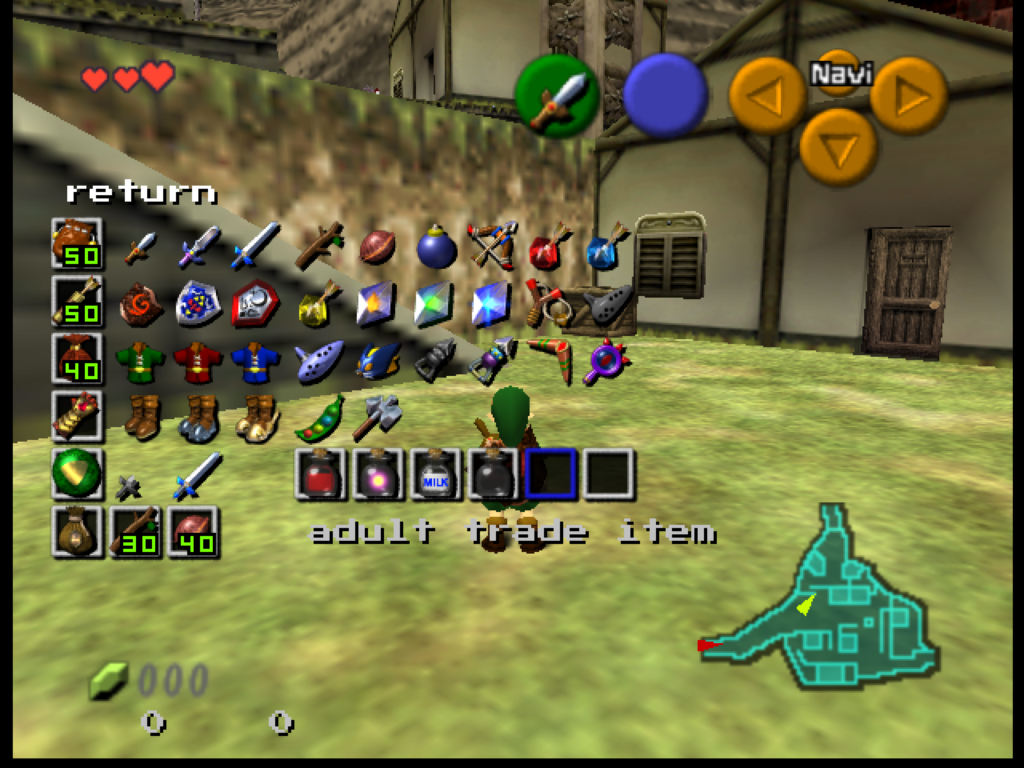
From this menu you can warp to anywhere in the game, or give yourself any items! You can unlock the camera in 3D scenes and move it freely, or change the rendering to show collision surfaces. It even has its own save state manager. It’ll take some experimenting to find everything it can do.

Is this useful? Well, maybe? Or maybe not. Are video games useful? I present it mostly as a curiosity. If you just want to play the game then mostly it gets in the way. It’s not a randomizer or remix, it’s just straight Ocarina, but with these extra things added. It has a full user’s manual on its website, and to make decent use of it you’ll probably need to spend some time with it. Check it out, if you’re of a mind.

OoT Practice Rom (practicerom.com)