The 8 Bit Guy’s Histories of Commodore

I’m still deep in the 8-bit computing weeds right now, and I always look to connect what I’m personally researching with what I put up on Set Side B. So lucky you, what I’ve been looking at today is The 8-Bit Guy’s videos about the history of Commodore!

It’s a series of videos (yes, on Youtube) exploring the history of that company, both lauded and hated. They released one of the best-selling computers of all time in the Commodore 64, but founder Jack Tramiel wasn’t all that great a guy. Word is the C64 was priced so low because he held a grudge against Texas Instruments, a calculator company Commodore competed against, so he moved to undercut and destroy their sales of the TI-99/4A, turning it into just another computing history footnote. He also bought rising star MOS Technologies, which had a terrific things going with the ultra low-cost 6502 processor, but then basically only used the company as Commodore’s bespoke chip fab.

But say what you will about Tramiel and other strong personality company Presidents and CEOs, when they’re successful, their ups and downs make for interesting times, to read about and hear. So “hear” you go!

The series is collected into a 13 video playlist, 8 parts of the series itself averaging about 25 minutes each, plus some extras. It’s a tale that begins with one of the first (if not the first) pre-assembled mass market personal computers, and ends with the Amiga. If the dice had only rolled differently (and maybe if Tramiel hadn’t bee forced out of the company), then instead of Apple rising to become the leading computing device maker in the world, we might be using Commodore C-Phones today.

On PETSCII

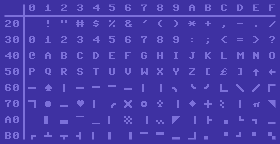
We’ve brought up a couple of examples of Commodore PET software lately, which as I keep saying, is interesting because the PET has no way of doing bitmapped graphics, sprites, or even definable characters. Its characters are locked in ROM and cannot be changed. So, it includes a set of multi-purpose characters that was used throughout all the Commodore 8-bit line, even as late as the C64 and C128, which having definable graphics didn’t need these kinds of generic graphics characters, but they were still useful for people who didn’t want to create their own graphics.

The PETSCII characters, as used on the Commodore 64 (image, with some editing, from Wikipedia). The graphics set also includes reverse-video versions of each character.

Back on my Commodore coding days I became very familiar with these characters. I think they’re much more universally-applicable for graphic use than the IBM equivalent, the famous Code Page 437, although that’s mostly because PETSCII doesn’t bother defining supporting so many languages. Code Page 437 also uses a lot of its space for single and double-line versions of box-drawing characters, although on the other hand it doesn’t waste characters defining reverse-video versions of every glyph.

PETSCII has:

  • A space and reversed space, of course.
  • Line drawing characters for boxes of course: vertical and horizontal lines, corners, and three- and four-way intersections. There are also curved versions of the corners.
  • More line-drawing characters for borders.
  • Still more horizontal and vertical lines, at each pixel position within their box.
  • With the reverse-video versions, enough characters to effectively do a 80×50 pixel display, as if it had a super low-res mode.
  • Different thicknesses of horizontal and vertical lines too.
  • Diagonal lines, and a big ‘X’. Note that on the PET and Vic-20 these lines were all one pixel wide, but on later computers with both better resolution and color graphics they were made thicker, which means diagonal lines have “notches” between character cells.
  • Other miscellaneous symbols: playing card symbols, filled and hollow balls, and some checkerboards for shading. On the PET and Vic, the shading characters were finer, while on the other 8-bit computers they were made of 2×2 boxes.

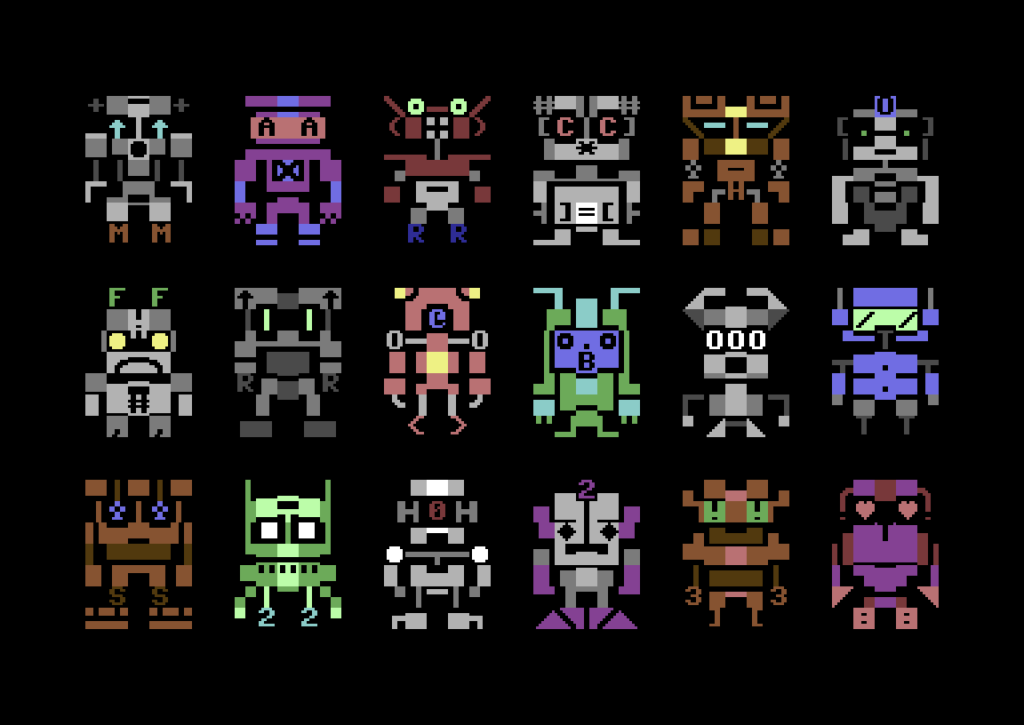
There are resources that let you use PETSCII to create old-school computer art, like this PETSCII editor, Petmate and Playscii, and for a bunch of examples of what you can do with it you can browse through the Twitter account PETSCIIBots. And this blog post from 2016 both makes the case for PETSCII as a medium for art and provides some great examples of it.

Some robots from PETSCIIBots