Triggering “Data Over Flow” in Mario Paint

A while back I linked to a video showing the obscure “Data Over Flow” error in Mario Paint. Here’s the post, and here’s the video (1 minute):

It occurs because Mario Paint’s SRAM is only 32K in size, which isn’t large enough to store every possible creation. The cartridge uses data compression to squeeze everything in, but the thing about data compression is, it can never be guaranteed to work. Every possible compression format has data that will cause it to take up more space. It’s a fact about the universe we live in. It just is.

If you only use the canvas, or only use the “Animation Land” motion option, then there is enough RAM, but using both in one composition means the software relies on compression to make everything fit, meaning, some kinds of data won’t fit, and that’s when Data Over Flow happens.

But as it turns out, while if you’re using Mario Paint in the way most people it’s unlikely you’ll trigger the error, it isn’t actually difficult to cause it. Creating a random mess of all the colors of pixels in a stamp, then filling the whole canvas and all the animation frames with that stamp, seems to be enough to do it. Mario Party doesn’t use a particular complex compression format. Maybe if it used something lossy like JPEG it might be able to do it, but rather it uses bit-perfect compression. That kind likes repeating patterns and areas of solid color, and doesn’t like what I’m going to call rainbow snow.

So here, watch a user start from a blank project, on real SNES hardware recorded through video capture, and go directly to the Data Over Flow error. Sorry! Our RAM is too sick to contain your masterpiece, it has vomited it all up, please try again (3 minutes):


Best Next Fest Demos Part 5

This is part 5 of my (Josh Bycer’s) indie showcase of the best Next Fest demos from February 2025.

00:00 Intro
00:16 DeadWire
2:00 Gnomes
3:33 Nitro Gen Omega
4:57 Beyond the Ice Palace 2
6:35 Blightstone
8:02 Geargrit
9:50 Scarlet: City of Devils

Mr Wint’s Investigation Into The Games: Winter Edition’s Copy Protection

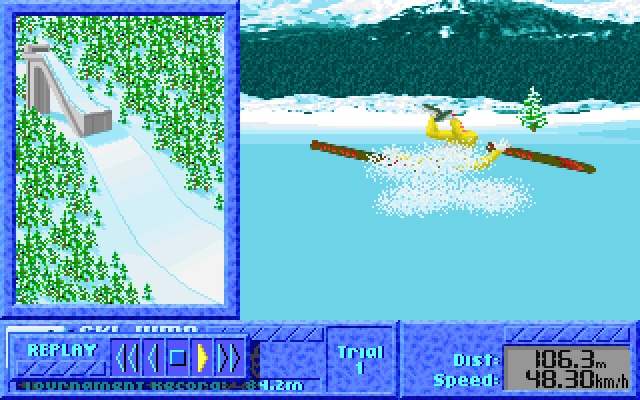
This is a deep one. As linked by one for the books over on Metafilter, a GitHub user with the username MrWint was looking at the code of the Olympics-like DOS minigame collection “The Games: Winter Edition.” They wondered why it seemed to be impossible to achieve better than a certain score in some of the events. It turns out to be because of failed copy protection checks in most of the versions of the game produced after the initial release. Most of the cracks of that game that can be found on the internet are affected. They even affect two later official physical releases, and GOG’s release, which is a terrible problem for people who bought any of those versions expecting a working game.

If you’ve played it and never been able to score higher than 86.7 meters in the Ski Jump, it’s not you, it’s the game practically gaslighting you into thinking you failed. It’s impossible to land the jump if you’re affected by the bug and have gone that far!

Here’s their description of the result of the checks, and here’s their lengthy writeup of the problem, what causes it, what it does, which versions don’t fail the check, and a fix for it. Both pages have animations of the bug in action. Here’s their patcher.

Here’s a tl;dr summary, although the most interesting part of it all is the reverse engineering and description of the problem. But in case you aren’t interested in that and just want the gist:

The original release came with a code wheel copy protection system, and performed a number of checks for the event that the protection was bypassed. A value was created as the result of the check, and was modified and stored in various other places. Each of the events itself checked one of those places against a second, obfuscated copy of the code wheel’s lookup table. If the original wheel check is bypassed, which happens for most of the versions of The Games: Winter Edition now, illegal or legal, those places won’t have the correct value, and the game will sabotage those events during play in different ways.

It’s really sneaky, and as it turns out, it also affects the GOG release of its sequel, The Games: Summer Edition in a similar manner, although cracks of that game managed to fix the sabotaged events.

Sunday Sunday: Cat Bypass Speed WR (Good Ending)

Sundry Sunday is our weekly feature of fun gaming culture finds and videos, from across the years and even decades.

Witness this person as he uses all the tricks at his disposal to make his cat let him by in the hallway in record time (1 ¼ minutes):

He’s been speedrunning annoying his cat for some time! Here he bugs his cat until he goes inside (any%, 1 minute):

How many pets his cat can handle (1 ¼ minutes):

And annoying his cat until he gives up the chair (video has 2.3M views somehow, 1 minute):

It’s not the usual Sunday silliness, no it’s a different kind of Sunday silliness, but hey it’s April Fools Day! Wait, you’re saying it isn’t April Fool’s Day any more? It’s even May now? Crap.

Poking Technology Tries To Play Samples On A Commodore PET

The Commodore Amiga has quite nice digital sound output. The Commodore 64 has the SID chip, well-regarded in 8-bit computing circles. The Commodore PET, on the other hand….

I’ve seen people call the PET the first home computer. This is false. There were computers before it, but they were sold in the form of kits. One of them, the KIM-1, was sold by MOS Technology before they were bought by Commodore. The PET was released the following year as an all-in-one unit, even with an integrated monitor.

Some PETs had a basic speaker included. The speaker had to be driven directly. With the later SID, you wrote data into registers and the chip’s circuitry handled the sound generation over time, freeing up the process for other things. On the PET, the processor has to push bits into the register itself, or else use a shift register set up to do the bit pushing. That means, if you get the data in fast enough, that you actually have a fair bit of flexibility over what the speaker does, but it also means you spend a lot of CPU cycles in doing in.

The Youtube channel Poking Technology recently tried playing digitized sound through the PET’s poor little speaker and documented their work in a fairly long 58 minute video. This is it:

58 minutes is a bit of a time imposition. And there is some hardcore hackery going on, with them writing assembly code on camera and testing it over and over in an emulator until it works, as well as both harsh hiss and very high-pitched beeping. To avoid those fine examples of audio torture, you can jump here to hear the final result, at around the 56 minute mark. By the way, the sound being played is the Windows 95 start up noise, the one composed by Brian Eno.

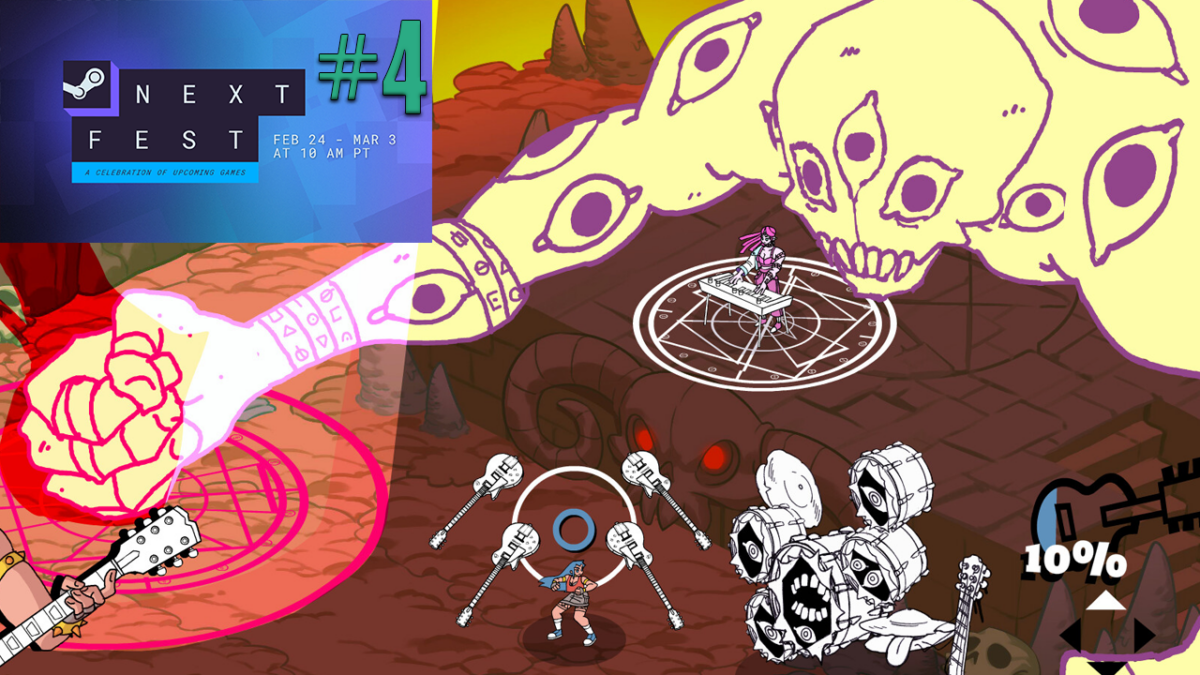
The Best #steamnextfest Indie Game Demos (Part 4)

This is part 4 of our demo coverage of February 2025 Steam next fest.

0:00 Intro
00:14 Mashina
1:06 Roots Devour
2:57 Rift Riff
4:22 Kill the Music
5:29 Wild Growth
6:33 Conquest Dark
7:55 Machine Mind
9:01 Bad Cheese
9:52 Centum
11:03 Nordhold
12:17 Cauldron

Obscure Things To Do in Super Mario Galaxy

Mr. Goof on Youtube made a video with some cool and relatively unknown things that can be done in Super Mario Galaxy. Like the ground pound move in that game has a homing function, you can hold crouch to skate backwards on ice, and there is a secret button press that can give you a speed boost at the start of Cosmic Mario races. But none of those things are what they claim is the most obscure thing in the game.

The video is titled “Super Mario Galaxy’s Most Obscure Mechanic,” which is a bit wrong. It’s not a mechanic, or mechanism, it’s just a move with no real gameplay purpose. If you stand near water and jump, Mario will dive into the water with a special animation. That’s it. It’s cool, but pretty useless. Still, it’s nice to see it in action.

Here’s the video (7 minutes). Now, go forth and win Mario-related trivia contests, if they happen to ask a question about this extremely specific behavior.