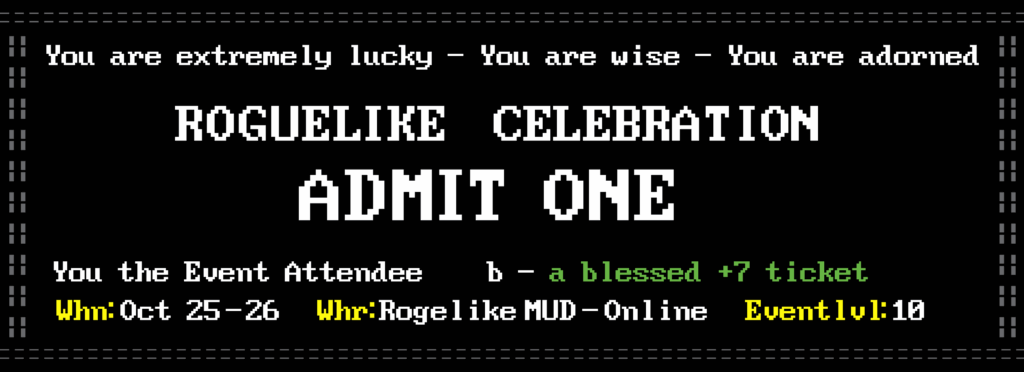
I’m helping out with Roguelike Celebration 2025, the now ten-year-running conference-like thing about all things roguelike, roguelite, and roguelike-adjacent. Yes, I’ve presented there three times so far, and figured it was time to give back!
While RC got its start as an in-person conference, when the pandemic hit they switched over to being entirely virtual, presented through video feed. All of their talks end up posted online, so anyone can see them for years after. But if you can attend during the conference you can participate in chat, ask questions of the speakers, and explore a very clever MUD-like chat interface!
I’ve tried to spread the word about Roguelike Celebration where I can, through social media and this very blog here. Every year they have several very interesting talks that, if you read Set Side B, I know you’d be interested in seeing. They’ve hosted Tarn Adams, co-creator of Dwarf Fortress, the creators of the original Rogue, and many other thoughtful speakers.
This year Roguelike Celebration takes place October 25-26. They sell tickets, but they also let people who are strapped for cash apply for a free ticket. (If you can pay for admission though, please do, as it takes money to run an event like this.)
And if you have a roguelike, or even vaguely-related project, please please please answer their Call For Proposals, to apply to present your work to their devoted audience of extremely thoughtful attendees! The CFP site is here, and their deadline has been extended to July 20th, so you have about three weeks to get in your proposal!
Give it a shot, it’s a great way to spread the word about roguelike work, or about a procedurally-generated game you’re interested in, or just something you think the world should know about.
By volume most game players, let’s be frank, are interested in the big AAA productions. But there are lots of people out there who are willing to give indies a chance, which roguelike games often are, and we have to stick together. Not only to talk with each other and build those connections, but to do it in public, non-corporate venues. Reddit largely is a sham these days, more interested in monetizing their userbase, and Discord isn’t web-searchable, and requires navigating a maze of requests that you upgrade to “Nitro.”
I do not lie: little volunteer-run organizations like Roguelike Celebration are a lot closer to the true spirit of the internet, and the World Wide Web, than those are. So please keep them in your thoughts, if you can buy a ticket, and if you have something to present, answer their CFP! You won’t regret any of those things.
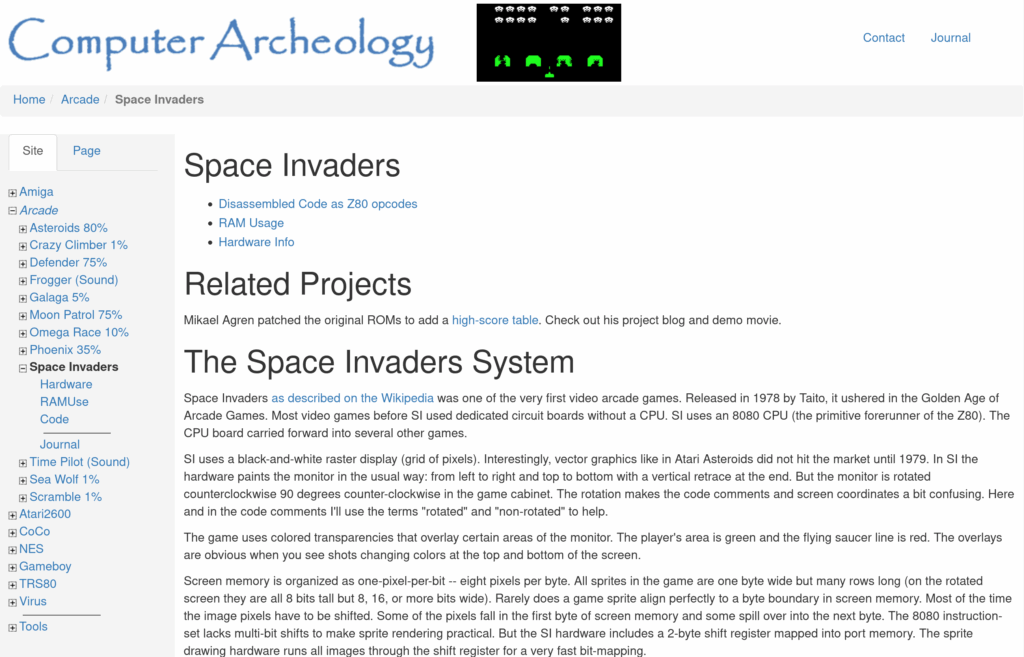
This one’s for the hardcore techies out there. Computer Archeology is a terrific site with information on the inner workings of several prominent games. One of their most complete and detailed is on the code and hardware of arcade Space Invaders, including a disassembly. While it is not, as the page says, “one of the first” arcade video games, not unless you count everything manufactured between 1972 and 1978 as unimportant, there’s a vast amount of good information there.
Some of the info revealed:
The game tracks five objects every frame. The player’s base, their shot, and three invader shots. The invaders don’t “count” as moving objects; the Mystery Ship temporarily replaces one of the shots, meaning, while it’s on-screen the aliens can only have two shots on-screen instead of three.
Only one of the shots is “aimed” to fall on or near the player. The others are just dropped wherever.
There is a bug where the player’s shot hitting the rightmost shield on the right edge of the screen can be misinterpreted as hitting the last invader on the very left edge.
The reason the invaders speed up as their numbers are diminished is because the game draws the new position of exactly one invader into the framebuffer per frame. Fewer invaders means each gets to move more often, until the last one gets to move every frame.
July 6th is the first day this year of the week-long SGDQ speedrunning marathon! I try to mention it, and its companion marathon AGDQ in January, some time in advance each year. I’m not always successful, but I managed to get the reminder out this time, with around a week and a half to spare. Here is its schedule.
This year SGDQ benefits Doctors Without Borders. Of course it’s a terrible time for the economy this year so giving hurts a bit more, but wouldn’t it be nice to support an organization that’s trying to do actual good in the world, instead of just observing the manifest awfulness that surrounds us?
I’ll give you just a few selected highlights this time. The first first run is an hour-long all-Emeralds run of Sonic 2. Some others are a kaizo showcase of Mega Man Maker levels, a bonus incentive run of Gamecube Donkey Kong Jungle Beat (which is played using the Bongo Drum controller), Blue Prince, We Love Katamari REROLL, Castlevania Rondo of Blood, a Tetris 99 Battle Royale showcase, An Airport For Aliens Currently Run By Dogs, a Spelunky triathalon, a 100% run of Metroid Zero Mission, a Super Mario Maker 2 relay race, and at the very end Deltarune chapters 1 and 2. Everyone loves Spamton!
We love it when we find weird and unique indie games to tell you all about! Our alien friends to the left herald these occasions.
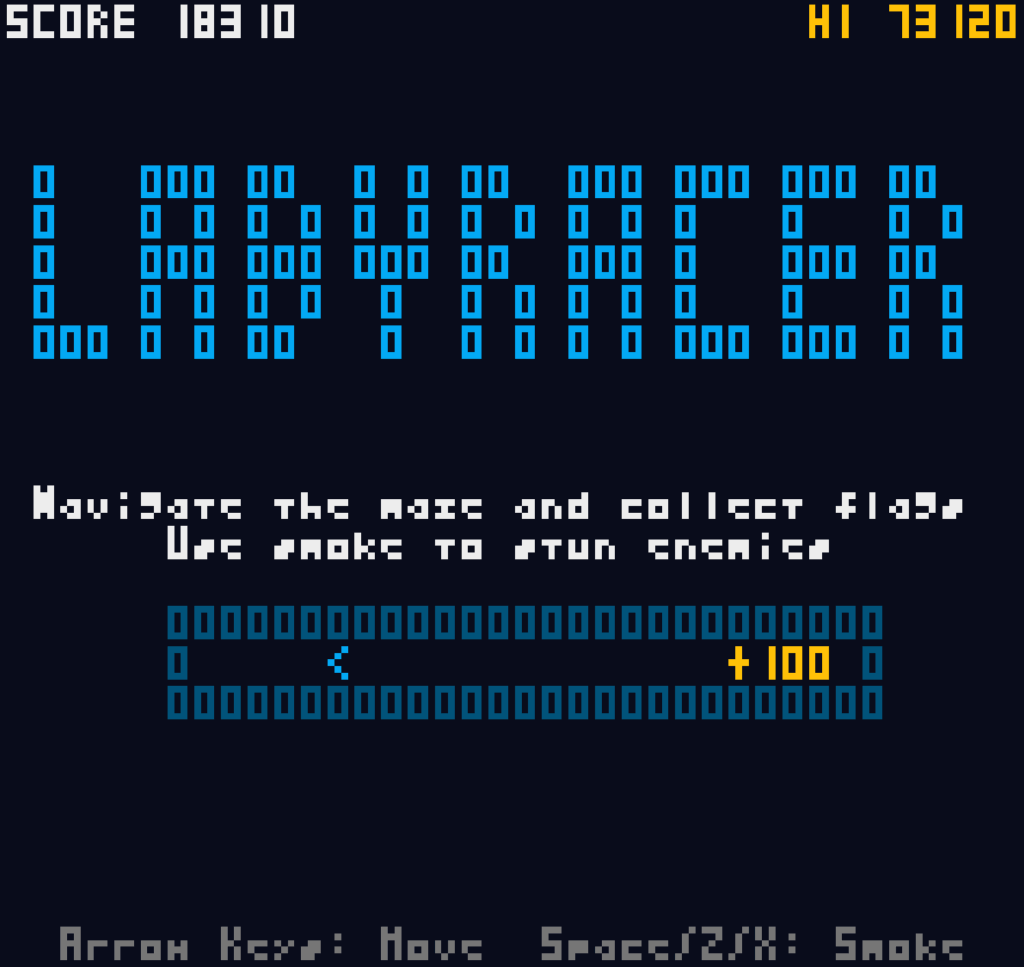
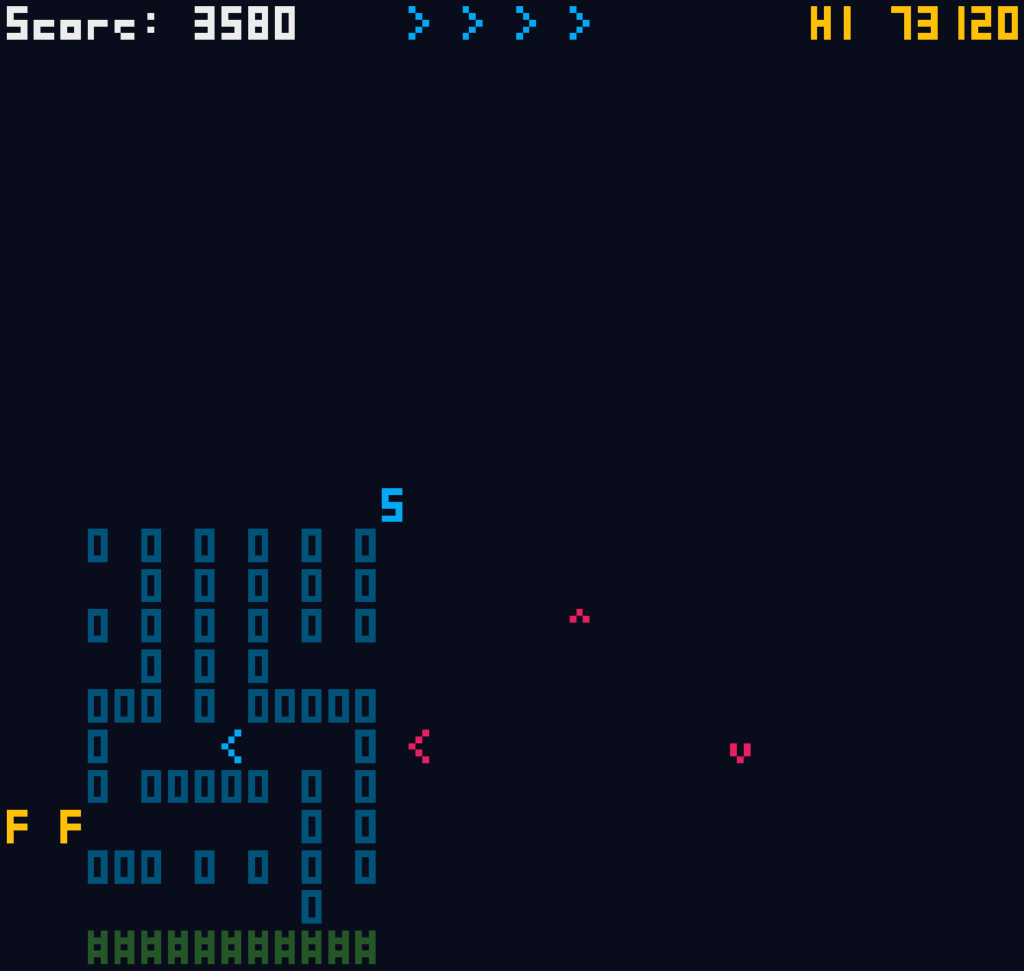
Coming in on the heels of his previous game Blasnake, which he unveiled less than a month ago, Kenta Cho, a.k.a. ABAgames, releases another absolute banger in the form of Labyracer. Like Blasnake and most of Cho’s games, it’s absolutely free!
Check out that high score I set! You’ll find it difficult to surpass it, but I won’t say it’s impossible!
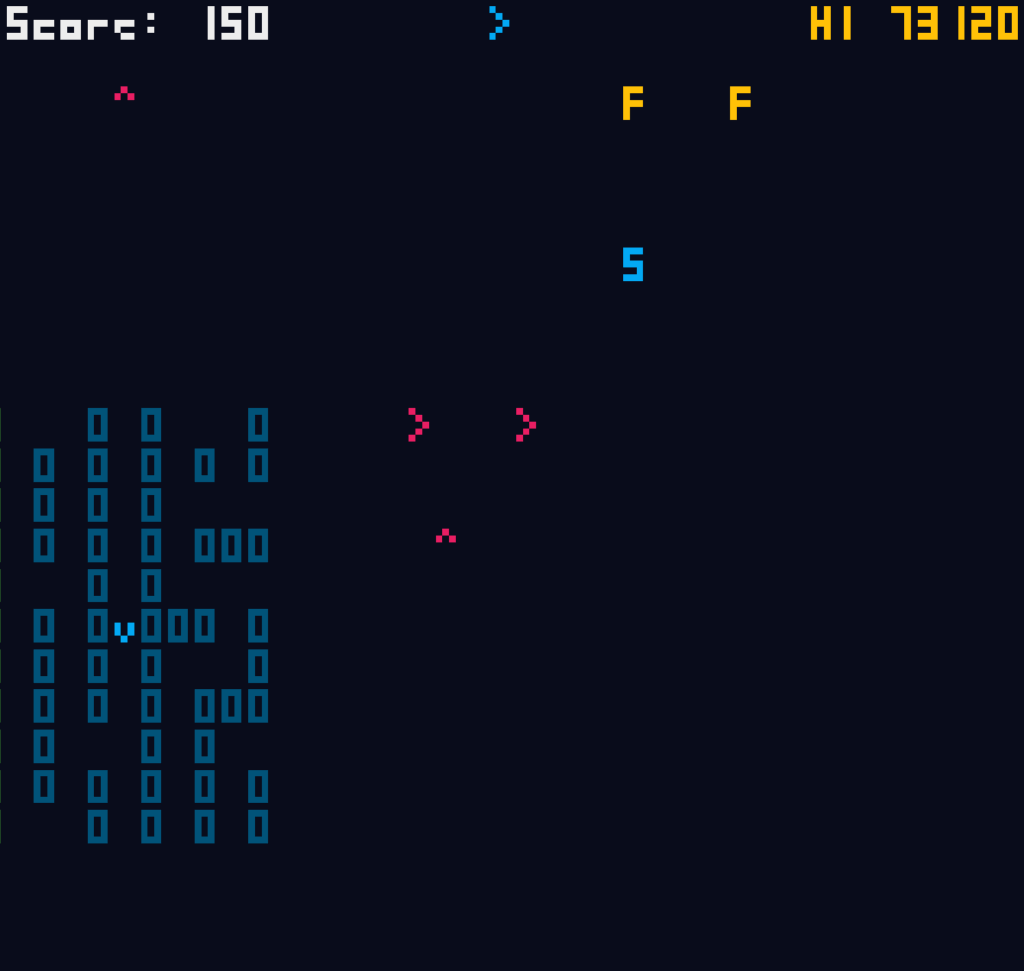
Labyracer plays like a mix of Namco’s two games Rally-X and Pac-Man Championship Edition, but unlike either game its mazes are all randomized, and only visible for a short space around your car (an arrow thingy).
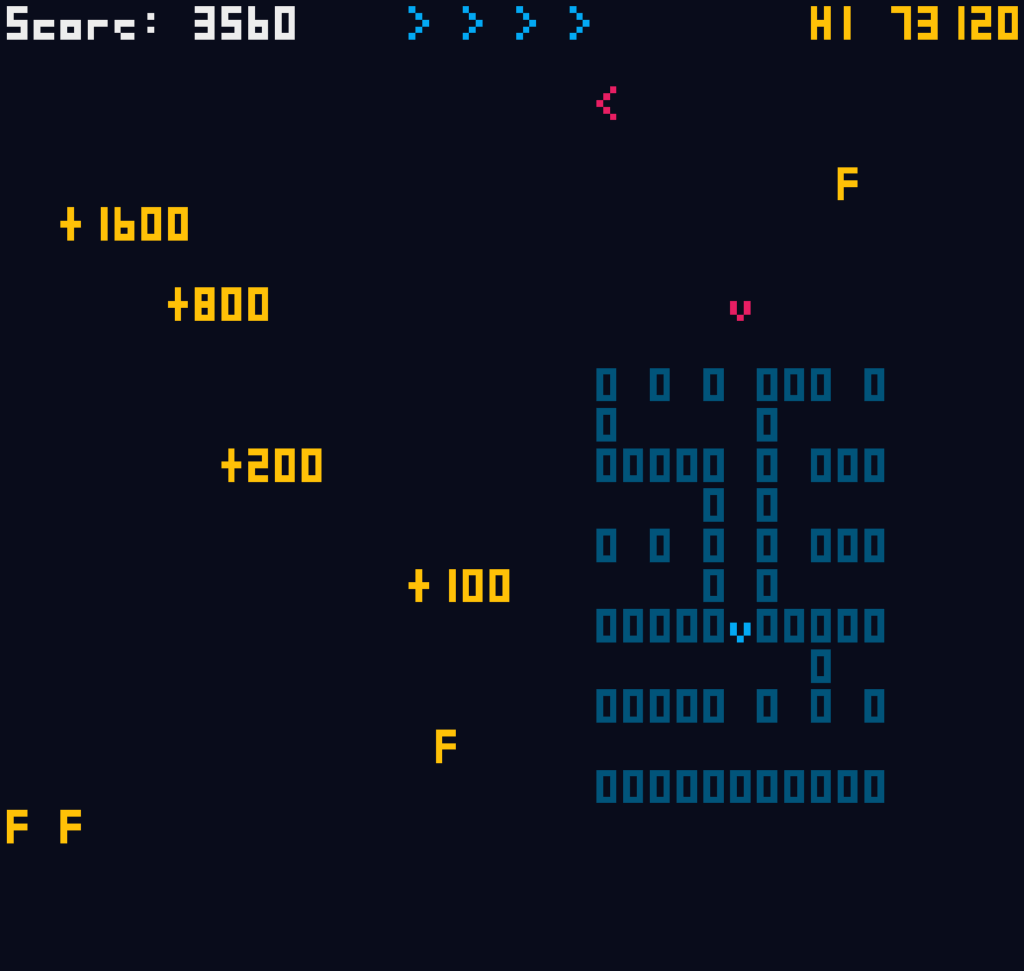
Think of the board as having a left and a right half. Each side has a number of flags (letter ‘F’s) on it. When you get all the flags on one side, a Special Flag (an S) appears on the other side of the maze. When you collect it, the first side, the one you got the flags from, is regenerated, with a new random layout and some more flags.
The problem is the suicidal enemy cars that are trying to crash into you. (Presumably that have an insurance company that doesn’t ask questions.) Every time you collect a normal flag, one or more red enemy cars appear close to your location. They start out stunned and blinking, and during that time you pass through them, which I recommend you do.
You have but one defense against the killer kars: pressing Space, or Z, or X, will cause your car to emit a smokescreen directly behind it. If you’ve played Rally-X you’ll know how it works. Enemy cars that run into the smokescreen are stunned again for a few seconds, and can be passed through. An essential skill to learn is, when you encounter an enemy in the way of the passage you need to take to reach a flag, to reverse for a half-second, laying down some smoke, then luring the enemy car into it so you can then get through it.
But the real key to the game is in destroying the enemy, which you can only do by regenerating a section of maze with a Special Flag while they’re in it. This awards points, potentially lots and lots of points; each successive car in a regenerating maze earns double the points of the last: 100, 200, 400, 800, 1,600 and so on! As you play, more and more cars get spawned by collected flags, so if you can get through them and to a Special Flag on the other side of the board before they follow you out of the danger zone, you can earn huge scores pretty quickly! But it’s pretty hard to do, since the enemy cars are devoted pursuers, and you have to find your way through the dark corridors to get to the Special Flag.
You’ll notice that I have a high score of over 70,000. That’s really hard to reach! I was helped a bit by some lucky clears. You earn extra lives according to the Fibonacci plan: first at 1,000 points, then at increasing amounts by the familiar pattern: 2,000, 3,000, 5,000, 8,000, and on and on. A good clear or two can get you multiple extra lives, which can last you a good while.
There is a timer, in the form of a fuel gauge that counts down from 100. It counts faster when you’re emitting smoke. Running out of fuel does not kill you, but it does cut your speed in half, which usually spells doom anyway. Your tank is refilled when you collect an ‘S’ flag.
Like all the best difficult action games, it doesn’t actually feel that hard while you’re playing it! Despite the dark maze and the swarm of pursuers, Labyracer plays fair. While the maze is dark, the crash cars are still shown to you from any distance. Appearing enemies take a little time to activate, and smoke stuns them for a good several seconds. The corridors don’t cause you to crash when you hit a corner or dead end, but instead your car automatically takes corners for you. There do eventually appear red “rocks” in the maze, that can make you crash.
Please give Labyracer a try! It’ll probably be the first play of many!
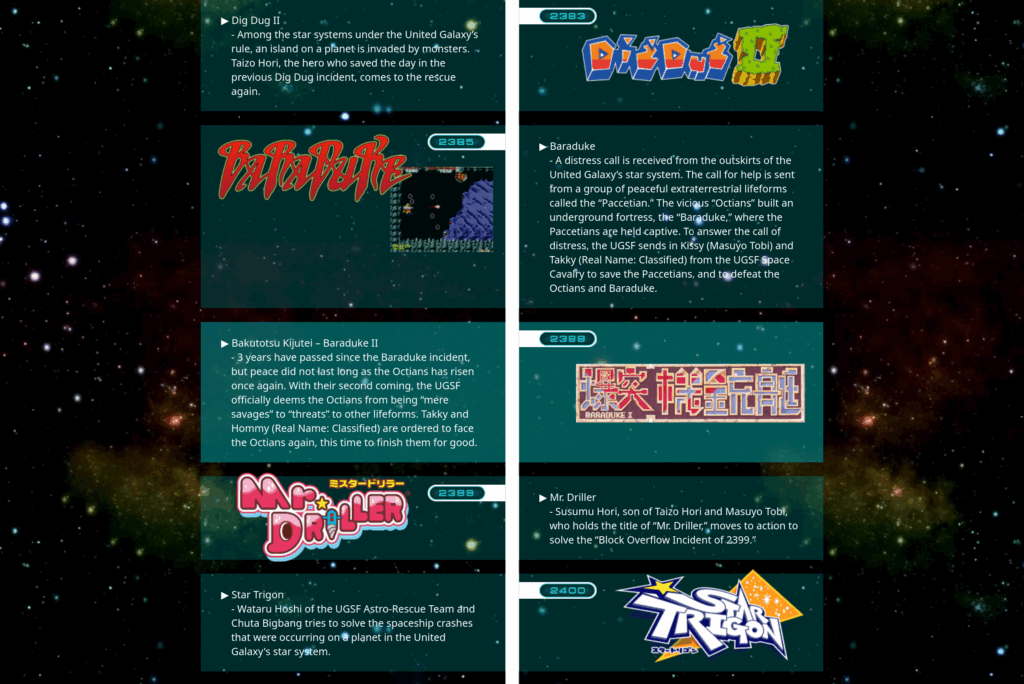
We’ve mentioned this before, but not only are all of Namco’s science fiction arcade games, which include Galaxian, Galaga, Baraduke, Bosconian, Starblade, Cybersled and many others, considered to be on a single timeline, but they even have a website dedicated to sorting and explaining it, ugsf-series.com! And it includes games you might not have pegged for it, like Dig Dug and Mr. Driller!
This even includes their upcoming “Shadow Labyrinth,” which I derisively describe as grimdark Pac-Man. Well, at least they’re serious about it!
Sundry Sunday is our weekly feature of fun gaming culture finds and videos, from across the years and even decades.
Just a few days ago I linked to the complete two-season run of the CG Donkey Kong Country cartoon that got made and aired on Saturday mornings. Well, there’s more where that came from.
As it turns out the people who animated it, “Medialab,” had other plans for the character. It’s not very well known, but in France they made another show, a general cartoon anthology, with the characters performing in bumpers between them, like the original version of Cartoon Planet. It was originally called Donkey Kong Planet, and it’s both bizarre and entirely in French.
Then, the model who was the co-star, along with the DKC characters, left the show. They rebranded it to DKTV, and, um.
You have a choice. You can start off with this 10-minute explainer video by Carlito. It’s the standard Youtuber, “can you BELIEVE this happened??” video. It’s not really bad, I’ve definitely seen worse, but it’s not really a sterling example of the genre either. Here it is embedded:
Or, if you’re a jaded connoisseur of bizarre video like I am, you might want to just go ahead and jump into the deep end of the pool, unprepared. If you’re like that, I got you covered. This is what you want (41 minutes). Don’t say you weren’t warned.
Is that hyperbolic? It probably is. But the heart wants what it wants, and what mine wants is CP/M for the MOS 6502 processor. Set Side B is a blog about computer entertainment, in all its many forms, and this qualifies in my mind, because it’s not like anyone’s going to be using it do real work. Right?
I found out about it through the (mostly) wonderful blog The Oasis BBS. It’s called CP/M 65, and it was made possible when CP/M’s source was opened in 2022. Wait, maybe I should explain what CP/M is. Sure, it has a Wikipedia page, but I like explaining it.
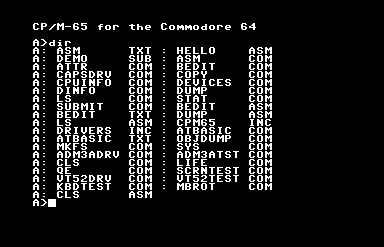
Output of the DIR command on the C64 with the system disk in the drive.
Gary Kildall created CP/M, “Control Program for Microcomputers,” for the Z80 microprocessor, and it became the first widely-used standard OS for home computing. Its importance and influence cannot possibly be overstated: PC-DOS (later known as MS-DOS) was created as a clone of CP/M for the 8086 processor, meaning, the reason .COM files are still technically considered executables, and why we still have drive letters in Windows 11, are both directly because of CP/M.
A case could be made that, if IBM hadn’t made the IBM PC out of standard parts, making possible the huge market for clone machines, it’d still be a CP/M world today, in some way. It was the first standard OS, one where it ran on machines made by more than one manufacturer. Many of the CP/M machines companies, the Kaypros and Osbournes, are gone now, but they had quite a large niche at one time.
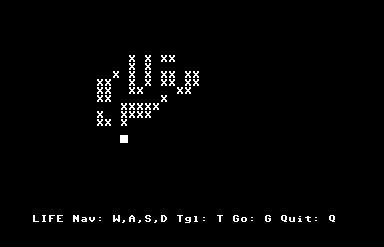
Conway’s Game of Life, for CP/M 65. Because it’s not really a computer until someone’s run Life on it.
Commodore released a CP/M cartridge for the Commdore 64, an amazingly ridiculous and rare package because the C64 used a 6502 processor. The cartridge worked only because it contained a Z80 processor inside itself, and put the 6502 in the system to sleep to do work. It ran much more slowly than other CP/M systems, and on top of that it still had to use Commodore’s 1541 disk drive, a fatal flaw, because it meant that while it could run CP/M software, it couldn’t read the disks that had them, because CP/M’s native disk format couldn’t be read by the 1541’s read heads. (The C128 had a built-in Z80, and the 1571 disk drive that was made for it could read CP/M disks natively, but by that time CP/M was already dying, pushed out by the PC standard and all those clones I mentioned.)
This thing I’m posting about, CP/M 65, has no relationship to that woeful product. It’s a port of CP/M to the 6502 processor. It can’t run Z80 CP/M software. But in all other senses, it is CP/M. What that means is that it has its own BIOS.
CP/M’s BIOS is what allowed its software to run machines made by different manufacturers. The BIOS acted as a translation layer between the hardware and the software. Programs wouldn’t interact with the hardware directly, but instead make calls through the BIOS whenever they needed to use some part of the hardware, like when it needed to access the disk or output characters to the screen. The result was that unless the software was written specifically to take advantage of a computer’s specialized hardware anything extra it had would go unused, but it also meant that a software developer could write one program and, so long as it restricted itself to interacting with the system through that BIOS, it could run on any CP/M machine that could read the disk.
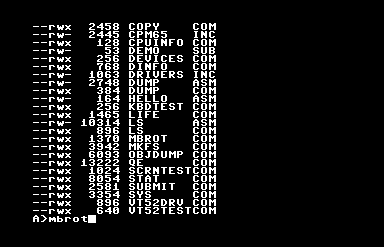
DIR is the built-in CP/M command to report disk contents, but this release contains LS for those with that muscle memory.
CP/M 65 provides such a BIOS for all of its supported platforms, and as a result, while using it will give you a plane-jane, character-mode program, it’ll let you write a program that will run on any of them. Indeed, since this version of CP/M supports relocating executables, its programs can run on a much wider variety of hardware than original CP/M could. You can write a single program that can run on a Commodore 64, VIC-20, BBC Micro, Atari 8-bit, Apple II, KIM-1(!) and, if you can find the incredibly obscure keyboard and disk drive hardware for it or else emulate them, the Super Nintendo Entertainment System(!!).
But on a C64 it shines slightly more than the others, because it has integrated fastload routines, meaning that it gets around the C64’s greatest flaw, its horribly slow disk drive.
So this basically means now 6502s have their own cross-platform version of DOS, or something a lot like it. It has little software, but it does have an assembler, and a version of BASIC, and if you don’t mind writing it on a (pah!) modern computer, you can also write programs for it in other languages.
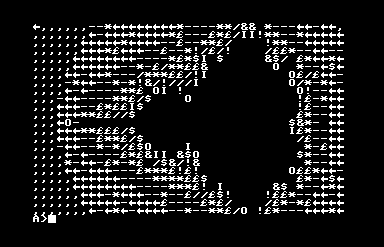
Behold the PETSCII Mandelbrot set!
If you want to try this wonderfully misbegotten thing, something like Frankenstein’s Monster wearing a ribbon, its GitHub is here, and you can find binary release disk images here. The one with the extension .d64 is the C64 version, and it loads right up in the Commodore computer emulator VICE, although I found out it’ll fail to boot unless you turn on “True Disk Emulation” for Drive 8. But it works! It comes with an assembler and BASIC, and a vi-like text editor, an implementation of Conway’s Life, and even a Mandelbrot set plotter. I kind of want to write software for it!
CORRECTION: Silly me, here I was assuming that CP/M 65 itself was a fairly recent thing, but as it turns out it’s been around for around 30 years!
CORRECTION FOR THE CORRECTION: Well the guy working in this very long Youtube playlist (maybe 31 hours?) created it in 2022, which isn’t 30 years ago. Ah well!
It is. It IS. It is not recommended, for hearing, for knowing about, for existing.
Two playlists, one for each season. Yes, they made a second season. So many characters are off model (literally, their models are off), but Cranky Kong’s is especially different.
Mario Kart World upends the series in several ways (not the least of which in price), but the biggest change is that the game now takes place in an open world, one that you can roam around freely, and even the main tracks in the Grand Prix are supplemented by races that travel between them.
One consequence of the game world is that the NPCs that inhabit it have a bit more of a life than in past games. In N64 Toad’s Turnpike, they’re just boxes that travel around the loop getting in the racers’ way. But now, when you’re exploring in Free Roam, you can pick out a specific driver and follow them around.
And what do you know, there actually seems to be a bit of an inner life going on there! They don’t seem to pathfind between locations, sadly, but they can get the mad yen to drive off the road and tear across the desert. And, surprisingly, a drive can get out of their car, which is more than the player racers in the game can do!
OnADock, on Youtube, made a 14 minute video where he followed a Toad around on their travels through the Mario Kart World, um, world. Maybe it’ll inspire you to do some investigation of your own?
Loadstar was a disk magazine for the Commodore 64 that lasted for 22 years! I’ve been put in charge of organizing its archives. From time to time I’ll present something interesting from its thousands of published items.
Even though I’ve been spending a lot of time working on the Loadstar project, I’m trying not to overwhelm this blog with items related to this Commodore 64 disk magazine. So for the time being I’m restricting myself to weekly Loadstar posts at most. Maybe on Wednesday? How would “Loadstar Lendsday” be as a name? Hm, not great. I’ll work on it.
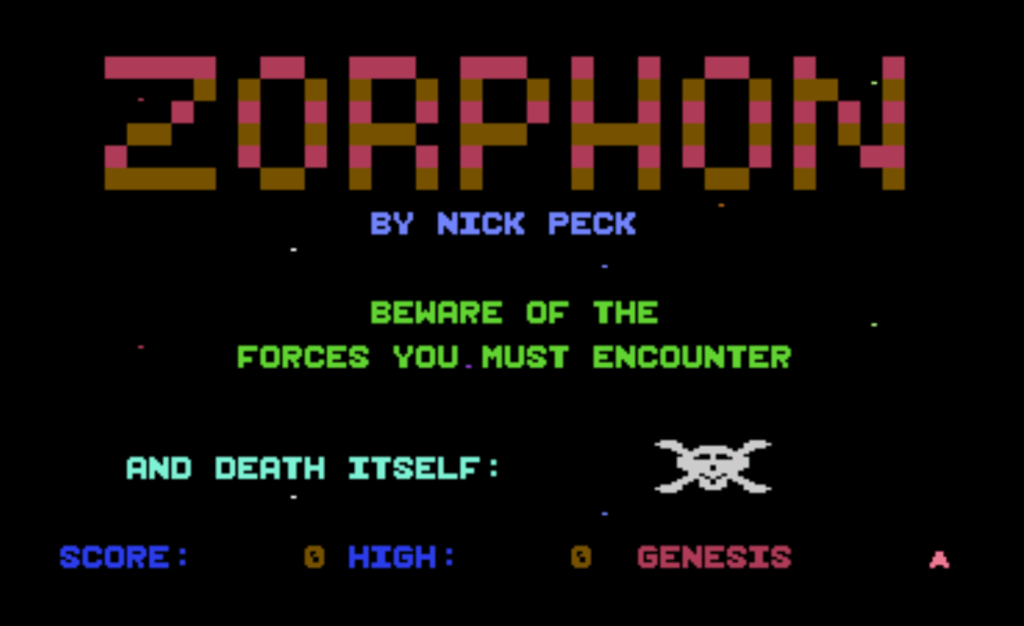
This week I bring you one of the most polished games Loadstar published, Zorphon by Nick Peck, from issue 39. Here’s some demonstration video I recorded and posted to Youtube (13 minutes):
While he did have a few miscellaneous other items published on its disks, Nick Peck only ever made two games for Loadstar. Both are great, technically impressive, programmed entirely in machine code, and challenging. (The other is Paragon, from Issue 50.)
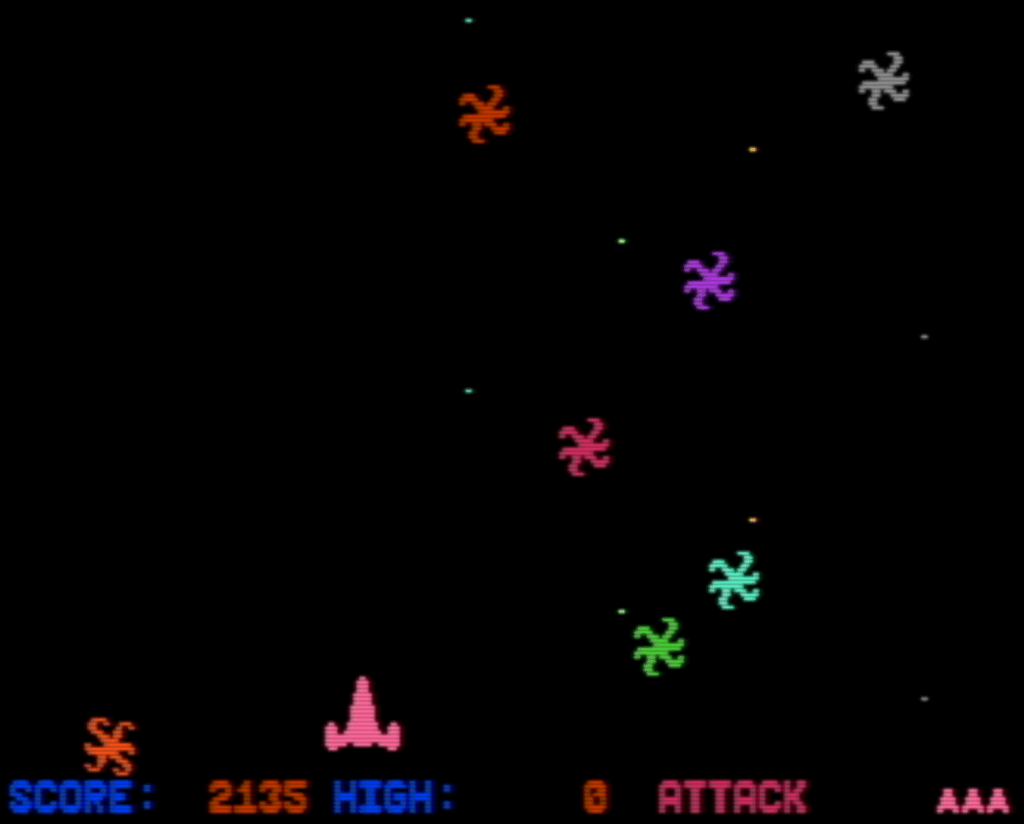
Zorphon is a space shooter in the vein of Gorf, where each stage offers different gameplay. Zorphon has three stages that loop, although there is an extra one, “Genesis,” that plays before the first loop, that’s only encountered at the beginning of the game.
You have your standard-issue spaceship that’s locked to the bottom of the screen, that can only move left and right, like the ships in Space Invaders, Galaxian and Galaga. This poses special problems in the stage that plays like Centipede: if one of the purple space bugs makes it down to your ship’s level it’s done for, because it’s not possible then to shoot or dodge it at that point, so it’s essential to ensure that doesn’t happen.
I played this game long ago, when it had just appeared in the magazine’s September 1987 issue, and even though it’s a fairly simple game, its quality has stayed with me all these years. There are different ways to represent moving objects on the Commodore 64. The most obvious, and smoothest, way is using its hardware sprites, but there are only eight of them. You could use sprite multiplexing to reuse them as the raster beam traces down the screen, but that poses certain limitations on the graphics and gameplay.
Zorphon instead chooses a different means of representing enemies, it draws them on the character map. That means that the attacking aliens can only be displayed on character grid boundaries, which is a drawback, but it takes the cap off of the number of foes the C64’s VIC-II chip can display. You also get free collision detection: just check the register at memory location $D01E (53278) to see if the sprite that represents the player’s ship comes in contact with any background graphics data. This method means the collision detection is pixel perfect, the flag isn’t set if the sprite overlaps empty portions of a character cell. This isn’t always desirable, but the ship in Zorphon is large and chunky, so mis-detected collisions are unlikely.
Zorphon is, of course, in the archive of Loadstar Compleat that I maintain, although admittedly it is $15 there. You could also play it on the Internet Archive’s emulation of it. That is a “cracked” version though, which I find funny because Loadstar is for the most part not copy-protected. It will offer you unlimited lives, which is also funny since it’s a score attack game, and running out of lives is the only way for it to end. I think Loadstar #39 is also available there somewhere, but I can’t seem to find it easily.
If you decide to try it, by however means, here’s some tips.
All the stages of Zorphon are made more challenging by your ship’s limited firepower, having only one shot onscreen at a time. If you miss your shot you’ll have to wait until the other one exits the screen to try again, and that can take two or three whole seconds. Getting into a rhythm of shooting at monsters helps a lot, especially in the first stage, which is all about finding that rhythm.
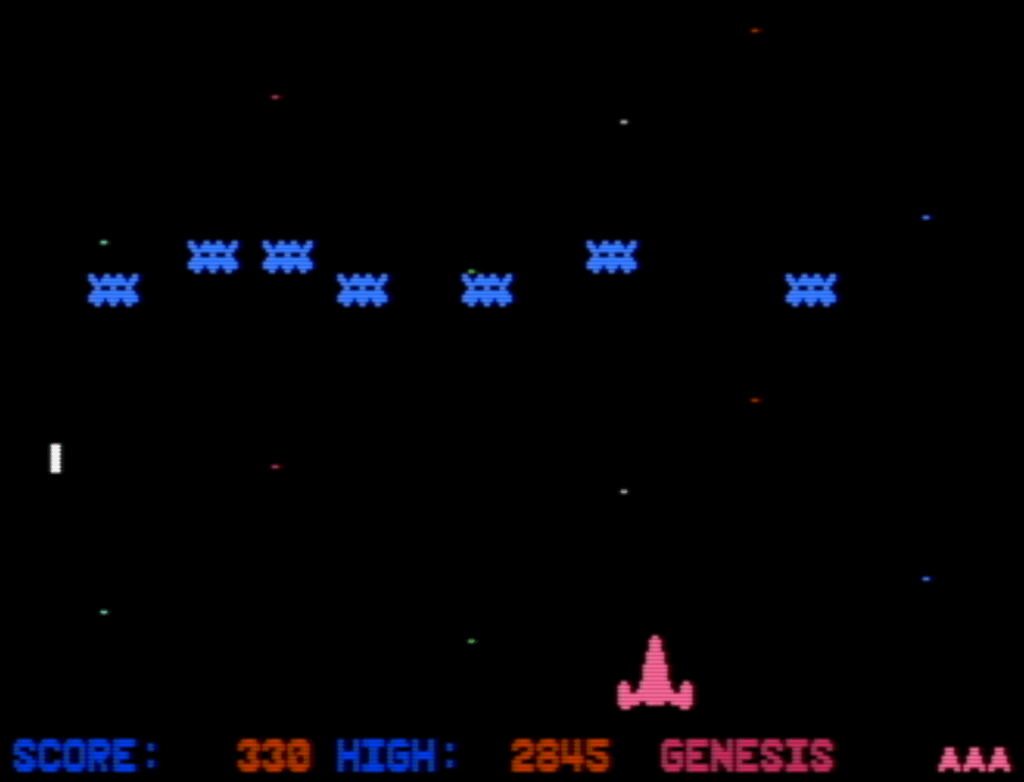
The bouncing enemies phase of the first level, Genesis. Until you figure out how to clear all of them, you’ll be stuck cycling between Genesis’ two phases.
The first stage, Genesis, has two phases. The first end when you shoot enough of the red TIE-Fighter enemies, but to finish the second you must destroy all of the blue bouncing aliens within a limited number of passes. If you don’t get all of them in time, they’ll completely replenish, and if you fail at it again you’ll be sent back to the TIE-fighter phase!
The blue bouncing enemies are really hard to hit. I find it’s best to hang out at the left side of the screen and shoot the ones there. Every time they pass by, they distribute themselves again, and there will always be an enemy on the left side unless there’s only one left (which will move to the center of the screen).
Since Genesis cycles until you pass it, one way to get a good score is to purposely repeat it, letting the blue enemies reset and then fighting the TIE-fighter phase again. Once you know the patterns Genesis isn’t very hard, and can be easily farmed for points. It’s not a very exciting way to play though.
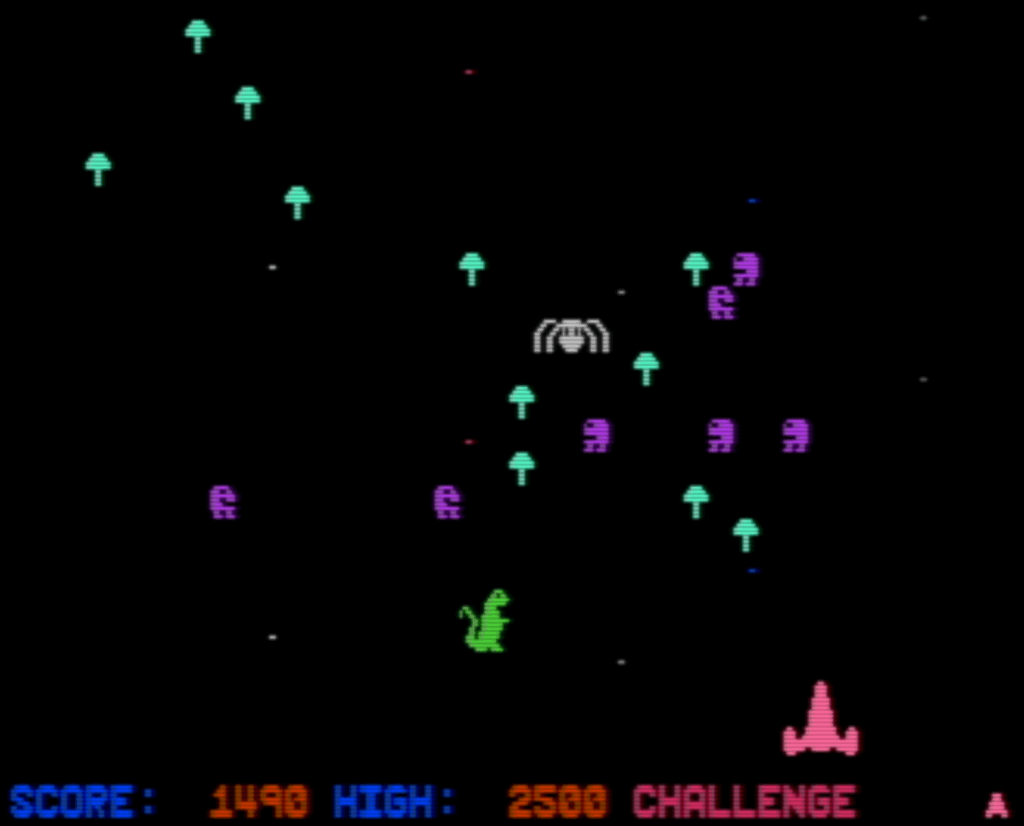
The Challenge stage, which is pretty hard!
The second stage, Challenge, will be the end for many players. It’s the Centipede-like stage, but your shots do nothing to the mushrooms! Many of the enemies wipe out mushrooms when they pass over them, which will help you out a lot.
To finish Challenge, you must wipe out two complete waves of centipede aliens, and a few pairs of segments that come in between them. After the second wave spawns, clear the stage of centipede segments and you’ll progress.
The third stage, Attack, is even harder!
The third stage, Attack, is really tough, and made harder by the fact that it’s so hard to get to it that you can’t practice it easily! Maybe getting better at it is a use for that infinite lives cheat on the Internet Archive version? Maybe! To finish it, I think you have to shoot enough of the bouncing asterisk enemies to pass it. Look out for the exploding bombs dropped by the flying saucers that come in from the side!
I don’t know remember if I’ve ever finished Attack and gotten to the last stage, but I seem to remember seeing a full loop at some point so I think I have. See if you can do it.
Sundry Sunday is our weekly feature of fun gaming culture finds and videos, from across the years and even decades.
From TerminalMontage, who’s shown up here multiple times before. I thought maybe I might have already posted this, but a quick search seems to indicate that I haven’t, and it’s a useful intersection between Nintendo things, roguelike things, and silly things.
Specifically, this Something (5½ minutes) is About the original releases of Pokemon Mystery Dungeon Rescue Team, Red and Blue. And you’ll probably best see what all the About is about if you’ve played the original.
I’ll throw in some notes about the references in this video:
The rescue mechanic, which involves teleporting rescued Pokemon. How the hell does it work?
Kecleons, the shopkeepers in PMD, are as scary as depicted here. To think that this would be a lasting legacy of the Nethack Devteam’s Izchak Miller.
The music in the volcano segment is from the game, and it does the thing that the kids these days call “slaps.”
Make sure to fast forward through the credits for a final closing gag, where we find out who Cyndaquil really is.
I’m still deep in the 8-bit computing weeds right now, and I always look to connect what I’m personally researching with what I put up on Set Side B. So lucky you, what I’ve been looking at today is The 8-Bit Guy’s videos about the history of Commodore!
It’s a series of videos (yes, on Youtube) exploring the history of that company, both lauded and hated. They released one of the best-selling computers of all time in the Commodore 64, but founder Jack Tramiel wasn’t all that great a guy. Word is the C64 was priced so low because he held a grudge against Texas Instruments, a calculator company Commodore competed against, so he moved to undercut and destroy their sales of the TI-99/4A, turning it into just another computing history footnote. He also bought rising star MOS Technologies, which had a terrific things going with the ultra low-cost 6502 processor, but then basically only used the company as Commodore’s bespoke chip fab.
But say what you will about Tramiel and other strong personality company Presidents and CEOs, when they’re successful, their ups and downs make for interesting times, to read about and hear. So “hear” you go!
The series is collected into a 13 video playlist, 8 parts of the series itself averaging about 25 minutes each, plus some extras. It’s a tale that begins with one of the first (if not the first) pre-assembled mass market personal computers, and ends with the Amiga. If the dice had only rolled differently (and maybe if Tramiel hadn’t bee forced out of the company), then instead of Apple rising to become the leading computing device maker in the world, we might be using Commodore C-Phones today.