I could link the things that everyone already knows about, that people in that wretched hive they call Reddit have already linked five times, that have blown up on social media, that there’s already a Youtuber or two making snide comments about. I mean, I’ve linked stuff like that before, pretty often really. They aren’t hard to find.
But I’d much rather link something interesting that’s basically unknown. Help spread the word about it! The only problem there is, how do you find that stuff in the first place? It’s a bit of a chicken-or-David-Egger. I think that’s what you’d call it, sure.
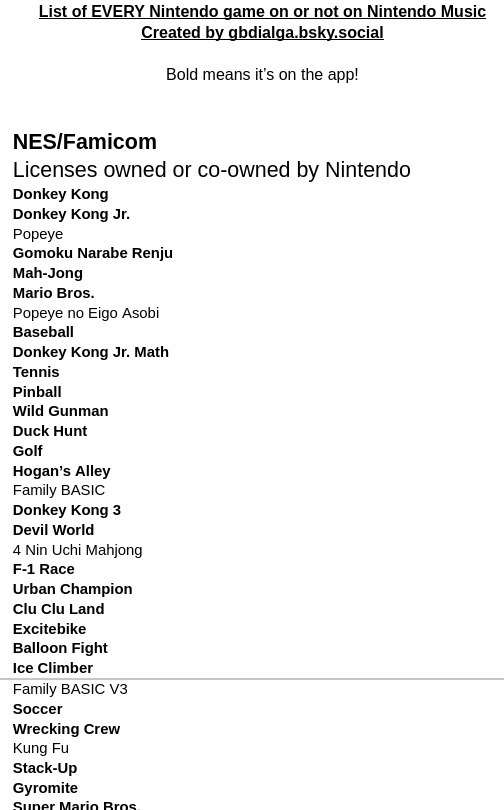
So when I saw someone I follow on Bluesky wrote out nearly every Nintendo video game property, including those that appeared on niche platforms like Virtual Boy and Satellaview, primarily so they could boldface the ones that have arrived on Nintendo Music, I had to run directly here to link to it.
The beginning of a long list
I don’t vouch for its total accuracy, but it still could be a useful resource. In fact I know there are some things that are missing, like their early arcade games Sheriff or Radar Scope, just for starters. But if the idea is to present things that realistically could present soundtracks included in Nintendo Music, it’s a pretty good list.
Sundry Sunday is our weekly feature of fun gaming culture finds and videos, from across the years and even decades.
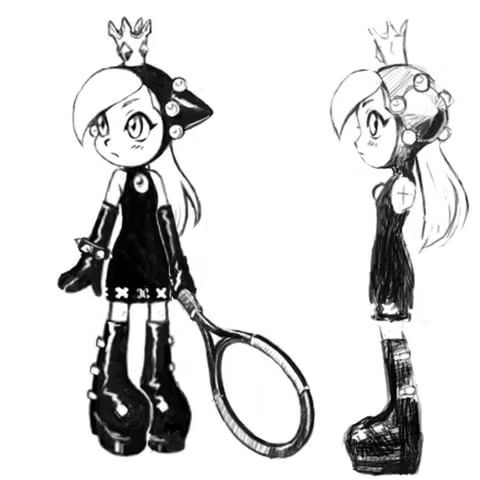
Wario and Waluigi should need no introduction. (Wario shouldn’t anyway; Waluigi has not gotten most attention since the early 2000s.) After establishing them as the Nintendo-flavored version of “Bizarro,” we are informed by Michael McWhertor of Polygon that Camelot, the originator of Waluigi, had brainstormed up a wa-version of Peach too, which was rejected by Nintendo because they hate awesomeness.
Concept art of Wapeach, from Camelot originally, image from the Polygon article linked above.
It’s been two years since that article came out, and soon after fan material regarding this quasi-evil apparition began to appear. On DeviantArt (that place), user Niko–Neko has made to date 95 images of the princeless-waif, some just artwork, some comics, often involving her partners-in-wa, Wario and Waluigi. (Note: some images slightly NSFW, nothing explicit, but there’s at least one image where she’s wearing her cape and little else.)
I’ll leave you to explore Niko–Neko’s renditions of her hapless adventures on your own, as they’re not the actual point of this post, not directly at least. Instead, I invite you to partake in gawking at GabaLeth’s playlist of eight of those comics with voice-acting. (Total length about 4½ minutes)
I now leave you to dream about lovably incompetent dark princesses and the things they might do to you if they got you in their clutches. “Yow, it hurts so good! How may I serve you, oh Mistress of Darkness….”
Kenji Eno (Wikipedia), the creator of horror games D and Enemy Zero, and other iconoclastic games like You, Me and the Cubes (Wikipedia). He passed away from a heart attack in 2013.
Shigeru Miyamoto (for form’s sake, Wikipedia) is of course the legendary game designer and producer at Nintendo, creator of Donkey Kong and Mario, and designer of Super Mario 64, among other titles. He’s still with us.
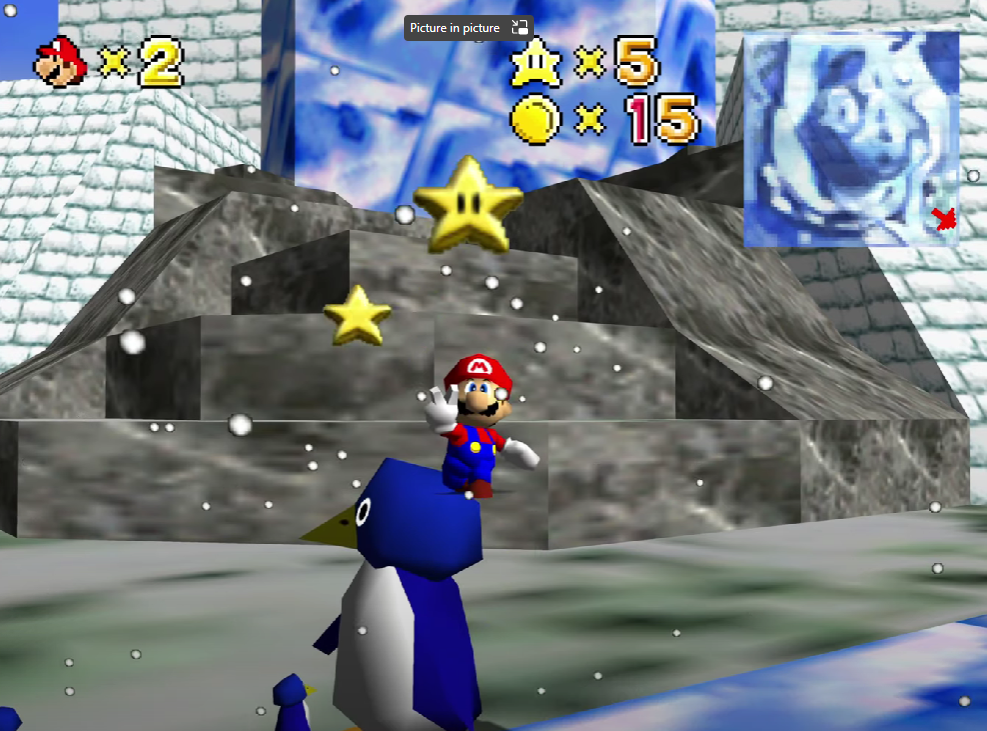
The interview happened shortly after the release of Mario 64, and is interesting because Eno is not unduly laudatory of it. He says it’s a good game, but feels it was missing something from its Space World presentation. Miyamoto agrees somewhat, that the free exploration of the prototype version was not as much in evidence, and thought it lost something by giving the player more direction, but that the demands of the marketplace, and the need for Nintendo to have a big hit to promote their new console, forced their hand. (Aside: the Space World version of SM64 has never turned up, not even in the infamous “Gigaleak” from 2020. shmuplations notes that The Preservation project (patch, github) is a fan attempt to recreate it.)
Screenshot from The Preservation Project (image from romhacking.com)
It’s an incredibly revealing interview, not the least reason being it discusses Nintendo’s hopes for the 64DD. I think you’ll find it very interesting, if you’re the kind of person I think you are.
It’s not well known (but is becoming better known) that the NES’s PPU graphics chip has an unutilized feature. It has a way to pipe graphics into it from another PPU, giving the two chips a combined output. The Famicom and NES both ground out the pins that would allow using this interesting feature, making it impossible to use without desoldering and some other changes, but Youtuber decrazyo performed the necessary modifications (5 minutes) and thus made a system capable of hardware parallax scrolling, 128 sprites with up to 16 per scanline, and additional color flexibility.
The existence of this feature implies that the PPU was intended for greater things at some point in its development. A lot of the limitations of classic hardware end up being due to economic and complexity tradeoffs prevalent at the time of their making. I find it intriguing to imagine the PPU’s chip designers anticipating a future where it could have been daisy-chained like this.
The Game Display tells us of an interesting kind of secret in Super Mario World that few know about. Once in a while in that game, a 1-up Mushroom just randomly seems to appear, flung into the air, sometimes in such a way as to seem to encourage you to leap off a cliff to go after it. Here is their video explaining what’s going on with those (9½ minutes):
There are some locations in a few levels that have four invisible spots in the background that can detect your presence. If you touch the four in order, the extra life appears. They’re found throughout the game, and they’re supported in code to the extent that, if you find one in a level, the game sets a flag for that level so it won’t appear again in that play session. You have to exit your game and load it back up again before you can get another extra life by this means from that level.
Many of these locations are arranged so that to trigger them in order, you’ll have to move in a loop around some location. This is similar in concept to the stakes in Super Mario 64 that, if you run around them a few times, cause them to generate coins to collect. Another kind of weird secret in a Mario game. I feel like Shigeru Miyamoto must have been lying awake at night brainstorming ever more obscure things to put into them.
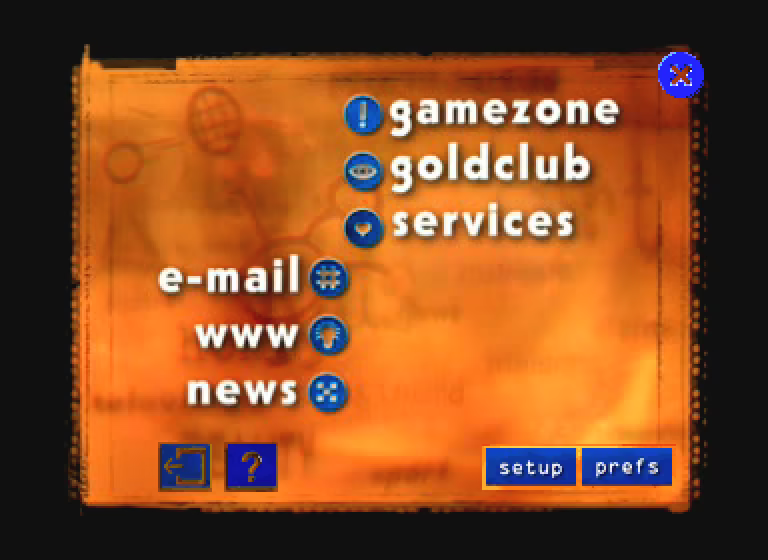
Over on the site vale.rocks Declan Chidlow has written up a complete rundown of every console web browser, and it’s certain to spark memories in many of you. Including web browsers in consoles used to be a useful way for a company to distinguish their system from others, but as they admit at the end of the article, now the web is with us constantly, on phones and tablets, and people are more likely to turn to game consoles to escape from it. I’m sad about that, there’s still a lot to like about the World Wide Web, it’s mostly the social media elements of it that suck.
Probably the first console web browser, on the Phillips CD-i. (image from the site)
The systems listed are the CD-i, the Sega Saturn, the Apple Bandai Pippin (wow really?), the Nintendo 64 (only in Japan with the 64DD add-on), the Game Boy Color (through the Mobile Trainer cartridge), Sega Dreamcast (I remember it well), the Wonderswan, Playstations 2-4, Portable and Vita, Nintendo DSes original, I, 3 and New 3, Xboxes 360, One, S and X, the Wii and Wii U (the Wii U had quite a cool browser, as the article explains), and technically speaking the Steam Deck (which can run lots of other software too). But please click through and read all about them!
It’s been a small eon, but ZoomZike is finally back with the latest in his epic series of video deep dives, Identifying Luck in Mario Party, with a 2½ hour entry on Mario Party 10, being for the Wii U probably one of the least played titles in the series.
We’ve linked to these several times before, and I claim directly to you that they’re about as good as you get when it comes to investigating game internals. PannenKoek goes more into specifics and implications maybe, but ZoomZike has much more ground to cover. He’s now done twelve Mario Party titles, all in this playlist, and as they’ve continued they’ve gotten even more complete and detailed. The shortest of all of them is for MP1 at 1½ hours long; the longest, for MP7, is nearly 5½ hours!
Each video covers all of its game’s boards and events, all of its items and how they work, and all of its minigames. While “Identifying Luck” is the title and ostensible purpose, what we get is more like a complete guide to the internals of each game, includingly the many ways the games put their thumbs on the scales, often in favor of the last-place player.
They take a long time to chew through, oh yes, but if you want to know how the masters of video board gaming put their long-running series together, I don’t think you can find a better source.
I was listening to Retronauts 768 a couple of days ago, about the 20th anniversary of the release of Mother 3. It was interesting and you might enjoy it too, but the reason for this post is that they mentioned that Nintendo art legend Benimaru Itoh still maintains an old-school website.
That is a thing about Japan; it’s on average behind the times concerning technology and internet trends, for example Geocities Japan outlived the original by a decade, but it looks more and more like that’s actually a really good thing as the Western internet dives enthusiastically down the cyber-commode. Old-school websites are in again, at least among the right people, and one of those people is Benimaru Itoh.
The focus is mostly on his art, all of which I find very nice. Like this one:
So nice!
Or this heartfelt image in memory of Nintendo’s beloved late president Satoru Iwata, who programmed many games for HAL Laboratory:
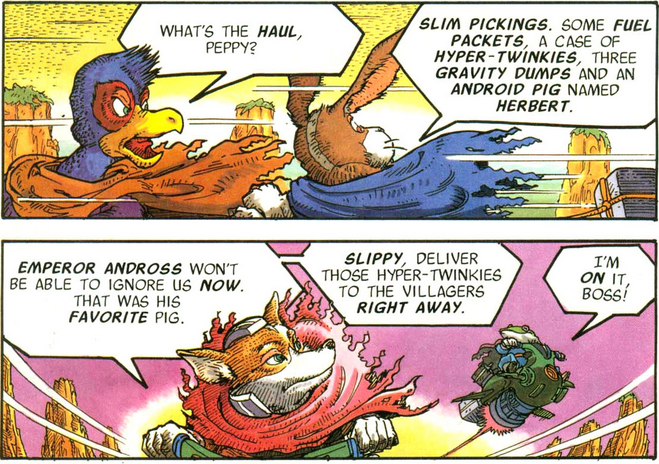
There’s plenty of other examples on the site, many of them promotional music posters. More in line with our focus here at Set Side B, Itoh was the artist of some of the old Nintendo Power comics, like the Metroid and Star Fox series. He’s also a musician, and has “a doubleneck acoustic/electric mandolin/ukelele!”
Maybe Benimaru Itoh didn’t write this dialogue, but he could have.
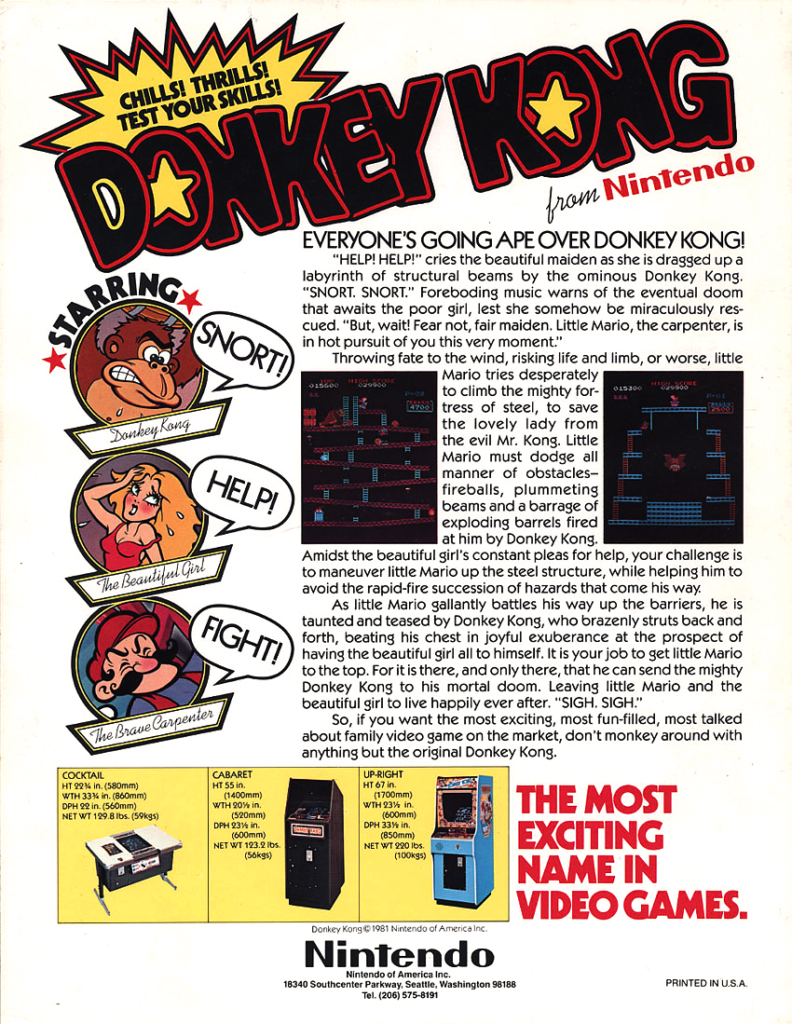
Mackie’s Thrilling Tales of Old Video Games often covers Nintendo-related topics, and this one is much more so than usual: a barrel-full of trivia related to Mario, his games, and his friends, enemies, rivals and hangers-on, spread out across seven long pages, all glorious text with some images and other media scattered through.
From the pages: a flyer for the original US arcade release of Donkey Kong. SNORT! HELP! FIGHT!
Most of it is new information, including a fair bit of arguing against perceived elements of Mario lore, like his getting his name from a Nintendo warehouse landlord. I’m personally glad that one of the many sources cited is Matthew Green, deceased game journalist and the maintainer of the (also deceased) blog Press The Buttons. Wherever you are Matt, I hope there’s lots of great games to play.
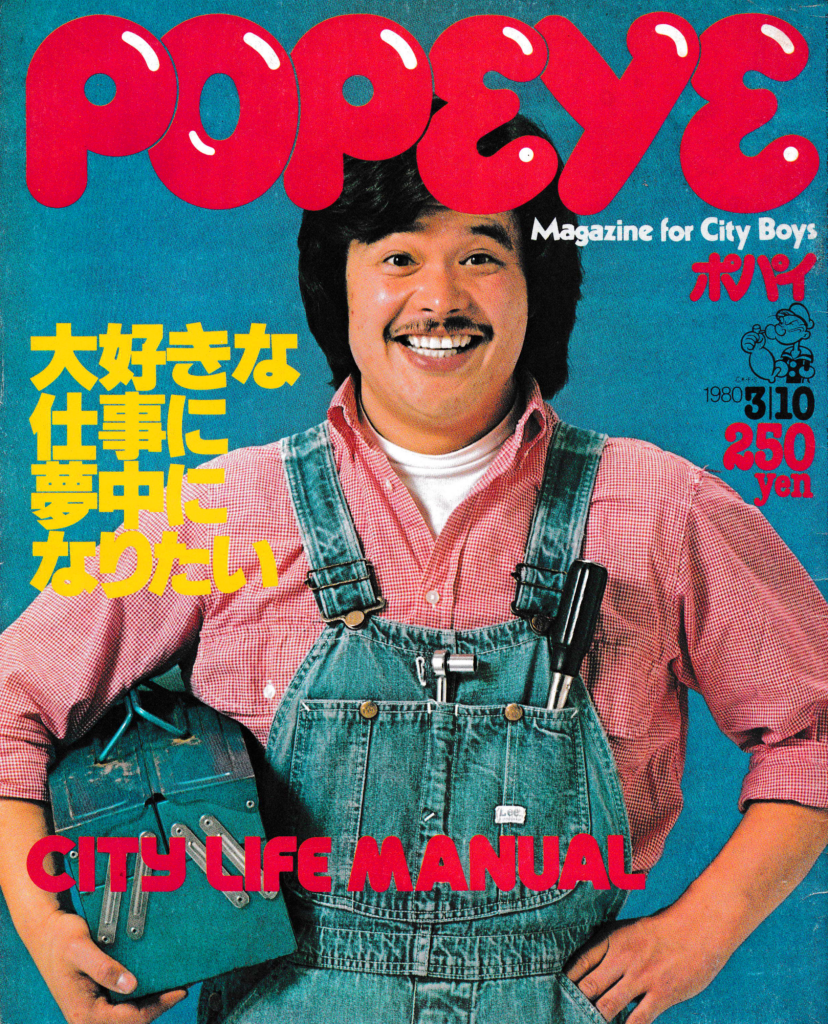
Also from the article: the cover of “Popeye Magazine for City Boys,” an odd Japanese publication. Mackie suggests the photo may be one inspiration for the appearance of Mario.
There’s a bunch of stuff there. It’ll take you quite a bit of time to work through it all, but honestly? It’ll still be much faster than if it were all presented in a two-hour Youtube video, so count your blessings! Wait, they’re already counted: 101, a hundred-and-one blessings. How holy!
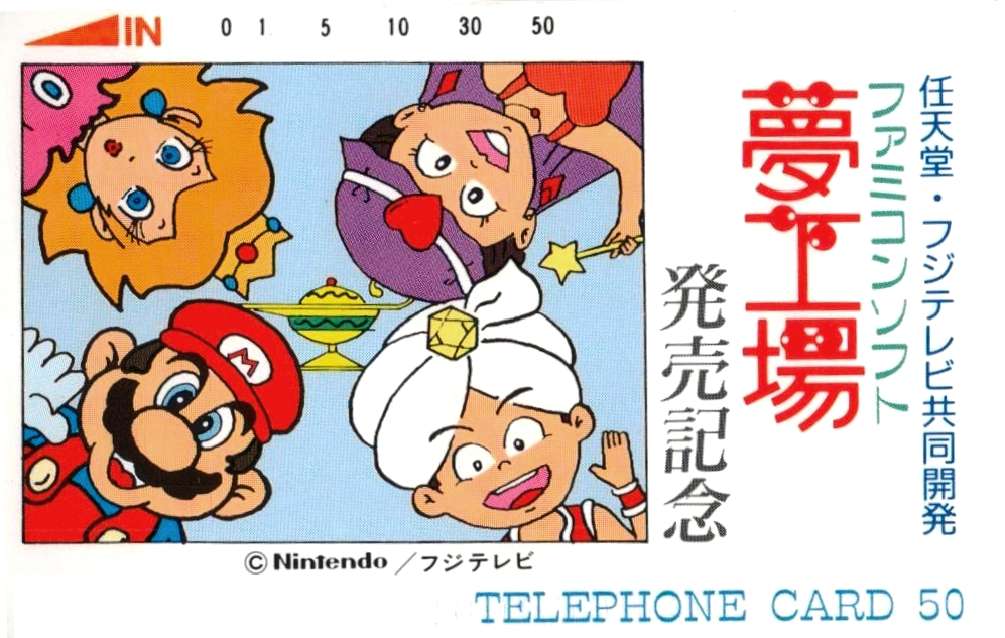
One more image borrowed from the post: a phone card with Mario and Peach sharing the scene with their vaguely-Arabian counterparts from Doki Doki Panic.
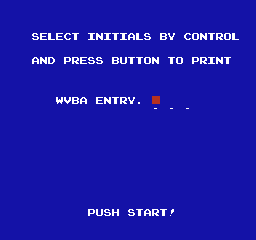
It’s a weird thing to change, but there is a slight difference between the version of Mike Tyson’s Punch-Out!! in the Playchoice-10 version than any other version of the program. As explained on the NES/Famicom game’s page at The Cutting Room Floor, when you start a game in Playchoice Punch-Out, it asks you to enter your initials.
Image from The Cutting Room Floor
It does this because of a couple of other changes: the player is identified by their initials before each fight, and it saves a high score table for each fight that’s displayed when the game comes up in attract mode.
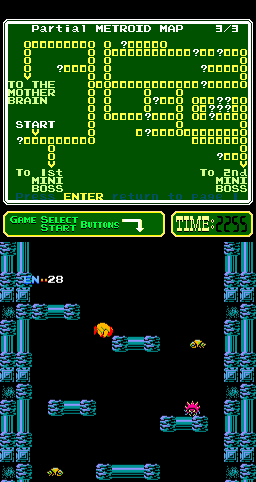
While we’re on the subject of Playchoice differences, on dual-screen Playchoice-10 machines, the top screen is used as a simple UI for selecting games and tracking how much playtime you have left, but it also displays instructions for the game. The instruction screen for Metroid contains a simple map of the first area. (Cutting Room Floor article with image)
Just a minor thing today, as I’ve been splitting my time between other projects. I may have mentioned the Punch-Out fact here before, but if I have it’s been awhile.
Nintendo got its start making playing cards, and, incredibly, still makes playing cards to this day. I guess there’s always money in the banana stand.
A service Nintendo offered, and even more incredibly still offers, is to make customized playing cards for people, anyone, although the stated purpose is to promote products. The blog beforemario tells all about the service, and even links to Nintendo’s page where you too can order custom playing cards, and all you have to do is order them in a batch of at least 3,000 decks, oh and also navigate through the entirely-Japanese order site. Or you could just buy non-customized cards, some with Nintendo character art.
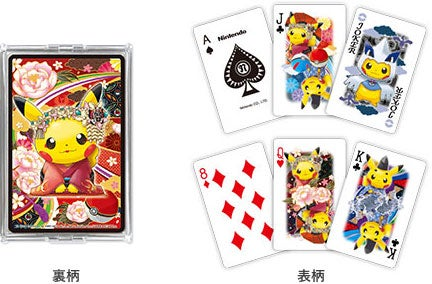
Lest the domain name not convince you that this is the same Nintendo, one of the example decks pictured uses Pikachu in its art (along with the appropriate copyright notices, as Nintendo doesn’t actually own the Pokémon characters).
beforemario has mentioned before that Nintendo still runs a large sideline in making traditional Japanese gaming equipment like Go and Shogi sets, or Chinese Mah Jong sets.
EDIT: As multiple people have reminded me of by now, there are other ways to get images off the system, though they’re annoying. Going through a smartphone app is annoying too. Everything involves getting out some bit of kit and plugging it in. It feels like a maze, so I think my issue that Nintendo is preposterously obstructionist over getting pictures off of their device stands.
Tomodachi Life is a big release from Nintendo, its first real use of their once-starring Mii characters since the quirky and underappreciated Miitopia, which basically puts your little pseudo-people through a D&D campaign, an idea so cool that I had it myself over a decade ago, though of course no one listened to me way back then, or really ever.
Let’s remember what Miis are. The name itself is a reference to the characters’ origin system, the Wii. You see, you just flip the W. The Wii was extremely popular, and opened up video gaming to hitherto unserved demographics, but because most “gamers” are entitled jerks they spread bad vibes about the system despite its popularity (remember “waggle?”), taking its sequel system entirely. Nowadays, Nintendo Switch Sports and Miis are probably its sole remaining legacy, regardless of how many other cool ideas it had. (A version of Opera made for it! News and Weather Channels! In Japan you could order pizza using it! I haven’t even gotten to Check Mii Out and Everybody Votes yet.)
This is the third game in the Tomodachi Life series. The first one was 14 years ago, the original Tomodachi Life for 3DS, got a cult following. It’s kind of Nintendo’s version of The Sims, if the Sims had (very) slightly more self-motivation, no mandatory biological need to fulfil, and an emphasis on weirdness. The second game, the sorely-missed Miitomo, was a free-to-play mobile game that also served as an instant messenger, but it hit sadly at a time when the old style of instant messenger apps were dying out, and lasted just over two years. It was dead in the water long before it closed.
What all the Tomodachi Life games really are is an elaboration of the old game of Mad Libs. “Hey _name_, I’m going to _place_! Should I pick up a _noun_ while I’m there?” Except it’s not just with words, but people too, your Mii characters fill in the role of actors in the many silly little vignettes built into the software. The game includes no characters on its own: you create everyone in the whole damn town, name them, pick how they look, and rate their personalities in five categories, then plop them onto the island and watch them bounce off each other.
Sometimes when they meet you’ll be asked to give the system a word or phrase for them to talk about, and that’s where the more explicit Mad Lib connection kicks in. Just like official Mad Libs*, Maybe nine times out of ten the jokes will fall flat, but that tenth time is comedy gold. Of course what everyone did, and still does, is make Miis of every celebrity and comic character they can fit into Nintendo’s limited yet oddly useful tools. In my game, I have a Mr. T character, downloaded from the Mii Channel on the Wii so very long ago, laboriously schlepped over to Wii-U (via system import) to Switch (via Amiibos) to Switch 2 (via another system import). Mr. T had a dream his first night in my game, on the isle of Yendor, in which he met three other Miis all with Mr. T’s face.
I’d love to show you the video of his dream, but I forgot to record it. Also, though, Tomodachi Life: Live the Dream has a fatal flaw. It’s a meme gold mine, sure, but Nintendo has disabled all media sharing from it. You can make all the great Miis you want, but no one else will ever see them! Its drawing tools are pretty darn impressive, but nothing you make with them can be shared on the internet! You can’t upload them to the Nintendo Switch smartphone app, or even transfer them to your cell phone using Nintendo’s stupid Wi-Fi system! I don’t know if you can get them right off an SD card, but ha ha, on the Switch 2 it doesn’t matter because it uses incompatible SD Express cards!
NINTENDO, ARE YOU LISTENING? WHY CAN YOU EVEN TAKE SCREENSHOTS OR VIDEO AT ALL IN TOMODACHI LIFE IF YOU CAN’T SHARE THEM? Nintendo is a company used to doing things its own way, which sometimes results in moments of brilliance, but at least as often means they do amazingly stupid things like this.
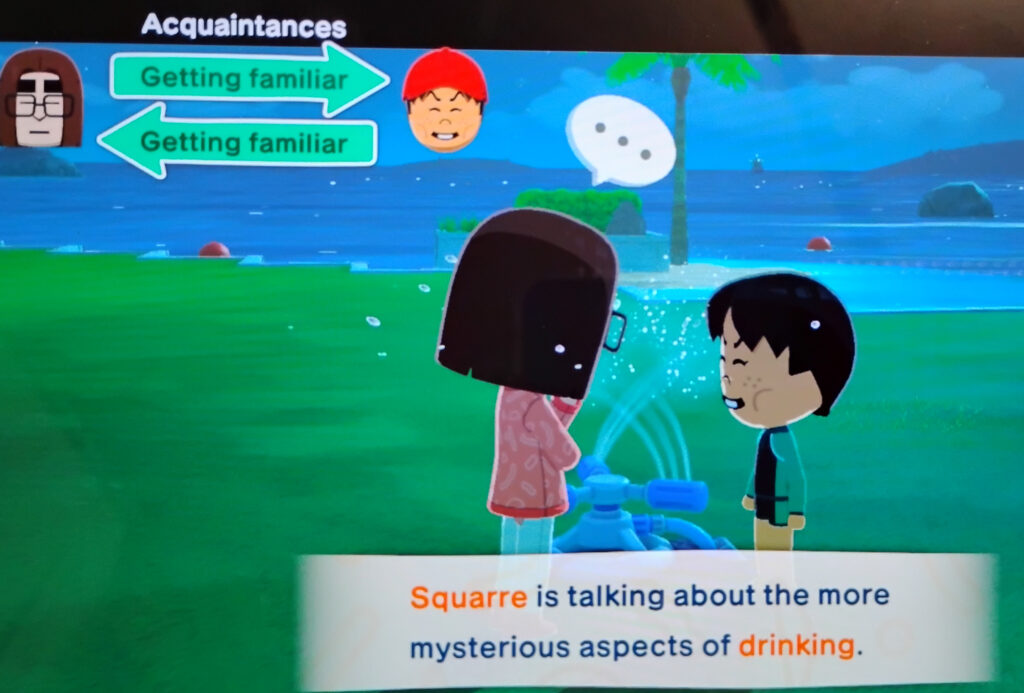
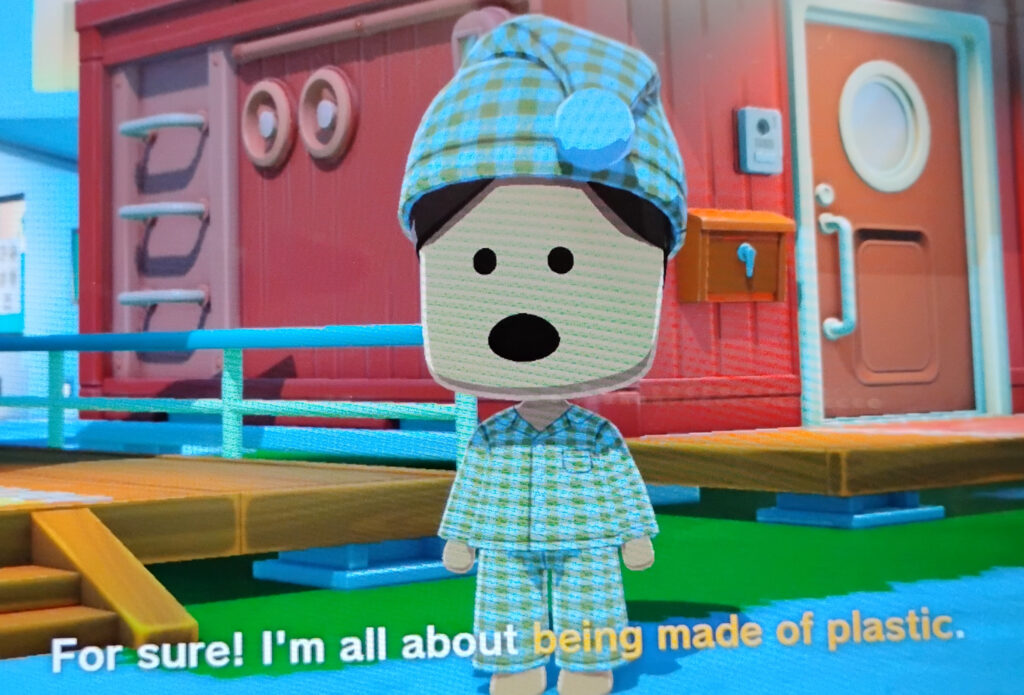
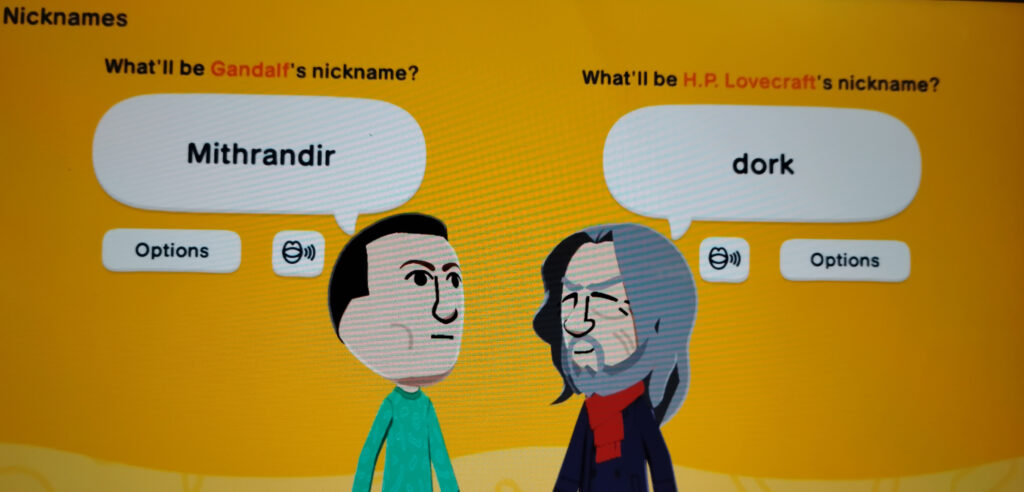
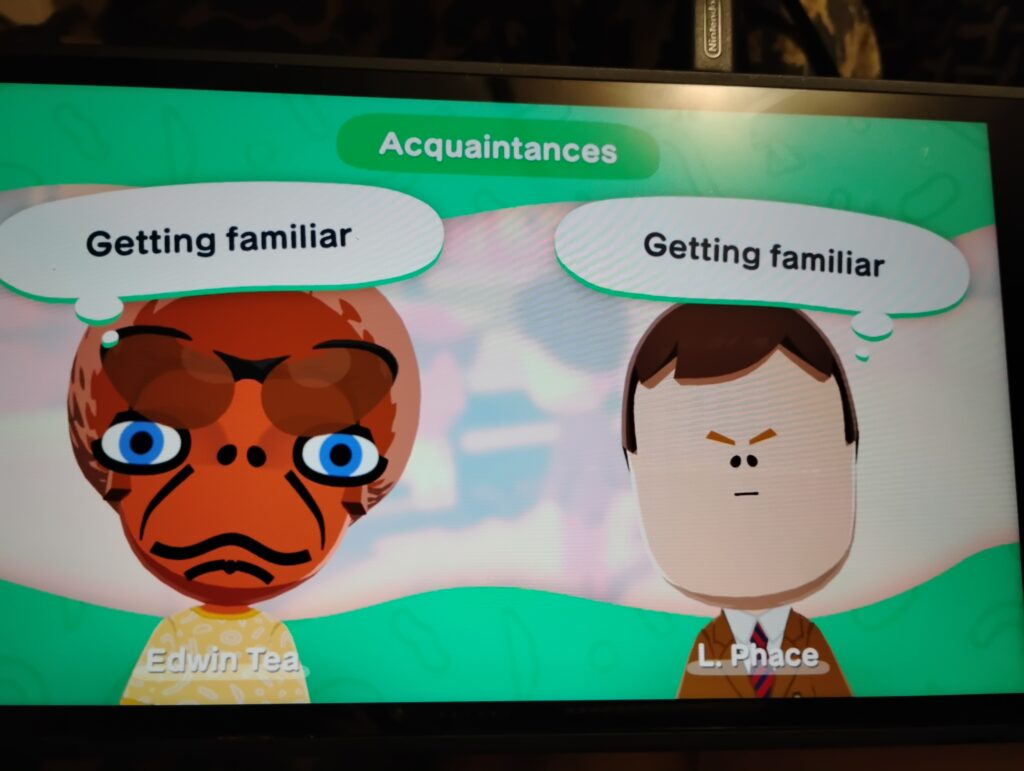
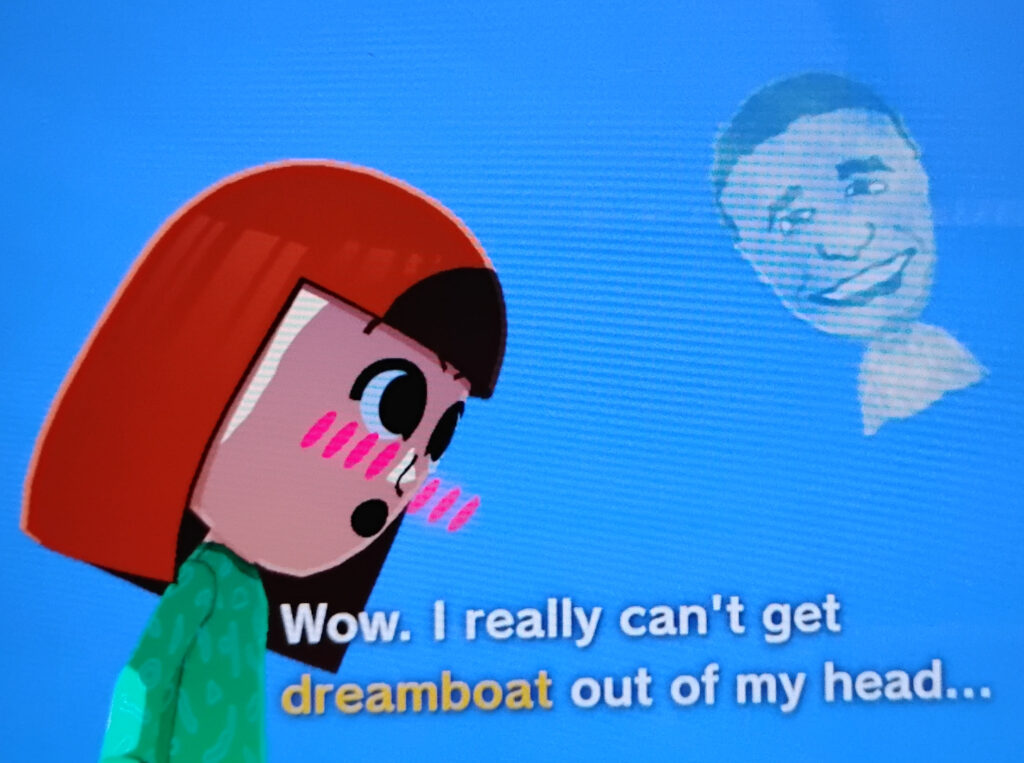
Because of this, you will have to live with potato-quality screen photos, taken with my very own smartpotato. I plant them below. Imagine how much better these would be if Nintendo actually officially supported the use their software was obviously made for. (Note: I’ve been told since writing this that you can still get images off using an SD card… although if you have a Switch 2 like I do you’re probably just as out of luck as it uses SD Express cards. I’ve yet to confirm cross compatibility with those, I don’t think I have the right kind of adapter.)
Hint: try alcohol next time. BTW, that’s the official Shigeru Miyamoto Mii on the right, as distributed through the 3DS’ online functionality. I also have a Masahiro Sakurai.Lego Larry is one of the more beloved Miis in my collection.This is exactly how this meeting would go down in real life.Another great thing about Miis is how far you can break them. “Edwin Tea” there is one of the several I scavanged from the Mii Channel and Check Mii Out, way back on the Wii.
Below is my absolute favorite of all the Mii interactions I’ve seen so far. Poor Patricia’s got it bad, and truthfully, I felt much the same way back in 2008. I kind of feel that way now, but sadly both his terms are up.
* BTW, did you know Mad Libs was co-created by Leonard Stern, who wrote many scripts for The Honeymooners, and wrote for and executive produced Get Smart?








.jpg)
