Gamefinds: Urjo

We love it when we find weird and unique indie games to tell you all about! Our alien friends to the left herald these occasions.

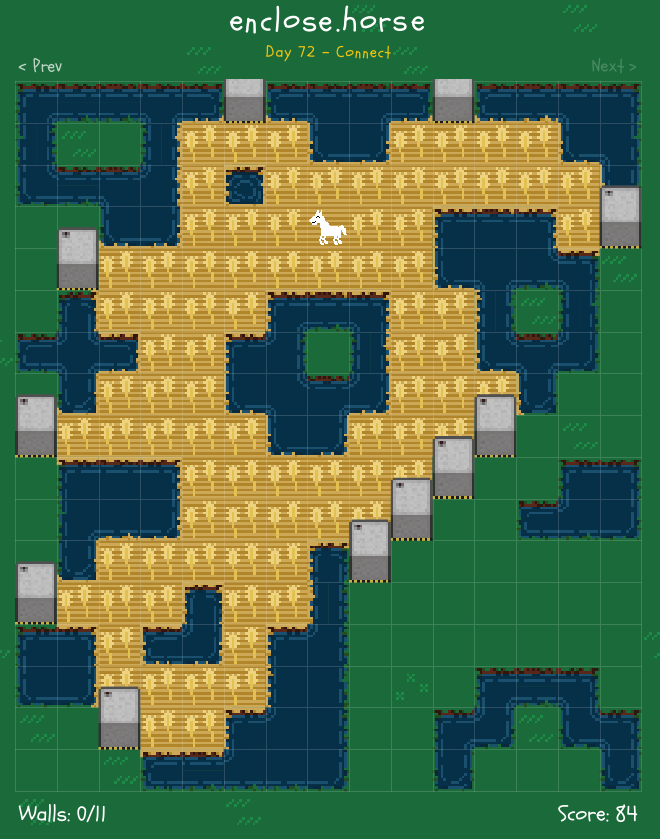
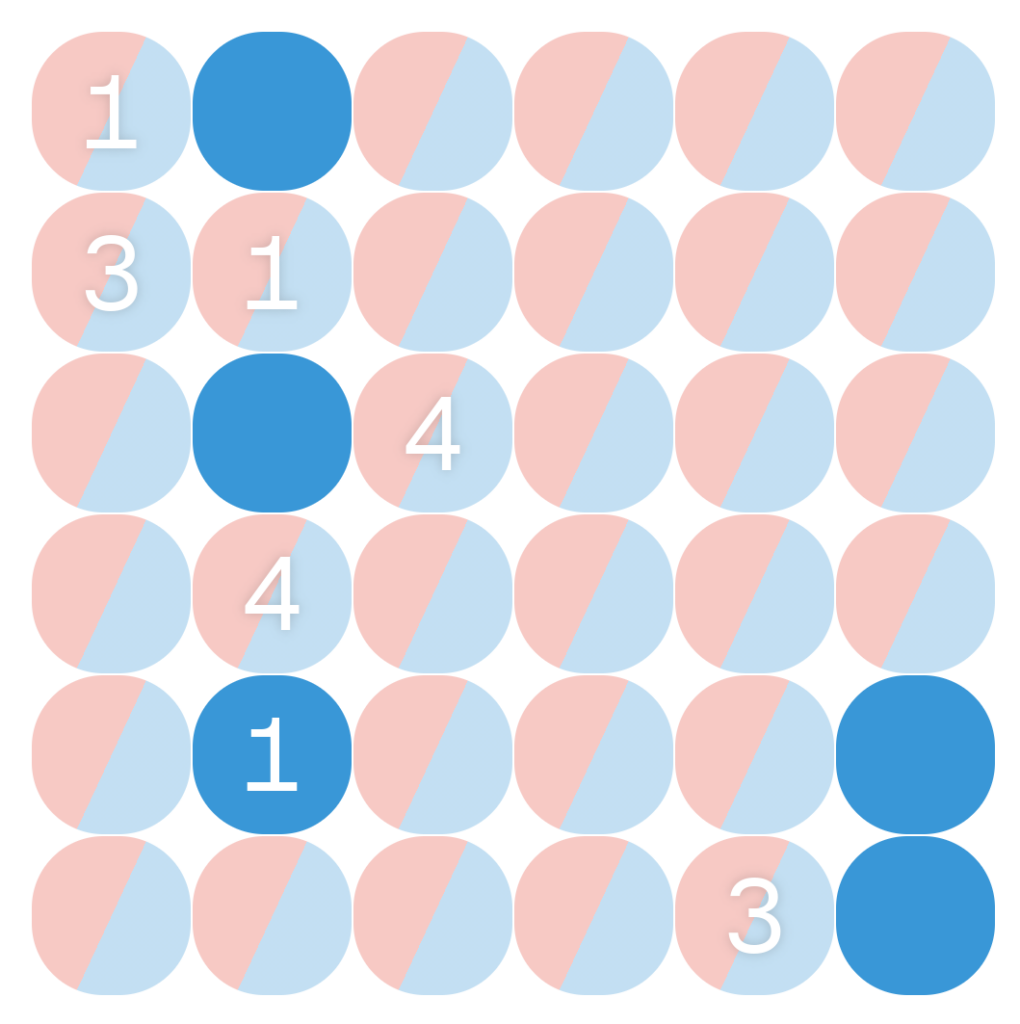
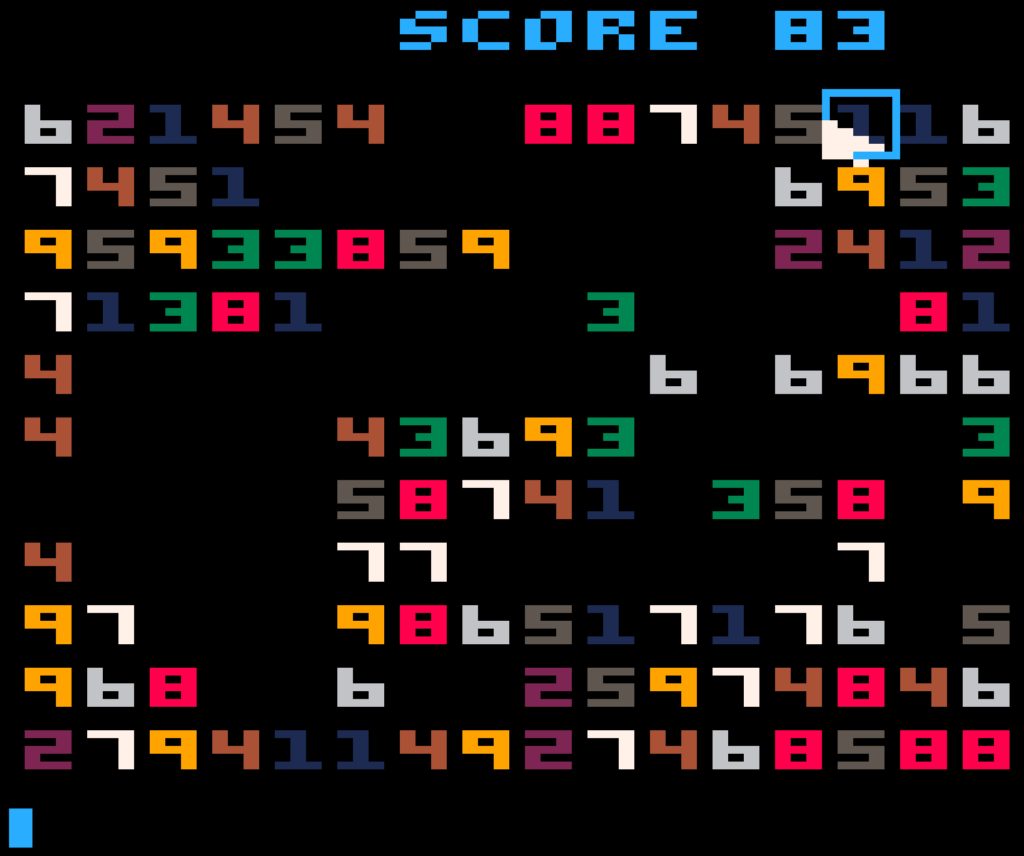
A second webgame in a row, Urjo is a logic puzzle game about choosing which of each space in a grid should be red or blue, with the following conditions:

1. Every row and column must contain the same number of red and blue spaces.

2. Every numbered space must have the same number of spaces touching it (in the eight spaces around it) as its color.

3. No two adjacent rows or columns can have the same sequence of colors. In practice this is the most subtle rule. It doesn’t always come into play, but if it does it’ll probably be the breakthrough you’ll need to pull off a solve.

The starting position of one of the more difficult puzzles.

Every puzzle has a unique solution. It is similar in style to another web puzzle called 0h h1, but a major difference in presentation is that Urjo is watching as you try to solve it, and won’t let you make incorrect moves. Instead, it counts up all your mistakes and scores you on how well you did. You have an overall rating that goes up as you both complete puzzles with fewer errors and faster times than other solvers. This can be annoying (it’s easy to click the wrong size of a circle on accident), and it pushes you to try to solve them faster than you may feel comfortable, which may also cause inadvertent mistakes.

The software will try to give you puzzles just past your skill level, and I can verify that they get very difficult. If you make mistakes it’ll offer to give you some pointers. Myself I ignore those tips; but I can see how some people might find them useful.

Urjo (web, free)

Gamefinds: words.zip

We love it when we find weird and unique indie games to tell you all about! Our alien friends to the left herald these occasions.

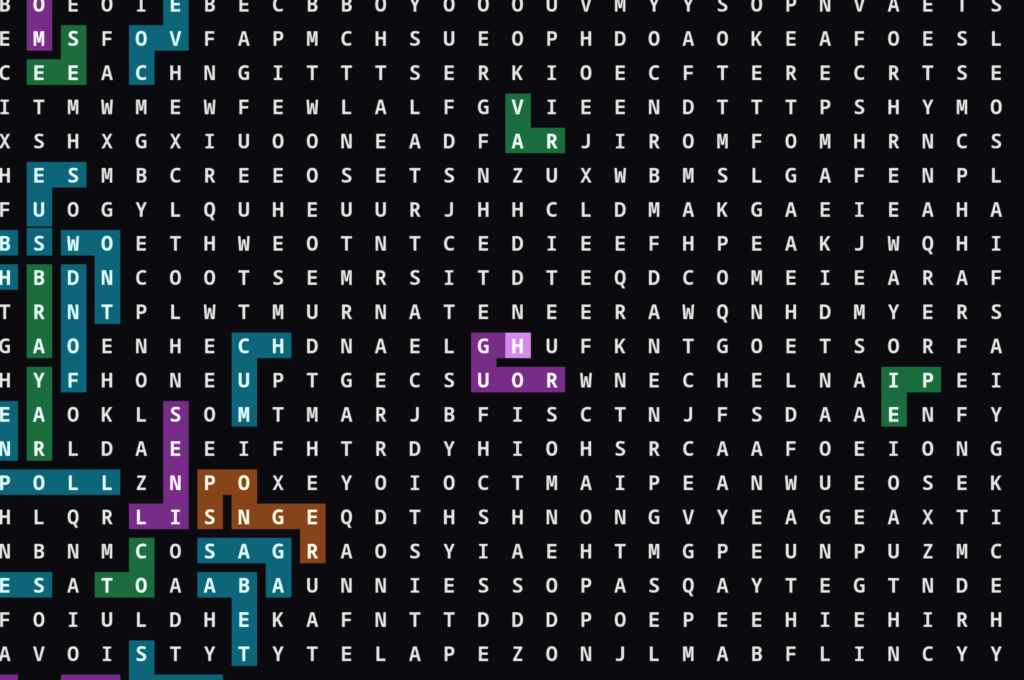
words.zip is a fun word search kind of game. It’s an infinite field of random letters. You try to find words snaking through the array. Words can twist and turn, and can also go backwards, but can’t go diagonally, cross themselves, or intersect with any other word that someone else has ever found.

Here I’ve found the word ROUGH in this relatively uncluttered area of the board. Apparently I’m the first person to ever find it! This is the fourth such word I’ve found since I started playing, and the shortest.

There is no scoring, but there is a newly-added list of challenges, various categories to try to find words in. If you decide to play, I think you should start out immediately dragging the field in one direction until you find an area almost devoid of other players’ words, and start from there. Of course as time passes it’ll get harder to find unique words. I read somewhere that there are plans to implement private games, with new fields to search through uncluttered by people entering ASS or POOT. If the well-hoed field is too much to tiptoe through, maybe come back in a week or two and see if that feature has gone live.

2,025 Item Categories Puzzle

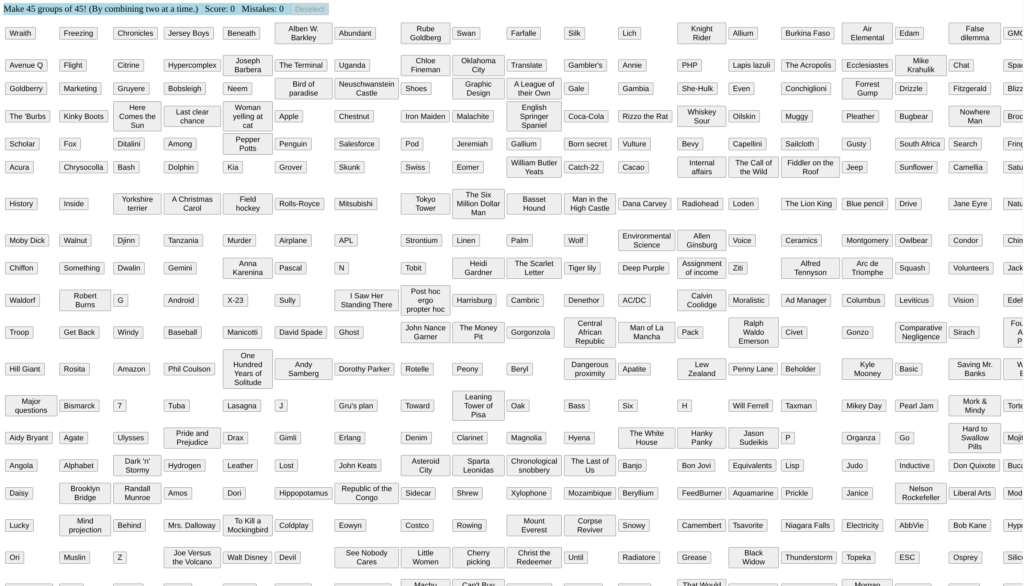
Hah, a bit late with this one, mostly because I was trying to solve it. Found by John Overholt over on Mastodon, It’s a big page full of 2,025 different items that you’re to sort, into 45 categories of 45 items each. Because the year 2025 just ended, of course.

Click on an item, then click on another item of the same type. The two will merge together into one item. When you get an item with all 45 of its type it’ll be replaced with a box with the name of its category.

This is far from all the items! They scroll off to the right and down!

Remembering the locations of the growing categories quickly becomes a major part of the puzzle! When you combine an item with another one, the combined group ends up at the location of the second one you clicked. Use this information to get the categories as close to the upper-left as possible. This will prevent them from moving around too often, and aid your creaking grey matter in recording their places.

Unless I miss my guess, you’ll progress smoothly for a while; you’ll complete one or two specific categories long before any of the others; then at about six to ten categories finished you’ll collide rudely with the taxonomical wall. I had to use Google to get through the last 20% (that’s about 400 items remaining!), and I really think you will too, since everyone has holes in their knowledge.

Below (in ROT13, since it’s a spoiler), I list some of the harder categories to pick up on:

Gbz Unaxf zbivrf, Tbbtyr cebqhpgf, Gbyxvra punenpgref, “jrngure jbeqf,” pbyyrpgvir abhaf, HF ICf, xvaqf bs cnfgn (whfg ubj znal xvaqf NER gurer?!), “jrngure jbeqf,” Zneiry Pvarzngvp Havirefr punenpgref, pbzchgre ynathntrf, ynetr pbzcnavrf, ybtvpny snyynpvrf, purrfrf, shpxvat PBPXGNVYF (V qba’g qevax) naq, zbfg vashevngvat bs nyy vs lbh’er abg n ynjlre, yrtny qbpgevarf.

Gamefinds: Primesweeper

We love it when we find weird and unique indie games to tell you all about! Our alien friends to the left herald these occasions.

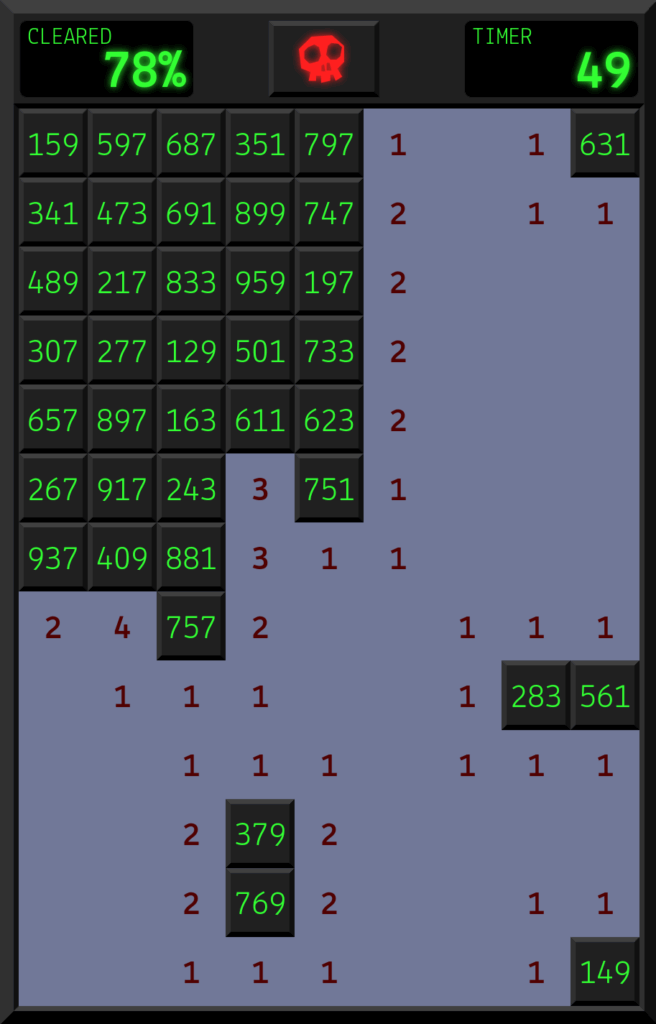
Primesweeper is a recreation of Minesweeper, but with two changes:

  • You can’t mark squares where you think there are mines. This isn’t as bad as you’d think it would be, partly because…
  • All the spaces have three digit numbers on them, and the mines are hidden by the spaces with prime numbers.

Don’t let the math terms scare you, it’s not as hard as you’d think it would be, at least if you know a trick to determining divisibility by 3: the sums of the digits of all numbers that add up to 3 are themselves divisible by 3.

Primesweeper is from vole.wtf, created and filled with things made by Metafilter member malevolent, who has made many a free wonderment and entertainthing to enjoy. If you enjoy Primesweeper (or even if you don’t), I’m sure you’ll find something else fun on their website.

Web-Wide Effort to Solve Every 5×5 Nonogram

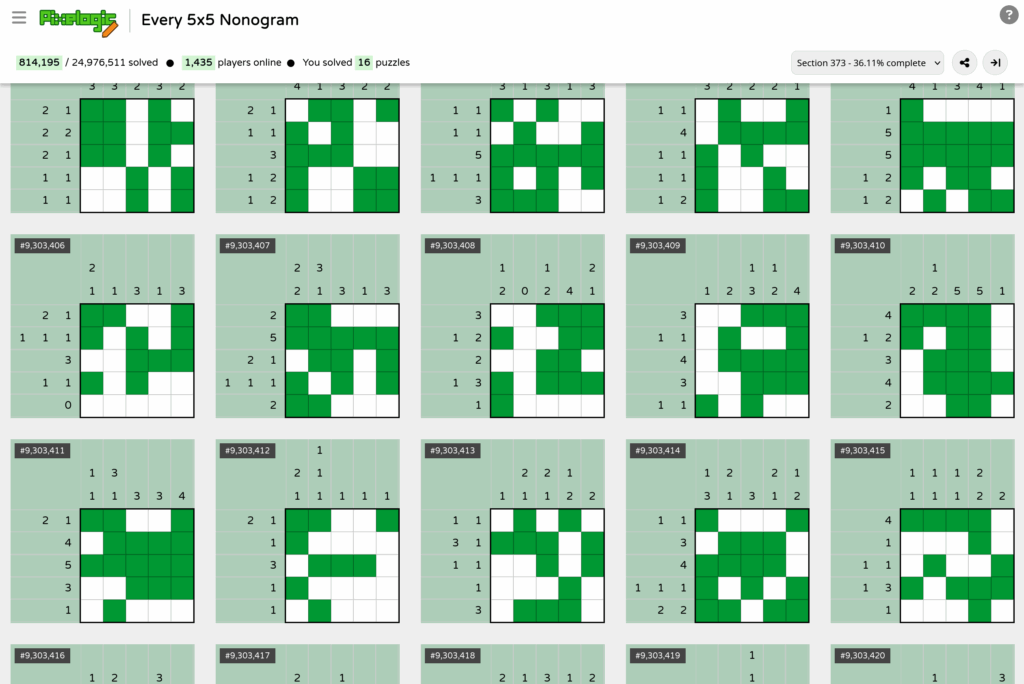
This comes out from the halls of Metafilter, and a post there by Wolfdog. Pixelogic is a webpage where every 5×5 Nonogram puzzle (which you may know by the trademarked name Picross) is on a website, and as people solve them they’re marked off.

Part of the fun of most Nonograms is making a picture, and very few of these come out to anything. In the screenshot above 9,303,414 there looks like a crab, and the one above 9,303,408 whose number is cut off is obviously a helicopter, but the rest is pixel gibberish. It’s amazing, though, that one can make even that out of these random blobbies and garbages.

But on the flipside of that, 5×5 puzzles are really easy! It’s a simple matter to do one, and after that another, and so on, and then an hour has passed and you’ve finished hundreds. Add to that the job of just working on something with lots of other people, and you have a damn addictive time. The puzzle software is friendly too: left click to mark squares, right click to mark empties. The solver automatically marks Xs in spaces where they logically must go if you’ve filled all the spaces on a line of column. And unlike many of the Picross implementations on Nintendo systems, there’s no penalty for making wrong moves, although you’re not informed when you fill an incorrect square either.

To work on these, I suggest scrolling way down the page and finding a block of unsolved ones, as the site doesn’t filter out finished puzzles, and then working outward from there.

I realize I’ve assumed that you already know how to solve Nonograms/Picross here. A full description would be verbose and probably unneeded, especially since you can probably figure it out yourself by just looking at the solved puzzles on the site, but just in case:

You have a grid, right? Along the top and left side are numbers. The numbers indicate the runs of filled blocks in the solution of the puzzle. Take this example:

2 2 ⬜⬜⬜⬜⬜

This horizontal line must have two sequences of filled blocks in the solution:

🟩🟩❌🟩🟩

That one was easy, but usually the full solution isn’t so, and must be deduced using the intersections of the rows and columns.

Try it out, but do it soon; more and more solvers are joining on every day, and even with 24M puzzles in the list they’ll probably churn through them all in around a month!

Gamefinds: CSS Puzzle Box

We love it when we find weird and unique indie games to tell you all about! Our alien friends to the left herald these occasions.

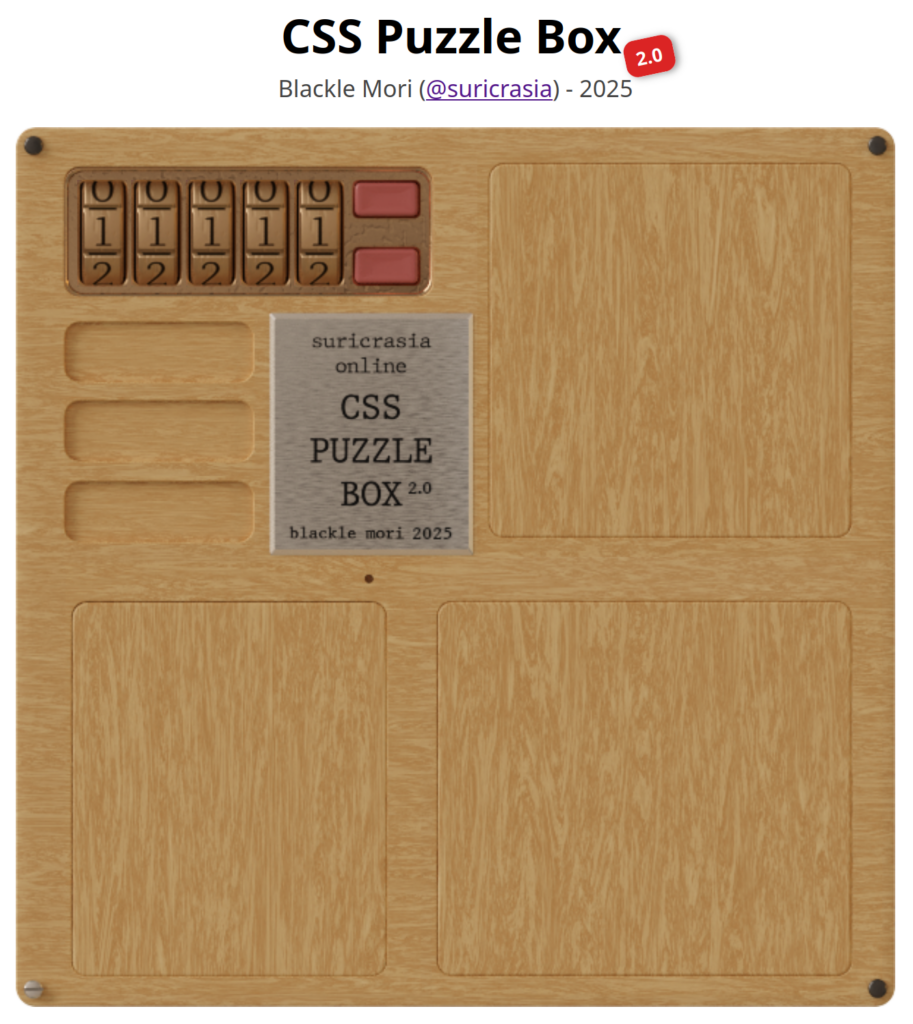
Some of you may remember seeing, from a while ago, a clever hack that implemented a series of interactive puzzles on a website. If you didn’t see it, or don’t know much about how these things usually work, you might not think much of that, we’ve all been playing web games for two decades now, and an entire web platform for them (Flash) has arisen and died in that time. It now has an updated version, with new puzzles to figure out!

CSS Puzzle Box 2.0, starting state

Nowadays these things tend to be made using Javascript, or some language that renders down to Javascript. That’s what makes the CSS Puzzle Box amazing: it doesn’t use Javascript! It’s implemented entirely with HTML tags and CSS! See for yourself! Caveat: it doesn’t work on mobile platforms, some of the click or drag handles are a little hard to hit with your clumsy human finger. On desktop browsers, watching for the cursor to change when it’s over an interactive element is tremendously helpful.

It’s challenging, but far from impossible. It requires some close observation to get started, but after that you can probably get through it with enough time spent and effort expended. The hardest puzzle is one of the first, “Lights On,” one of those puzzles where clicking on a square inverts that light and those adjacent. You can follow these directions (swapping off lights for on ones) to solve it, or click on the O in the Lights On title a few times to skip it, or just muddle through—if you get stuck with just one or two lights on and can’t clear them, mess up the puzzle by clicking everywhere on it randomly and try again, and eventually you’ll happen on a pattern that resolves nicely.

So, about the technical underpinnings. Its creator blackle mori (Mastodon) wrote up a nice breakdown of how it manages to do what it does without scripting. Part of it includes the <details> tag and its accompanying <summary> tag, a way in pure HTML to have collapsing content. If you want to know the tricks there they are, but you don’t have to care about that to enjoy the puzzles. Good luck!

CSS Puzzle Box 2.0 by blackle mori (webgame)

Gamefinds: Alphabet Soup For Picky Eaters

We love it when we find weird and unique indie games to tell you all about! Our alien friends to the left herald these occasions.

I found it through Metafilter (here), but it’s simple and fun enough that I felt I could extend its reach by a few more players. Alphabet Soup For Picky Eaters is a logic game, by Daniel Linssen, where you have to find some bit of text that satisfies six different hungry blobs.

In this example, four of the blobs accept the answer. The green one looks upset, but they’re just as satisfied as their friends, they just have Resting Angry Face. The who who aren’t satisfied with this example, are the Blue and Orange blobs.

It’s a very simple game. There’s no randomness; each blob is looking for a specific criteria, and most of the game is figuring out what those are. There is no penalty for wrong guesses, and you’ll have to make some to figure out what the rules are. While there are multiple possible solutions, there is one that is very apt. It’ll probably take you just a few minutes to deduce the requirements then fulfill them.

Alphabet Soup for Picky Eaters (Daniel Linssen, for browsers, $0)

Someone Other Than Me Talks About Rampart

It’s true! Thanetian Gaming on Youtube has an 18-minute video about Atari Games’ neglected classic Rampart. Remember back in September when I posted a strategy guide that no one asked for over four days? Judging by his video he could stand to read it, but no matter, I’ll accept anyone talking about my favorite arcade game in a positive light!

Gamefinds: Make-Ten

We love it when we find weird and unique indie games to tell you all about! Our alien friends to the left herald these occasions.

It’s another of those games that’s remade in Pico8, and in the process becomes subtly different, not necessarily better, but not worse either. It’s Make-Ten, and it’s free on itch.io.

This time it’s not an arcade game. The remake is of a mobile and web game called Fruit Box. I’ve only tried the web version and, in this case, I think the Pico8 version is better. The UI is a lot easier to use for its only action, drawing boxes around numbers. The original uses a generic rectangular box, while the Pico8 version snaps the lines to the number grid, which works much better for me. Also the numbers are colored according to value, which helps readability a lot.

I’m sorry, I should explain what I’m talking about!

It’s one of those simple yet addicting games. You’re given a random field of digits from 1 to 9. You’re given a couple of minutes to draw rectangles around sets of numbers that up to 10. When you do, you get one point per digit you remove (which is a difference from the original), and those digits disappear from the board.

Obviously, pairs of numbers that add up to 10 are relatively easy to find. Any pair of 5s, for instance, can be immediately cleared. Each game usually starts with clearing away any quick pairs. Removed pairs make space to connect further digits. Empty spaces have no number value, and make it easier to clear more than two numbers at once. Some examples of common larger sets to surround (of course they can be in any order): 4-3-3, 1-2-3-4, 7-1-2, 5-3-2, 6-2-2 and 4-4-2. The tricky part is connecting two numbers in the corners of a box, when other digits get in the way, adding unwanted values to the sum.

The most valuable digit is 1, since they fit into the most possible combinations.

While Make-Ten is not a game for perfectionists, as it’s probable that most fields cannot be fully cleared, the game does let you keep playing after time concludes, which is an advantage it has over Fruit Box. It doesn’t count points after the time bar runs out, but it can be interesting to see how much of the board you can complete.

Make-Ten is really simple and has very little fuss about it. It plays quickly, and then it’s over. It’s a nice game for quick sessions. It was written in 500 characters of code, and doesn’t offer any progression or metagame. After two minutes, which begin the moment the game starts, there isn’t even a prompt to play again. To have another go, press Enter and choose to Reset Cart, or just close the window if you’re done.

Make-Ten (itch.io, by pancelor, $0)

The Chances of Unlikely Layouts in Minesweeper

I’ve saved this one up for a while. For those of you who remember when Minesweeper was distributed — for free?? — with every copy of Microsoft Windows. What are the odds that unlikely layouts, like 8s, or neighboring 7s, are possible in that game? Alternatively, is it possible to get a game that can be completed in one move? Find out here (16 minutes):

Gamefinds: World of Goo Demake for Pico8

We love it when we find weird and unique indie games to tell you all about! Our alien friends to the left herald these occasions.

It’s continually amazing what people manage to make within the modest resources of the Pico8 fantasy console virtual machine. This time it’s a decent demake of 2DBOY’s World of Goo, by VirtuaVirtue!

The objective is the same as the original: drag goo balls to build structures, to try to reach the pipe, which will then suck away all the excess goo balls on your construction. If you have enough left over, you win and get to move to the next level.

It’s quite challenging, it gets harder much faster than the original game. The physics of the goo constructions is much wobblier and bouncier than WoG, and goo balls don’t stick to walls here, so you’ll have to spend more goo balls on balances and counterweights. But it’s certainly not a bad thing to play around with for free!

World of Goo Demake for Pico8 (itch.io, $0)

Arcade Mermaid: Rampart, Part 2: Overview

Arcade Mermaid is our classic arcade weirdness and obscurity column! Frequently (no promises) we aim to bring you an interesting and odd arcade game to wonder at.

We continue our lengthy, obsessive coverage of Atari Games’ brilliant, but really difficult, arcade strategy game Rampart.

Overview

Building Phase

Rampart is really two separate but related games, the single-player game and multiplayer. Both are excellent. Even so, this article mostly concerns itself with single-player, but towards the end I will have a few things to say about its multiplayer mode.

Before we begin, you should know that Rampart is a highly abstract game, and as such it might not be easy to see how it all fits together from a text description. I have uploaded several complete playthroughs of the game to YouTube, the first such on that site of the arcade version. You might watch a bit of one of them, it should make it pretty obvious how the game works.

The Board

In both single-player and multiplayer, after selecting a home castle and placing initial cannons, the game repeats a sequence of rounds, each consisting of a Battle phase, Building phase and Cannon phase. In the Battle phase, players shoot at ships or the other players’ walls, while those ships or enemy cannons fire back at their own walls. In the Building phase, players place a variety of shaped pieces in an attempt to fix their wall and/or construct walls around at least one of the castles on their land within a time limit. Then in the Cannon phase, players get a number of new cannons to place within the territory they captured in the Building phase, adding to the number of shots they can get off in Battle.

Select Home Castle, then
Cannons -> Battle -> Building -> repeat

This cycle continues until the player wins or loses. Losing happens when a player fails to capture a castle in time in Building. Winning happens, in single-player, when the game decides the ships don’t have a reasonable chance of defeating the player, and advances to the next level, out of six in total. In multiplayer, it happens when all the other players have lost and don’t continue, or for a set number of battles. If the fight goes the full distance, the winner is the surviving player with the highest score.

A defeated player can put more money in the machine to continue the game “with more firepower.” This is allowed four times in single-player, so up to five credits in all, and losing after that results in a solid Game Over. The dynamics of continuing in Rampart are really more complex than this, and I’ll explain those later, but for the time being, you should know “with more firepower” signifies several important changes that are not all clear during play.
In multiplayer, losing players can choose to continue individually twice. That can make for a decently long game if all the players choose to buy all their continues. But eventually, the game will declare a round to be the “Final Battle,” after which no continues will be offered to losing players, and the game ends regardless. The number of rounds a game is allowed to go is operator-adjustable, and continued games usually add a few battles to the overall length.
There also exists one semi-secret game variation. If just two players play Rampart, and at least one of them is joining in again after a completed game, there is a map selection screen that offers the chance to play a composite game mode, featuring both two players and ships! In this, the ships belong to one or the other side, and are color-coded based on who they belong to. They function like extra cannons, generally firing where the player aims their cursor, but are more autonomous. This mode is an interesting variation, and is fairly obscure. Could there be other such secrets hidden in Rampart’s code?

Basics

For now, we’re most concerned with figuring out and defeating the very difficult single-player game. The basic play of both games is similar, but there is a lot of difference between attacking ships or walls, and the structure of single-player is quite different, so it’s worth treating each mode separately.
When you put a coin in and press Start, this appears:

This ornate lobby screen is accompanied by booming drums and realistic, although synthesized, trumpets and fifes. With the volume turned up (as all Rampart machines should rightfully have) the effect is startling and bound to attract some attention. The purpose of this screen is to give other players the opportunity to join the game, for unlike the Gauntlet-style, “join any time” play model Atari pioneered and most arcade games used, once underway a game of Rampart cannot be entered by others. Players can only leave a game, by failing and not continuing.

An interesting thing about Rampart is that, after a game concludes, it always returns to the lobby screen and adds the player’s score to a total across all their games in the session. This encourages players to play repeated games, to see their overall score climb higher and higher. I’ve seen the total go up to over 900,000 points, which takes around 18 full-length games. I know of no reason to go for a high total score other than vanity, but if someone else has information on this I’d certainly like to know!

Your Domain

Assuming a single-player game, the screen clears and shows an overview screen of an island. There are four possible maps that can be selected for play here. At the start of the game, two areas along the shore are boxed, one marked “RECRUIT,” the other “VETERAN +5000 points.” Most of Atari Games’ arcade releases had such a selection, for it was a major part of their house style to offer a basic and an advanced difficulty, with a score bonus for starting harder. With Rampart, this choice is mostly an illusion. All choosing Recruit does is start you off with a very easy first board (the Recruit map is always the “J” map), which usually takes two rounds to finish.

Each level pits the player against a larger and more dangerous enemy navy.

At first, only weak Single-Sailed Ships attack, which go down with two hits from basic cannonry. Here, I call these Gunships.

With level two comes Double-Sailed Ships, a.k.a. Landers, which take three hits, and if they manage to get close to a diagonal shoreline, they drop off a swarm of evil little Grunts.

Grunts are a huge danger! They are the only enemy that has the power to move around during the Building phase. I’ll have more to say about them later, but for now just know that a grunt beachhead, left unopposed, has more credit-ending power than anything else in the game.

Starting with level three, Red Ships join the battle. Although few in number at first, these take five shots to sink, and their red cannonballs leave fiery craters where they land. Craters block piece placement and persist for multiple rounds. Usually a Red Ship can get off two or three shots each Battle, and they add up.

Levels four through six feature the same kinds of ships, but they’re darker in color, which in game terms means they take one additional hit before sinking. Dark Gunships take three hits, Dark Landers require four hits, and Dark Red Ships only go down after six cannonballs have struck them.

Every time you complete a level, you’re returned to the island screen to pick a new map to play. After the first level, three remaining unplayed options are offered. If you chose a Recruit game you’ll eventually have to face all these boards, but if you picked Veteran and started on level two, you end up skipping one of them, an opportunity to avoid a disliked map.

The “C” Map

The “Hat” Map

The “J” Map

The “N” Map

The maps are not even in difficulty. Generally, easier maps have castles with land around them on all sides, and more straight horizontal or vertical coastline, giving Landers fewer places to land. My opinion is that the “Hat” map is the easiest, followed by the “J” map, then the “C” and “Lowercase N” maps. A good strategy is to try to get one of the harder two maps out of the way as first selection, so you can later play the J and Hat maps to offset the harshness of the third and fourth levels, but sometimes the Veteran selection level ends up being the Hat, and you’ll have to play them in a different order.

The “Slash” Map

The “Backslash” Map

Level five is selected from one of two unique maps, both peninsulas with water on both sides. Both are difficult, although I think the “Backslash” board is a little easier. As you progress, each level starts you out with fewer castles to capture. By this point you’re only getting three castles, and you’ll probably have to use all of them to survive.

The final, “Island” Map

The last level is an island to itself, with a lake on it and only two castles! Here, ships attack from both sides of the screen. This level is a trial; although you have to sink fewer ships here to win, it’s difficult to prevent landings and grunts from overwhelming you, and the craters from Red Ships can easily give you an inescapable situation unless you mitigate them.

If you finish the last level, you get special ending music, and an illustration that few arcade goers have seen, before being returned to the High Score and Lobby screens. It may seem anti-climatic, but final victory and safe shores are their own reward.