Well I was just notified this morning by a comment on that video, with the handle kirkbradfordmyers7196, that this happens because a table of ghost scatter times in the code is too short, so it reads data from an unrelated source which indicates a long period of time, much longer than the scatter phase is supposed to last.
kirkbradfordmyers mentioned that they’re working on a romhack that provides a fix for this bug, and others that exist in the code, and hopes to get the game much closer to the arcade. We wish them luck, and hope they’ll come back and tell us about their work when it’s done.
The player can switch their switch themselves by pressing L and R, but only by pressing in, not out. Doing so both changes the state of all the switch blocks, and makes the switch itself much shorter. In play terms, this is equivalent of Super Mario shinking and becoming Regular Mario, and in fact getting hit by an enemy has the same effect, resulting in being switched prematurely, and all the blocks changing state too. To switch back, you collect a P Switch item, which is essentially a Super Mushroom, restoring both the player’s state and reswitching all the blocks.
On Romhack Thursdays, we bring you interesting finds from the world of game modifications.
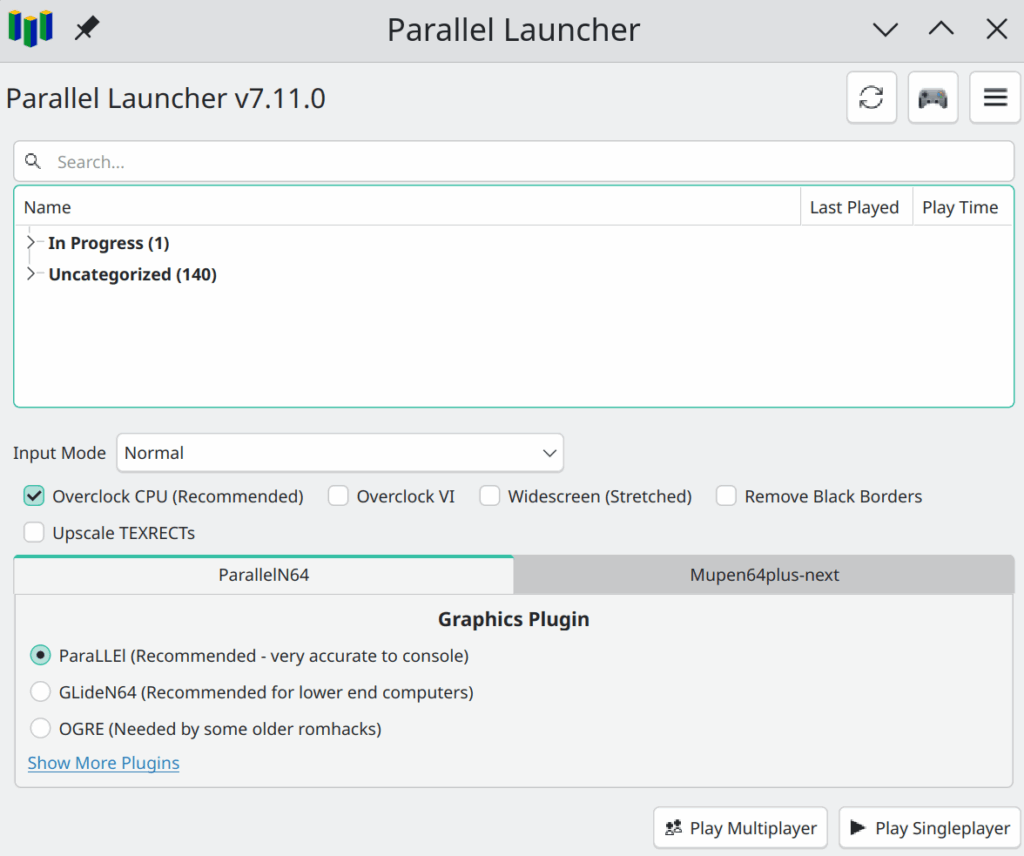
This week’s find isn’t a romhack specifically, but a way of playing them, both in patching and running them in an emulator, in a fairly automated way, at least if the hack you seek to play is for an N64 game, and especially if that game is Super Mario 64. It’s Parallel Launcher.
Parallel Launcher is an all-in-one solution to running N64 hacks. When you first run it, it’ll install a small Retroarch binary for its own use and set it up for exclusively for a couple of N64 emulators. You can supply the path to a folder of N64 roms and BPS patches, and it’ll try to apply patches to the roms on the fly when you try to play them.
It also has integration with the website romhacking.com, which is not connected with the hack news site romhacking.net or its follow-up romhack.ing. I’m not sure what the full extent of this integration entails, but if you have Parallel Launcher and a properly set up SM64 rom, and click on a Play Now link on a hack’s page on romhacking.com, it’ll mostly-automatically download the patch, patch the rom, and run it for you, without you having to do anything else other than allow the link to be passed from your browser to Parallel Launcher. There’s even some integration to track what stars you’ve found.
Once set up, Parallel Launcher works well! One of the biggest obstacle to playing romhacks, after sourcing the rom images themselves, is the effort and focus needed to generate them. You obtain the rom, then the patch, then the utility to do the patching. Then you run the utility, supply the location of the rom and the patch, and then roughly half the time the patching fails. If you’re using a format like BPS you’ll be told, and will then have to get the right version of the rom file or figure out how to repair yours. If you’re not using BPS or a similar kind of patch, you won’t find out until you try to run the game.
None of these steps is very hard to understand, but it’s a big hassle. While Parallel Launcher won’t help you find versions of roms, it’ll do just about everything else for you. In the way of emulators and emulation tools, it’s available for most current and popular desktop platforms. It’s a useful tool for a hack player’s box.
On Romhack Thursdays, we bring you interesting finds from the world of game modifications.
Every GDQ, I find out about several things that I feel are worth telling all of you about. It happened once again this year, and that’s why I’m now pointing you to an invaluable speedrunning resource, the Ocarina of Time Practice Rom.
Of course, I don’t think you’ll want to speedrun it. But if you ever want to test something out in the game and don’t want to play through the whole of OoT to do it, it could be very useful. It’s distributed in the form of a patch program, available for Windows, Mac or Linux, and you’ll have to do a bit of command-line typing to run it. And you’ll have to supply the rom file yourself, of course, but that’s the case with all the offerings proffered by our sunglasses-wearing green friend up above. The makers offer support for the Virtual Console release of Ocarina of Time, but if you choose to play it in real hardware, you should know that the Practice Rom requires the 4 MB Expansion RAM upgrade for your N64. If you came by your Nintendo 64 unit second-hand, open the little hatch on the top of the console: if the little module in there has a red top, that’s the “Expansion Pak,” as Nintendo called it. If it has a black top, then you don’t have the expansion, just the “Jumper Pak” that came standard. If there’s just a hole in there, then you don’t have either, and your system won’t work!
Let’s assume that you get it all working, and both have a new copy of the Practice Rom and a way to run it. How does it work, and what does it do? Once it’s started up, it’ll take you to the game’s title screen like usual. Press Start and you’ll be at the File Select screen as usual. Enter a name and start the file, and you’ll even be taken to the intro cutscene.
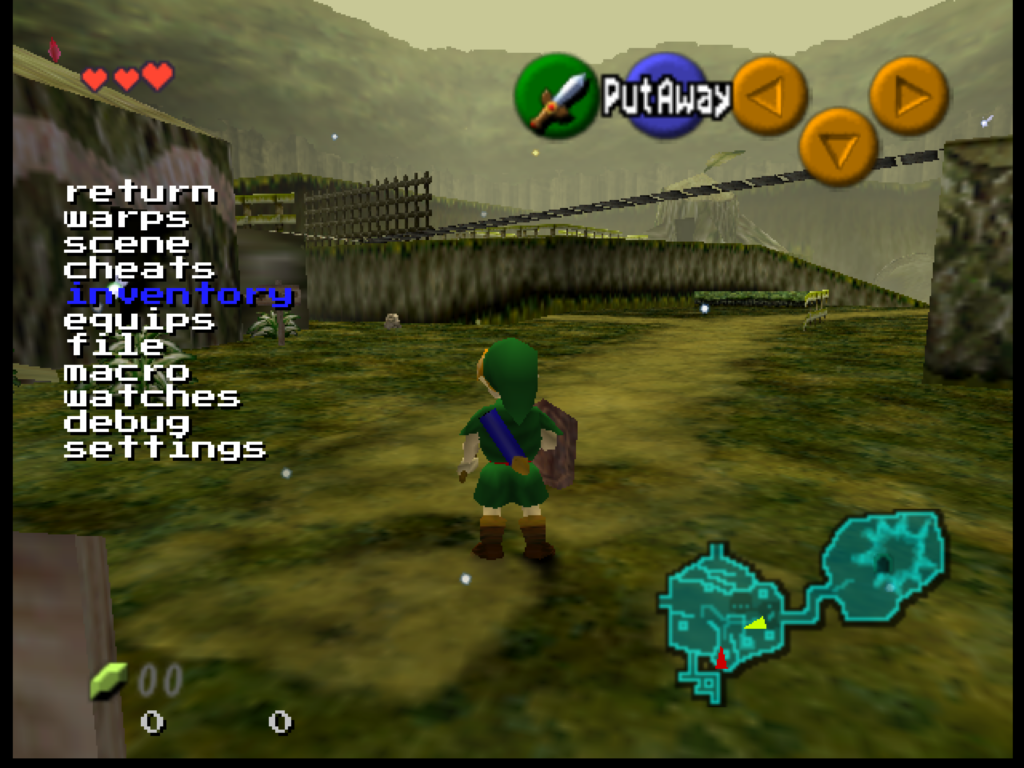
But no one says you’ll have to wait through it. Hold the R button and press L, and a menu will appear:
From here, you can use the Control Pad, or whatever your controller’s version of it is, to navigate this menu, while you continue to play the game, in real-time, with the Control Stick and other buttons. Pressing L selects things from the menu, and R goes back up a level.
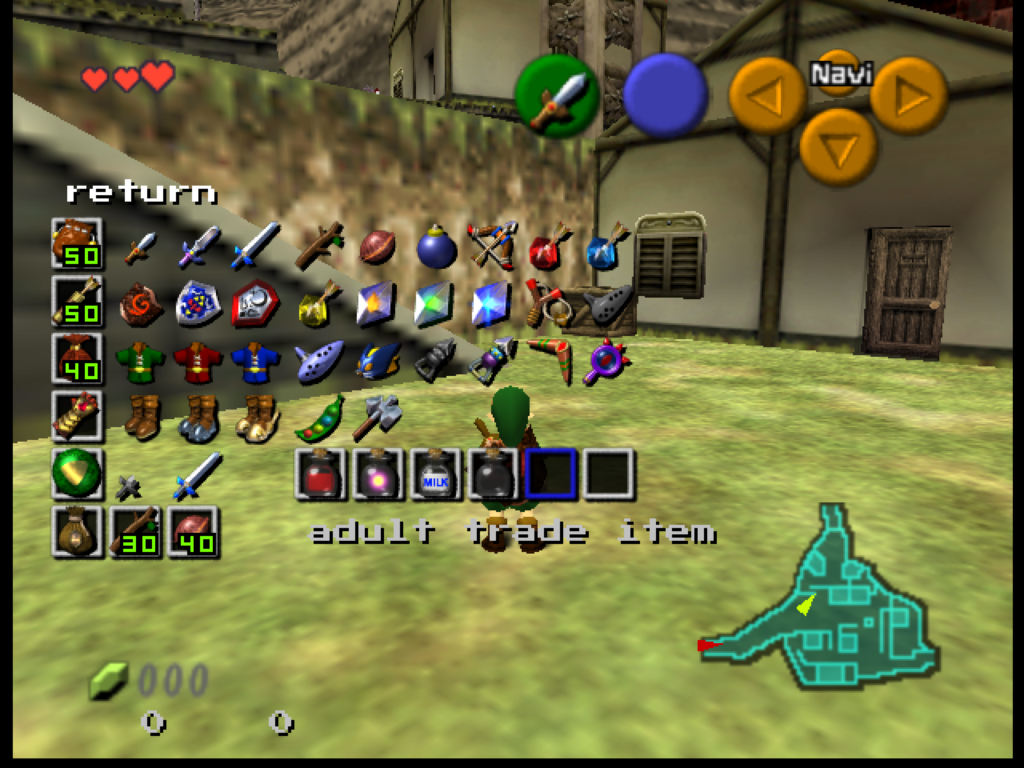
From this menu you can warp to anywhere in the game, or give yourself any items! You can unlock the camera in 3D scenes and move it freely, or change the rendering to show collision surfaces. It even has its own save state manager. It’ll take some experimenting to find everything it can do.
Is this useful? Well, maybe? Or maybe not. Are video games useful? I present it mostly as a curiosity. If you just want to play the game then mostly it gets in the way. It’s not a randomizer or remix, it’s just straight Ocarina, but with these extra things added. It has a full user’s manual on its website, and to make decent use of it you’ll probably need to spend some time with it. Check it out, if you’re of a mind.
On Romhack Thursdays, we bring you interesting finds from the world of game modifications.
Didja ever finish a satisfying round of Tetris, and then, basking in the glow of your high score, stop to wonder to yourself: why four?
Why did Alexey Pajitnov, revered creator of the game, decide to use tetrominoes, the possible combinations of four squares attached to each other, as the basis of his game, and not some other number? Two is obviously too simple, and three is also pretty easy. Four is the smallest number that makes for an interesting game, so that was probably why. But can Tetris work with larger pieces? Could it work with, say, pentominoes, five-square pieces?
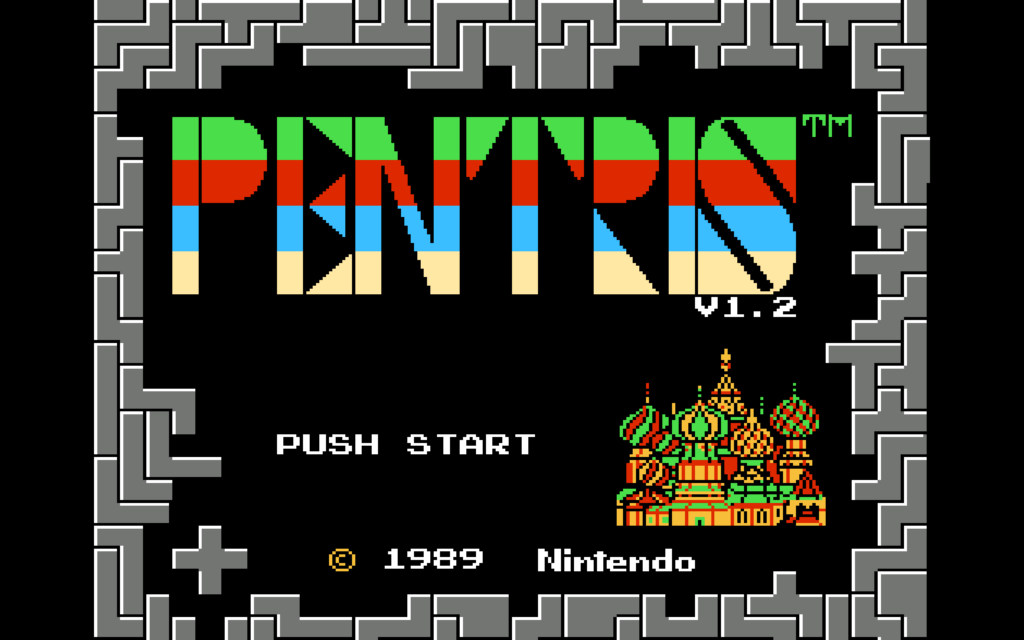
Well, why not try it for yourself, with today’s romhack: Zohassadar’s Pentris.
Pentris is built from Bullet-Proof Software’s NES version of Tetris (which is different from the Famicom version). It’s a BPS file, but there’s multiple utilities that can apply those, for Windows, Mac and Linux. For Win, Flips works well. Linux users may be able to find Flips in their distro’s repositories. For Mac, try Multipatch. The big advantage of BPS is that it contains CRCs of the original patch file to ensure that it’s working on its expected file, a continual problem with working with roms. As for where to get an original of NES Tetris from, you’re on your own.
Notably, Pentris is quite a bit harder than Tetris. It’s not kaizo hard though, it seems like it may be possible to have a lengthy game, but it’ll probably take you longer to develop a good intuition for what moves are good ones than it did for Tetris.
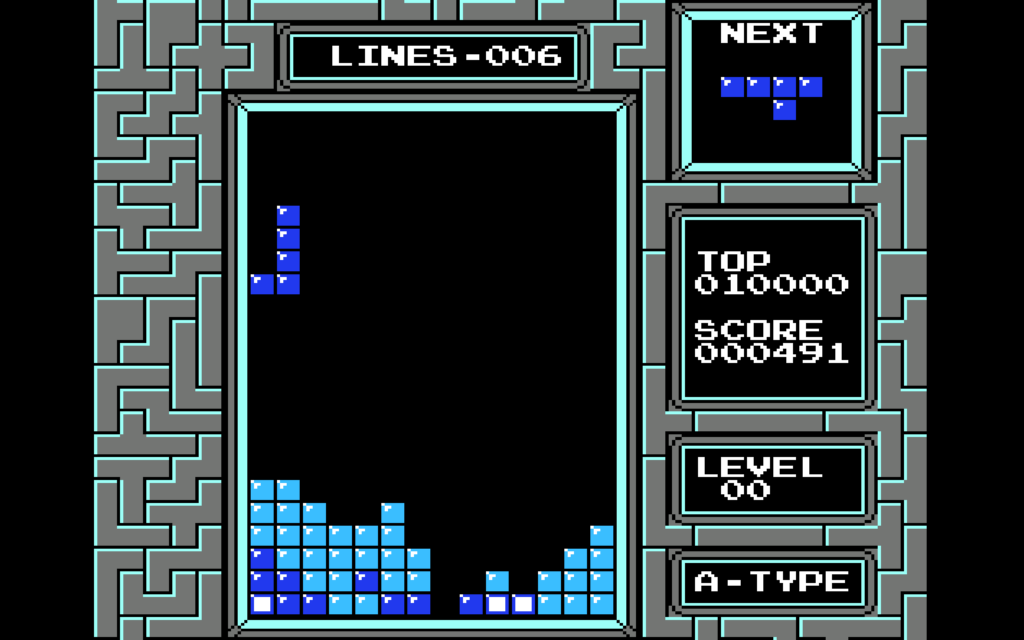
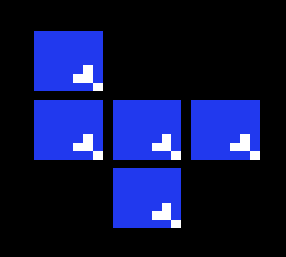
There are more possible pentominos than there are tetrominoes, so the long-piece is less common, and pentrises require five lines of setup instead of four, making them much harder to make than tetrises. In my several test games, I never managed to make even one. But mere survival is more difficult too. Pentris’ bin is 14 blocks wide instead of 10, which is more room to make mistakes. And some of its pieces are much more unwieldly than the worst of Tetris. Tetris has Z and S, but Pentris has Texas:
What are you supposed to do with this?
Pentris doesn’t appear to monkey with NES Tetris’ piece generation. The NES game picks pieces almost entirely randomly, rerolling just once if two of the same piece in a row is selected. More recent versions use “bag” systems that guarantee that you get all the possible pieces in a reasonable amount of time, but neither NES Tetris nor Pentris hold your hand like that. If you’re depending on a 1×5 piece but the RNG doesn’t feel like giving you one, you’re left to lump it.
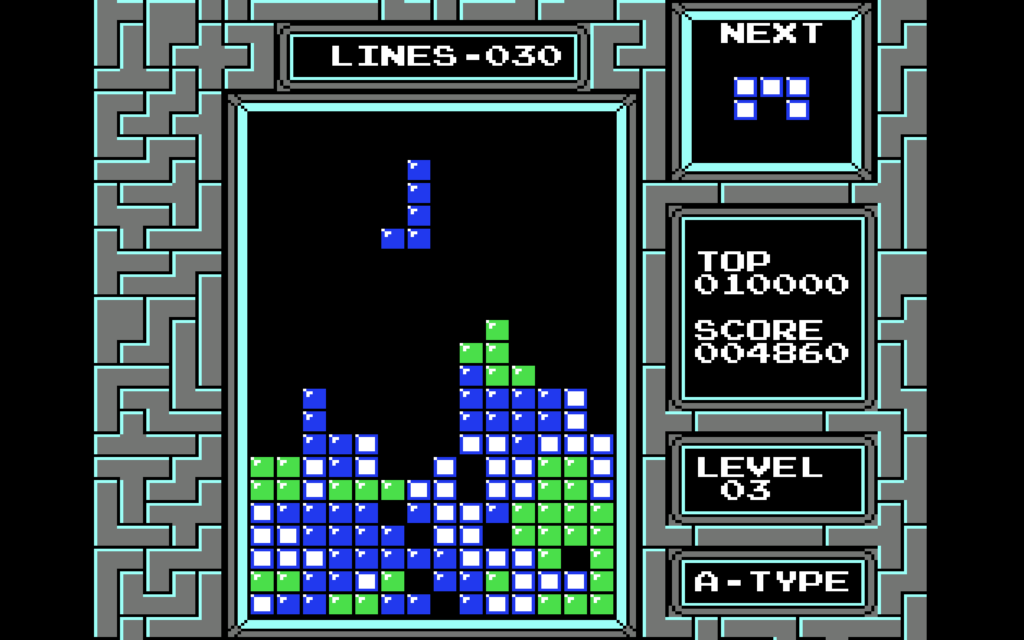
In addition to that Texas abomination, there are also “long L” and “long J” pieces, and identical versions but with the extra square moved one space up the bar part, a piece that’s like half of a picture frame, and, invading from Rampart, the dreaded U and Plus shapes. Where you choose to place them, as they relentlessly fall, is up to you.
If you focus on survival you can advance a few levels. A good beginner’s score of Pentris is about 5,000 points. My highest so far is about 6,800. I don’t know how many points a pentris is worth, but if it scales like the multi-line clear points from Tetris did it’s probably very valuable.
I feel like I should mention there is at least one other game called Pentris around, a web game that doesn’t seem to be maintained too well. It has some of the same ideas behind it, but it also has other sized shapes too, including single blocks. I don’t know much about it, but I do know it is substantially a different game from the romhack Pentris.
Many of them seem to exist only for the questionable thrill of playing character from Property X in Video Game Y, fun for a few minutes maybe, then time to move on. They’re so disposable, and there are so many of them, that I’ve resisted linking to any of them here.
And I’m not going to claim that playing through as Max, from underground comic, cult adventure games and short-lived cartoon show Sam & Max, is much different. But if there’s any irreverent comic character that feels like they were made for this kind of beat-em-up nonsense, it’s the hyperkinetic rabbity thing themself, so please take this hack as representative of the whole. Video, two minutes long:
Max in Streets of Rage 2: Hack (by Metal64, Ultimecia and Dazz) Video (by RetroGaming)
On Romhack Thursdays, we bring you interesting finds from the world of game modifications.
We’ve not done Romhack Thursday for a while. As the winds of the ‘net, and my attention, blow around randomly, sometimes there’s more things that seem worthy of posting than others. This one definitely fits the bill though.
We’ve posted about 10yard’s intriguing Donkey Kong hacks Galakong and Vector Kong before. I don’t think they’re actually hacks in the classic sense of the term, modifications of a game’s software intended to run on its original hardware, or at least an emulation or simulation of it. Galakong might, and Vector Kong definitely does, rely on Lua support in MAME to produce, respectively, a version of Donkey Kong where Mario teams up with the ship from Galaga, and another version of Donkey Kong limited to the Girders stage, a.k.a. Ramps, but with sharp colorful line-drawn artwork akin to that produced by Atari’s later Vectorscan monitors.
10yard let us know that they have produced a front-end to a variety of Donkey Kong romhacks, 90 in total. It runs on Windows an Raspberry Pi, although if it runs on the latter I suppose it must also be possible to get it to work on Linux? Maybe?
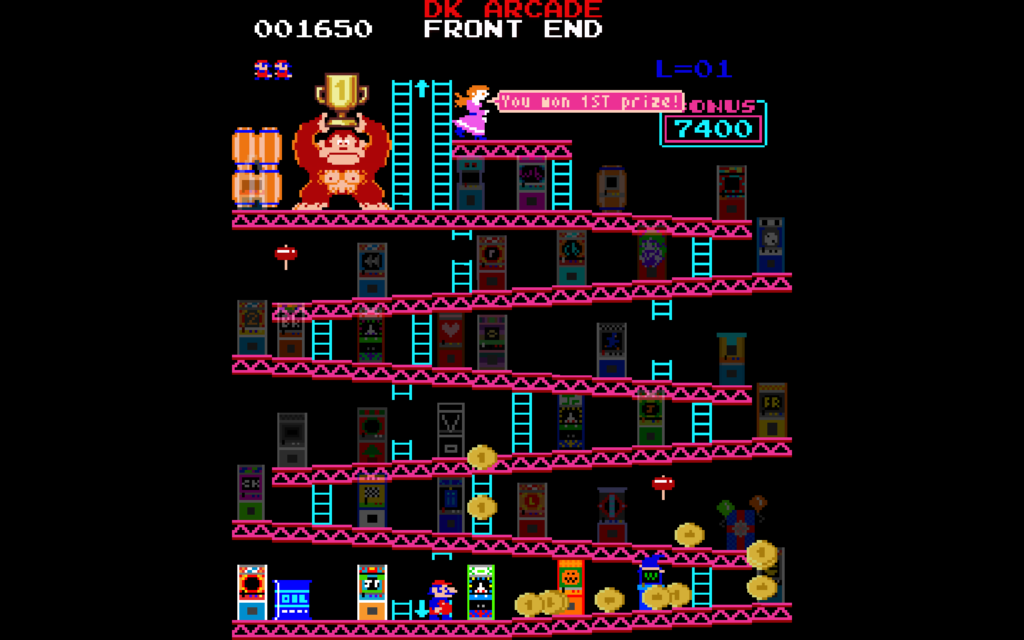
It’s not just a front end though. It presents all of its mods through an interface that itself plays like Donkey Kong! You move Mario around the levels of the classic arcade game (they’re connected vertically), and each is littered with arcade machines. You can play them with coins collected them as DK rolls them through the boards, and also earned by getting good scores in each game. Collecting more coins not only gives you more chances to play, but it unlocks further games in the collection.
You download the package from the Github page linked above. You must also provide the MAME-compatible romsets for Donkey Kong, Donkey Kong Jr. and Donkey Kong 3. (It might work without without all of them, but fewer games will be available.) Of course, it’s up to you to rip, or otherwise provide, those files. If you provide them, it’ll handle all the patching for you automatically. It even includes its own custom version of MAME to play them.
Both Galakong and Vector Kong are among the hacks provided, but there’s so much more to see and play besides those, including Halloween, Christmas and Doctor Who themes hacks. There’s really too many to mention here, and I’ve only started unlocking games myself. I’ll leave you with the closing link, and some screenshots of the hacks included that I’ve managed to unlock so far.
DKAFE (by 10yard, for Windows and Raspberry Pi, on Github)
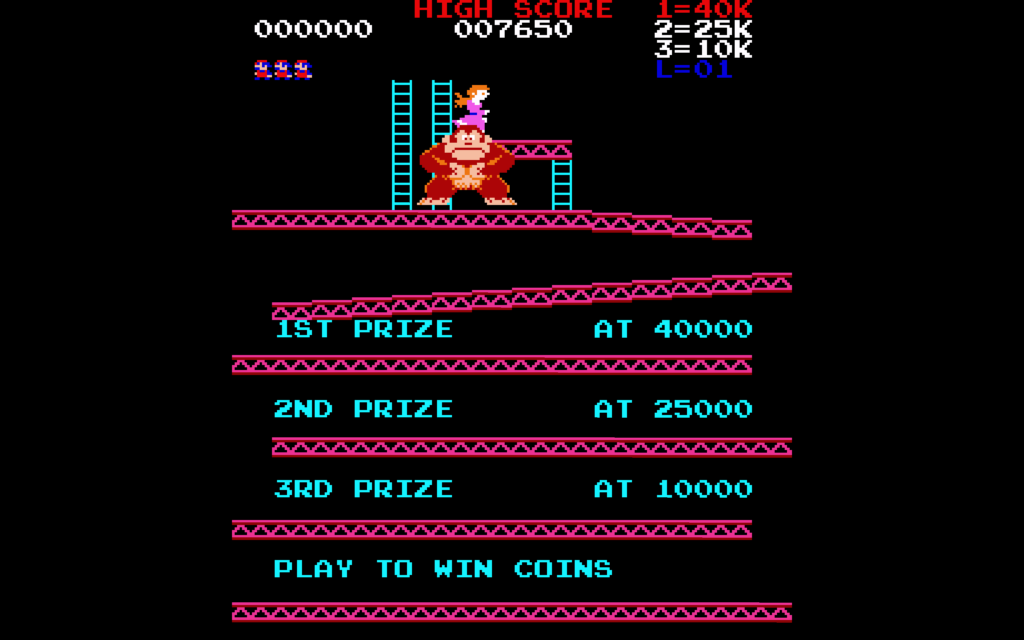
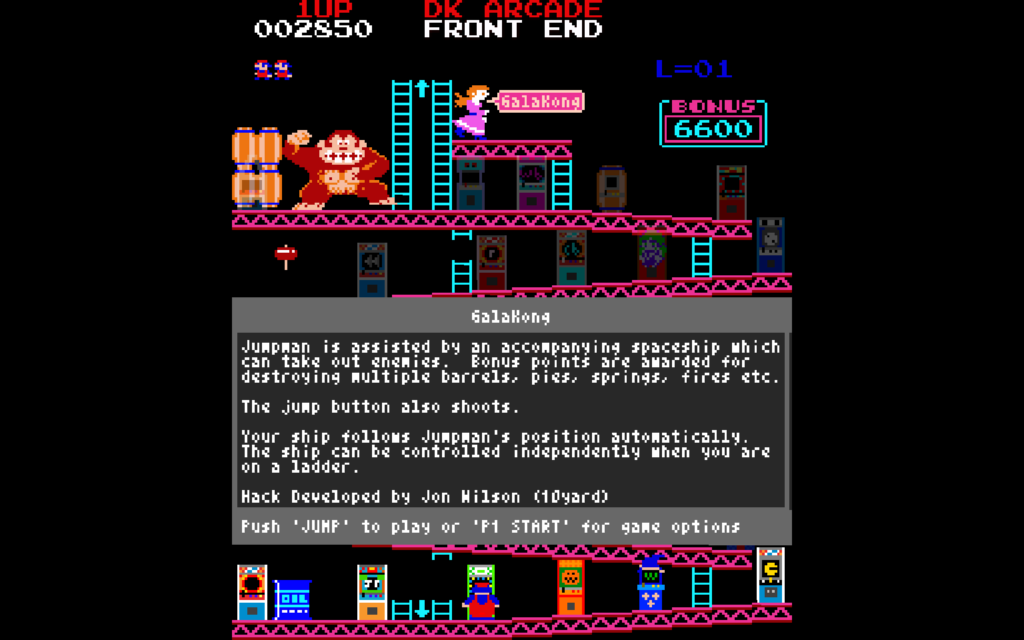
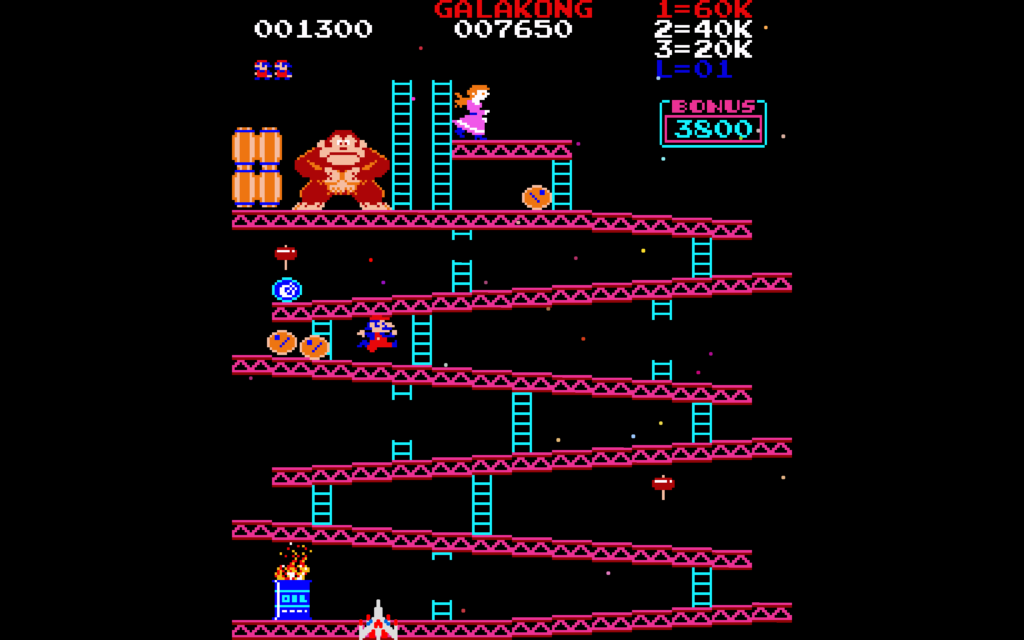
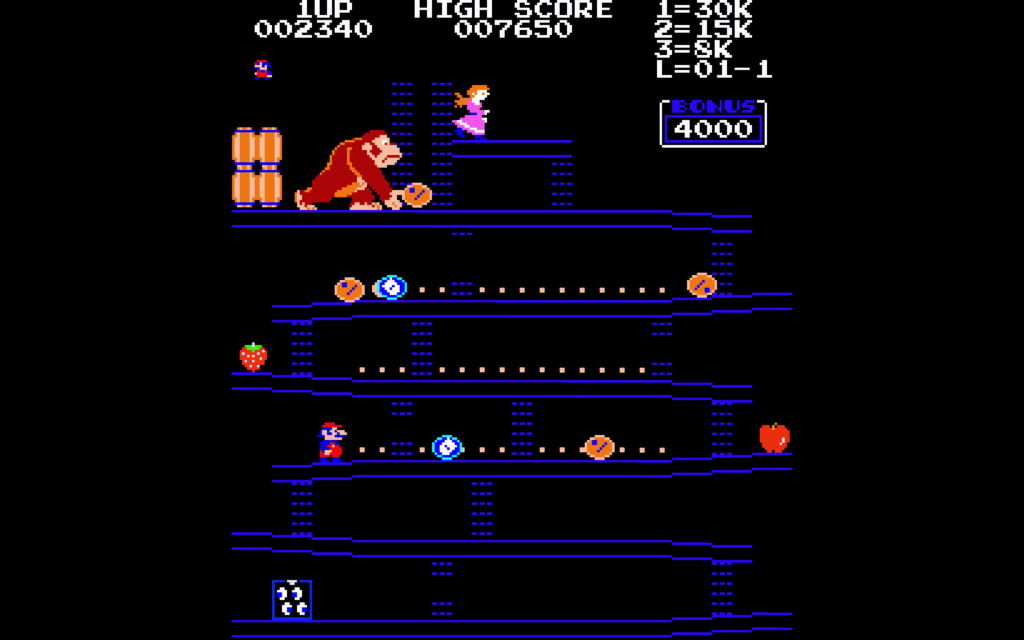
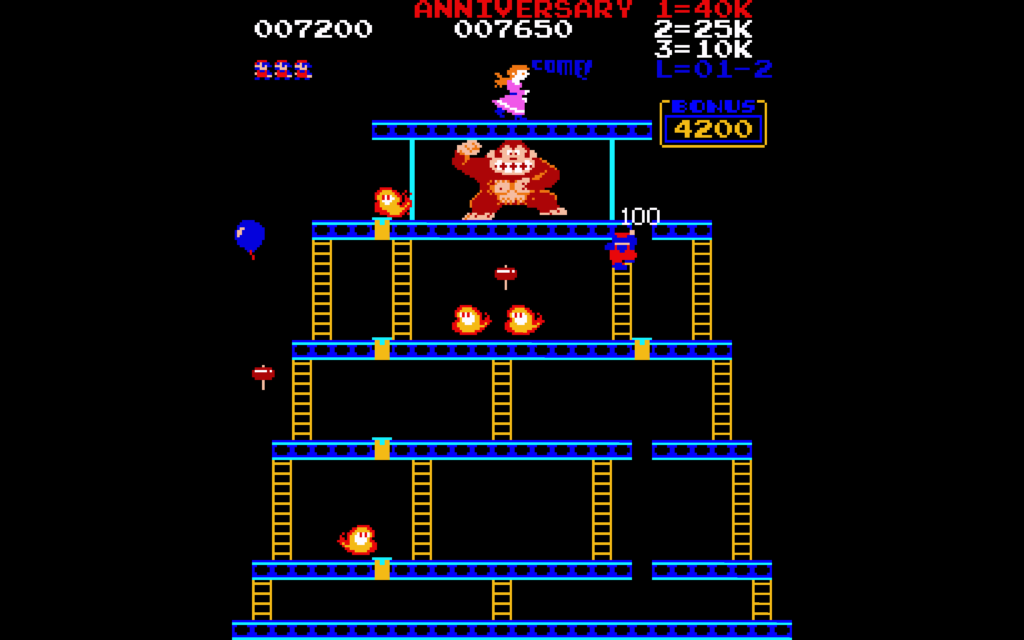
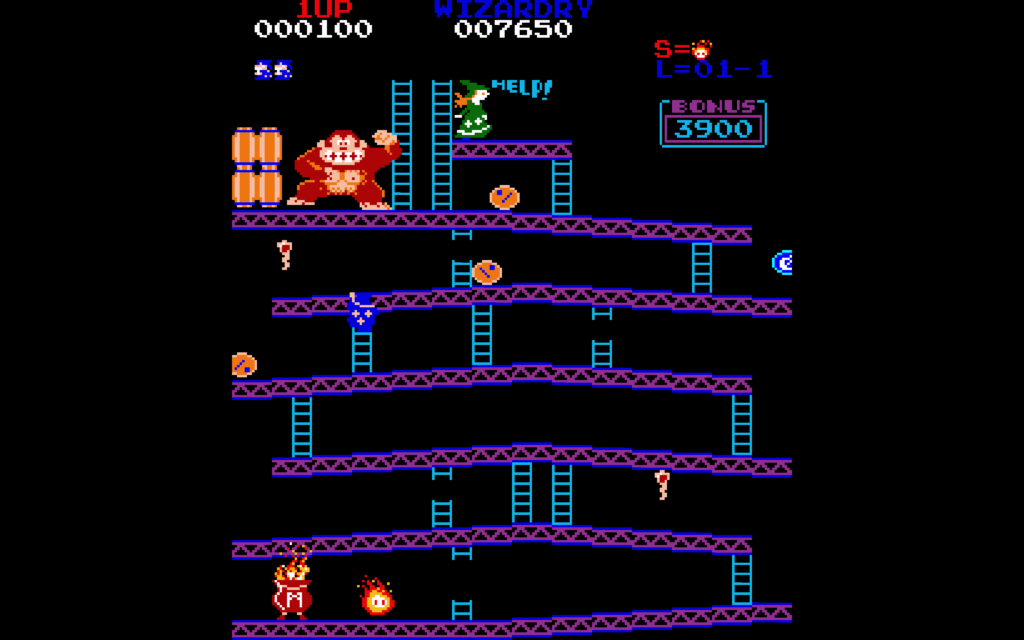
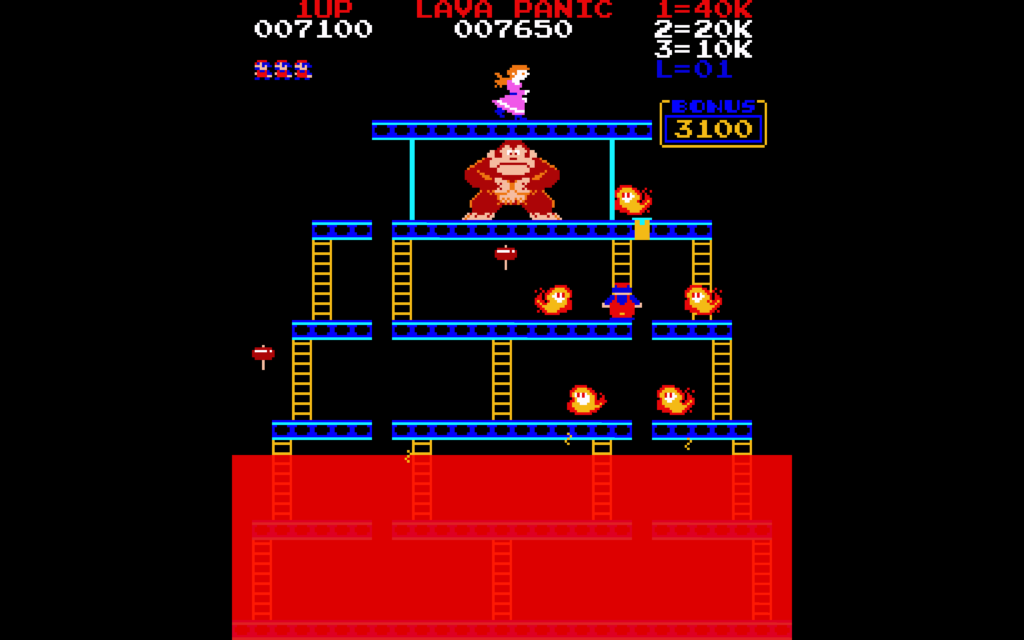
Most of the hacks include a screen like this one, that tells you what scores you must reach in order to earn coins. 3rd place usually isn’t terribly difficult to reach. For many games, a 1st place score will be reached around the time of the Conveyors board in Level 3.This is the game selection mode. Coins you earn are rolled down the ramps from the top of the screen; you have to collect them in order for them to count!Before starting each hack, you’re presented with a text description of the game and how it plays, and who made it.Here’s Galakong, which has been linked from this site before. The game is slightly easier, objectively speaking, than standard Donkey Kong, but it’s easy to get your attention split between the ship and Mario and make mistakes because of it.Pac-kong replaces the roaming fireballs with the ghosts from Pac-Man. They move mostly randomly, like the fireballs, did, but they’re much faster. You can become invincible by collecting an Energizer, which turns Mario into Pac-Man temporarily. Pac-kong’s one of the harder hacks present.Donkey Kong Anniversary Edition changes the boards slightly, and replaces the bonus items with presents and balloons. In case you didn’t know: you can collect items off the edges of girders by jumping at them: if you hit the edge of the screen during your jump, Mario will be bounced back to around the place he leapt from, and will (usually) be unharmed!Donkey Kong Wizardry changes the Girders level substantially. They add new pits to leap over, changes to the way the ramps tilt, and adds other surprises. You get an advantage though: if you press the Player 2 Start Button (the 2 key), it’ll freeze the fireballs for several seconds.Donkey Kong Lava Panic adds a tide of deadly fluid constantly rising up from the bottom of the screen. It becomes important to get the lower rivets on the Rivets board before they become submerged!The Halloween and Christmas-themed hacks change the Girder stage greatly. When barrels (or whatever analogue that hack uses for them) fall off of a gap in the middle of the screen, they may randomly decide to go either direction, adding even more uncertainty to Mario’s progress. Be careful!
On Romhack Thursdays, we bring you interesting finds from the world of game modifications.
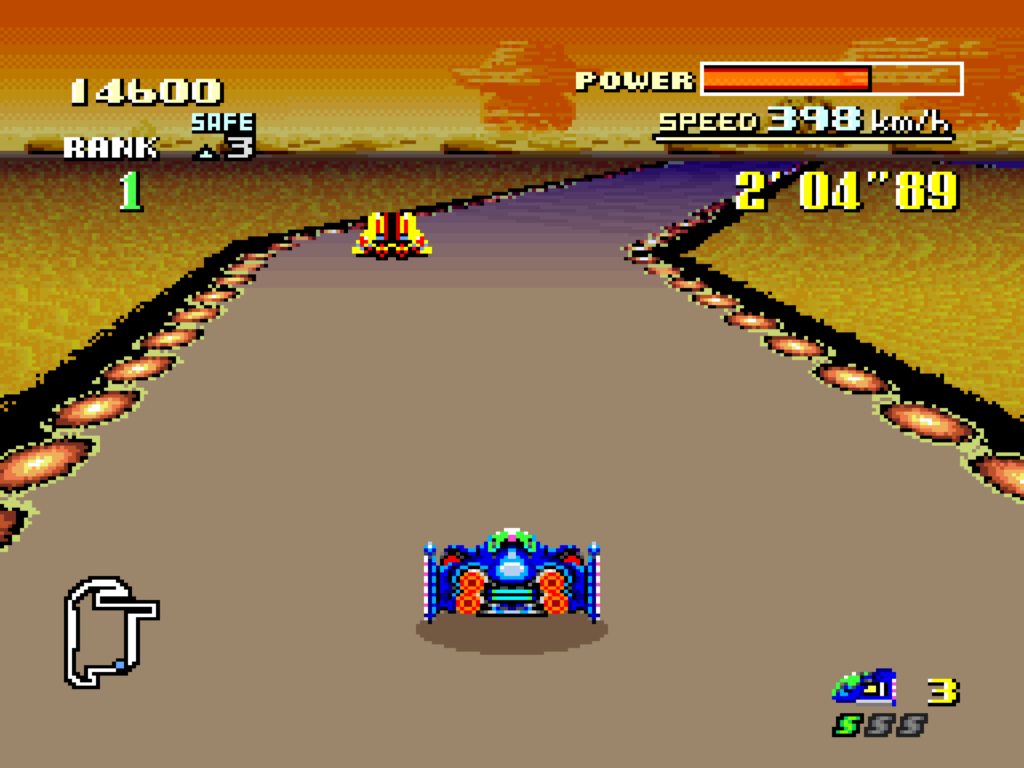
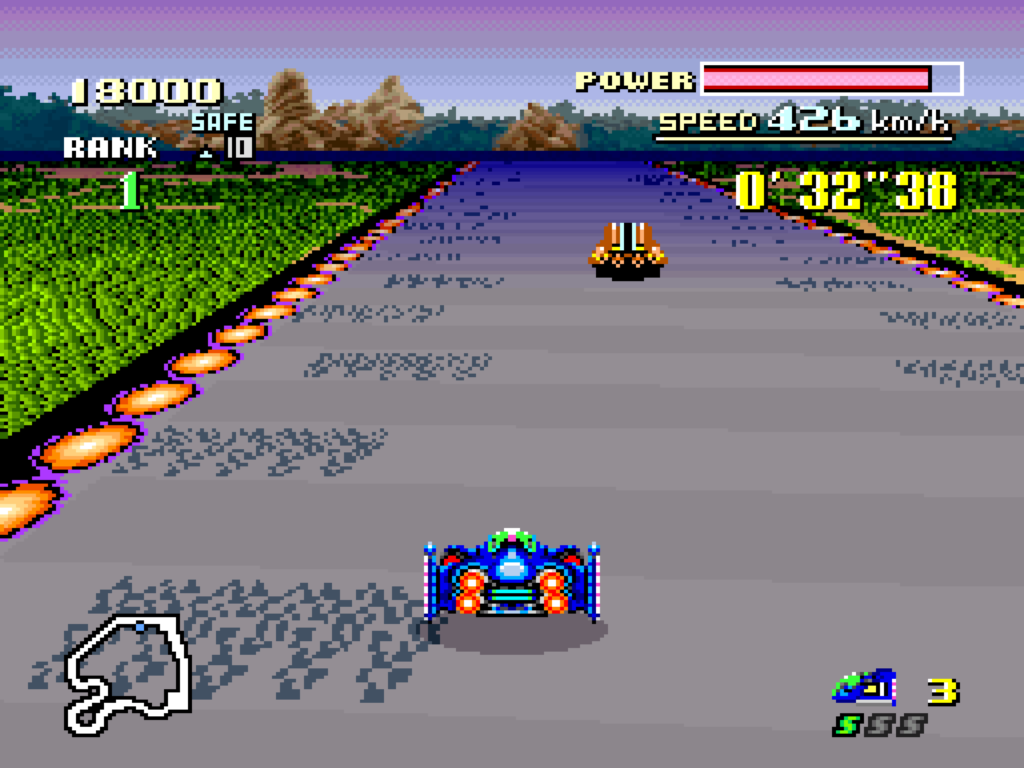
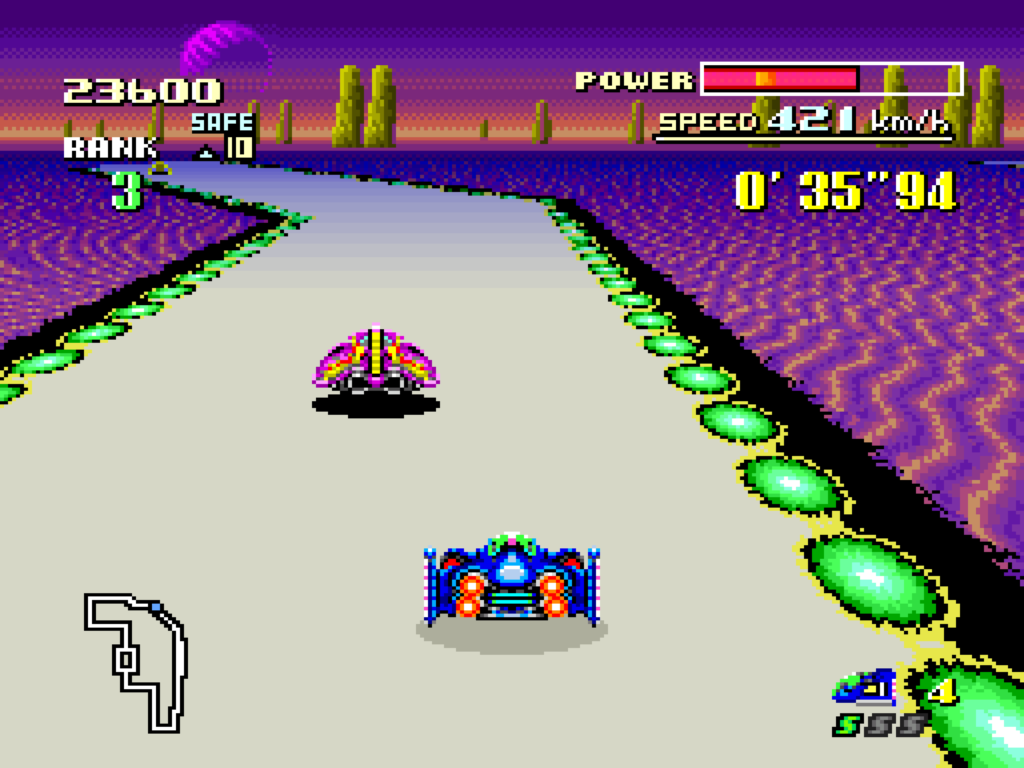
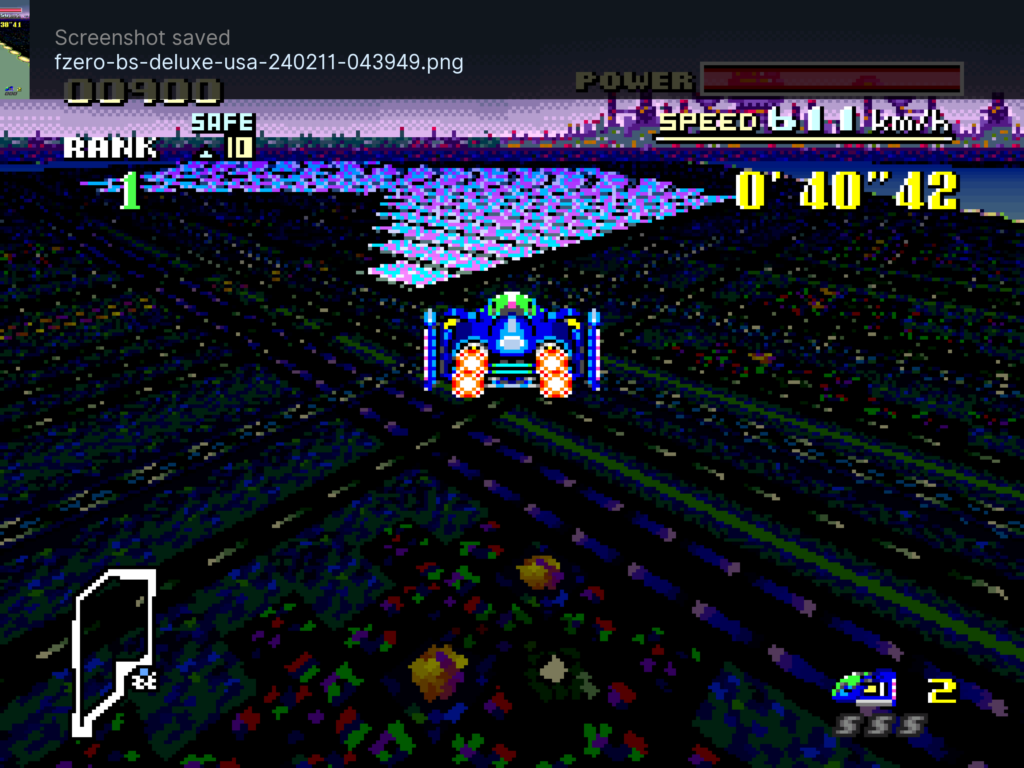
The site of friend-of-the-blog Matthew Green has a wonderful post that describes a new hack that puts the long-lost tracks from two Satellaview versions of F-Zero into the main game, making them playable in a romhack. The creators of the hack, called BS F-Zero Deluxe, went to great lengths to recover them, partly by using tracks recovered from old Satellaview Flash carts, and some by actually recreating them painstakingly from a VCS recording of the tracks being played.
The post has a long discussion with the hack’s main programmer that goes into great detail concerning the origins of the tracks and how they were recovered, and other context surrounding the broadcast versions of the game. I won’t restate all of that here; it’s well worth reading it over on Press The Buttons.
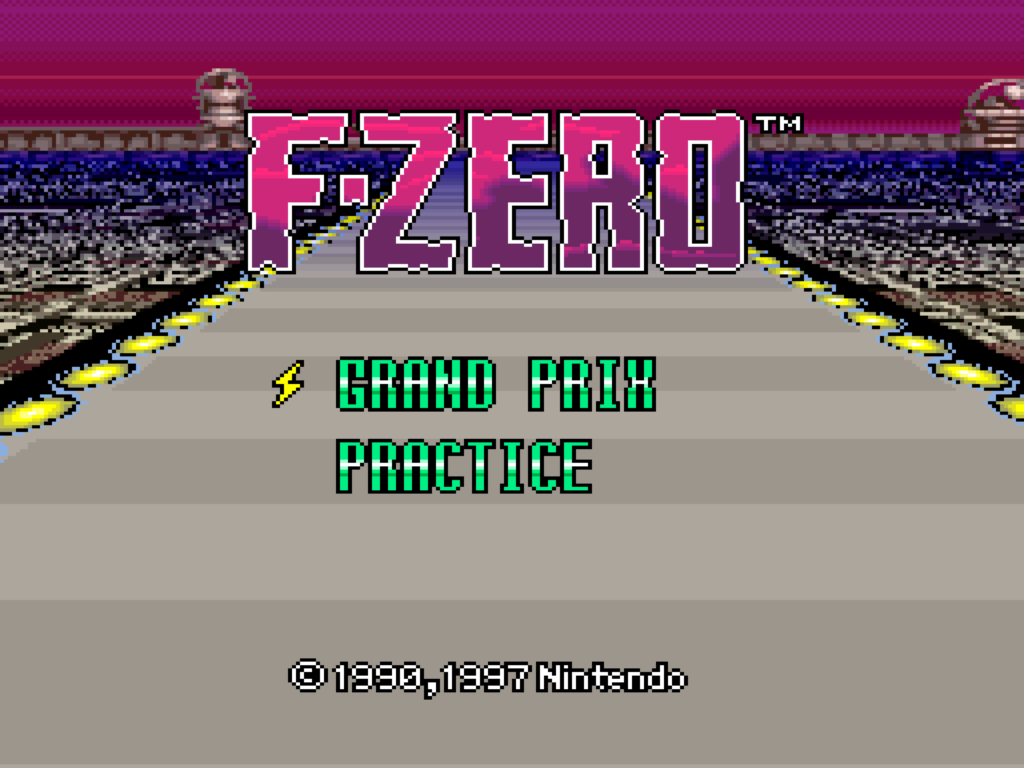
This version of the hack leaves the title screen unchanged. Maybe it’ll get its own title logo later?
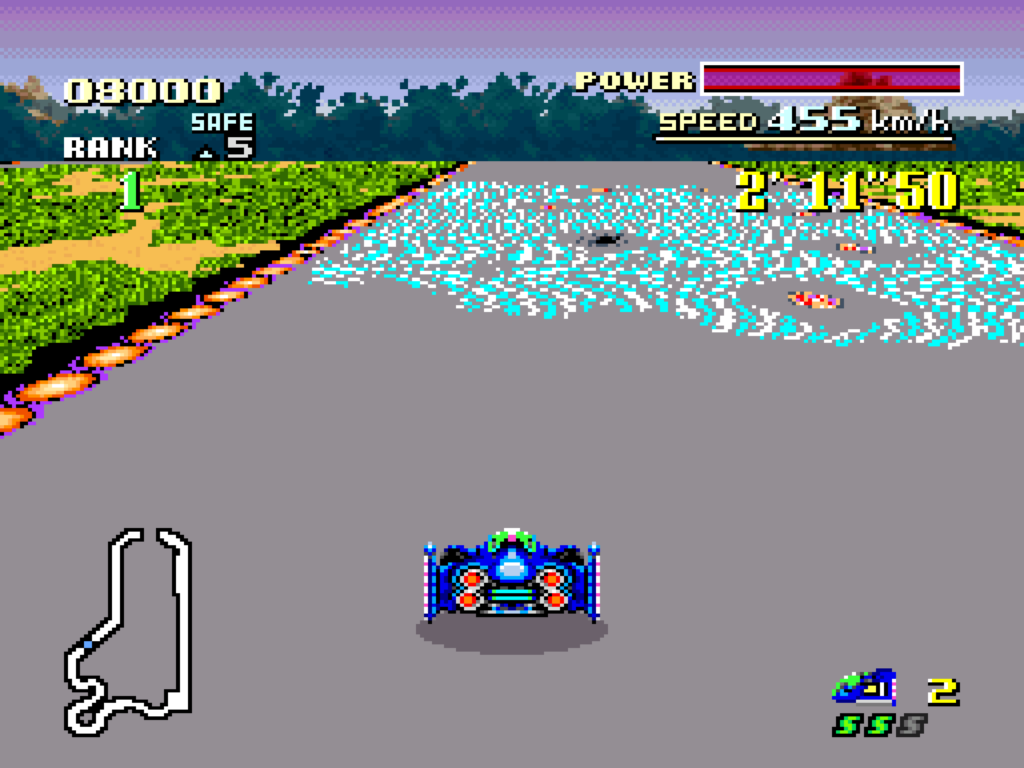
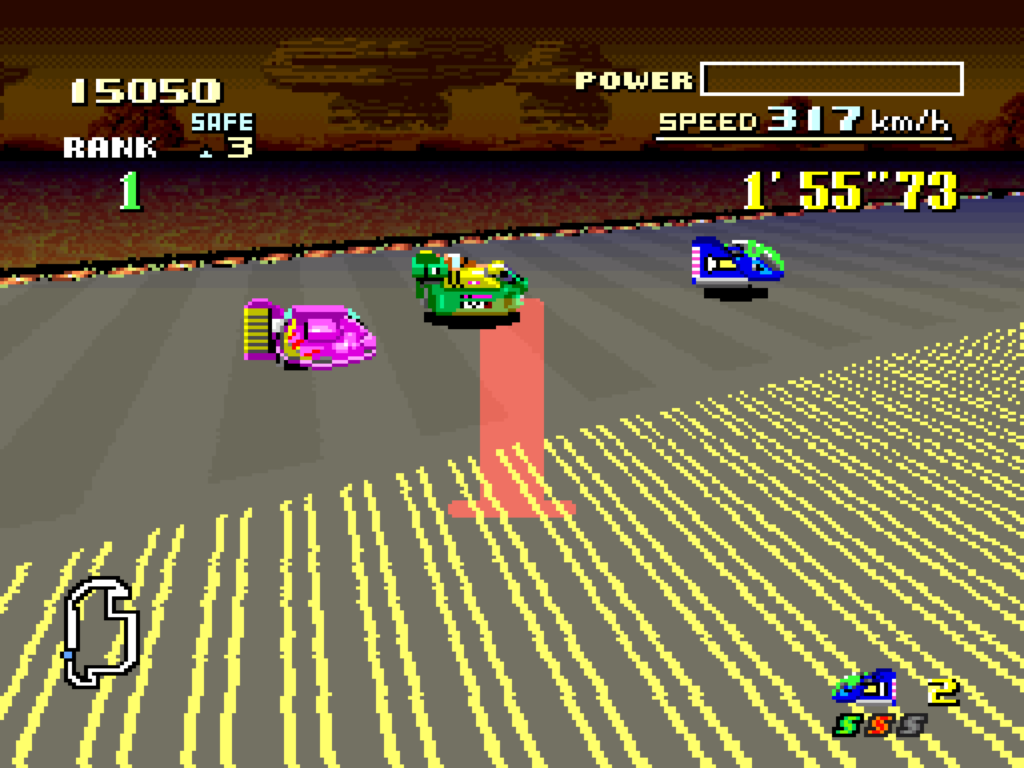
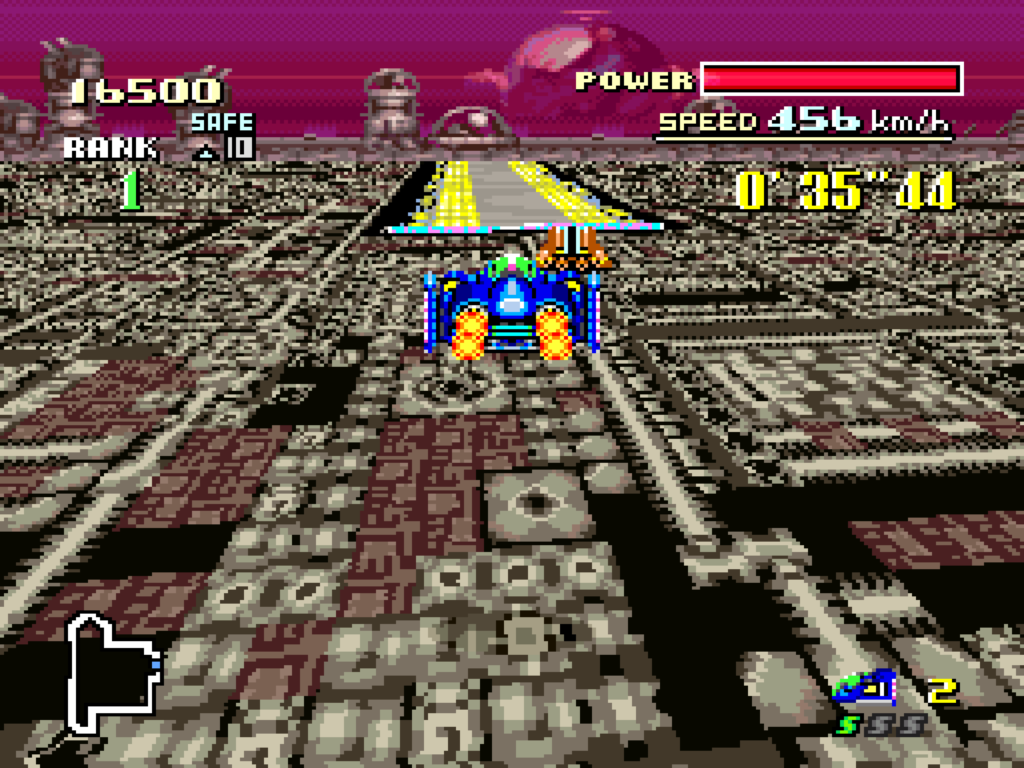
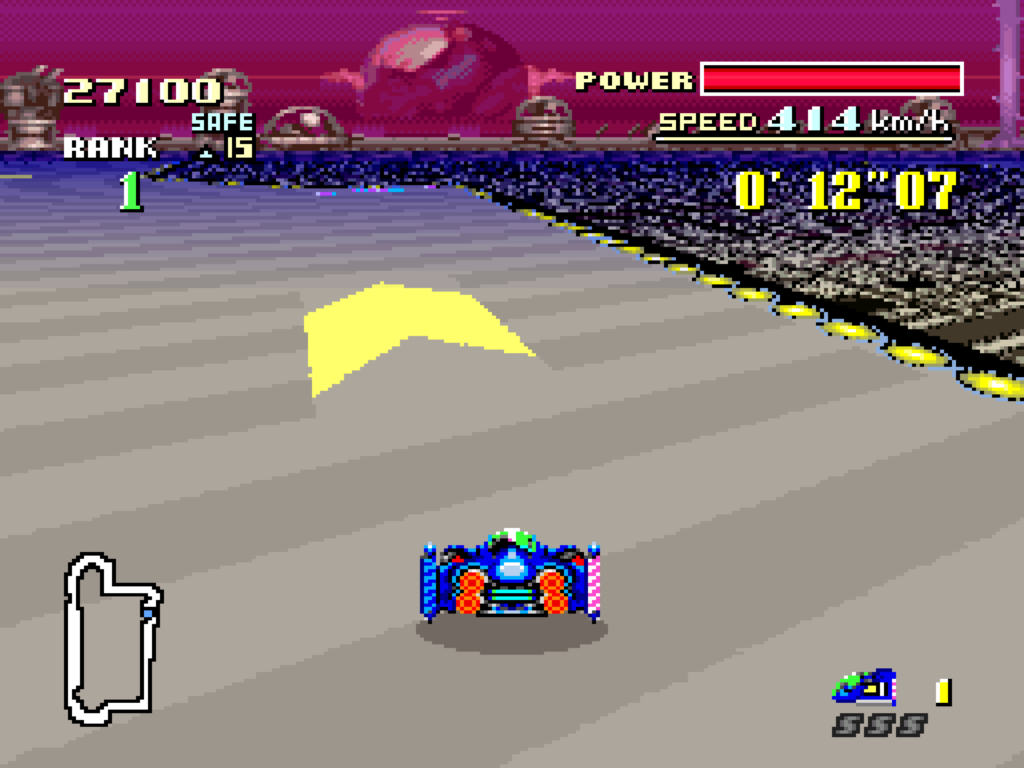
The great thing about the tracks is they follow the progression of the original game. The original had a number of tracks that would be iterated over, with changes, as the player went through the leagues of the game, and the new tracks continue that pattern, with Big Blue II, Silence II, and Mute City IV, as well as new track sequences Forest I, II and III, Sand Storm I and II, and Metal Fort I and II.
The ten added tracks have been collected into two new BS Leagues to test classic F-Zero players:
BS-1 League
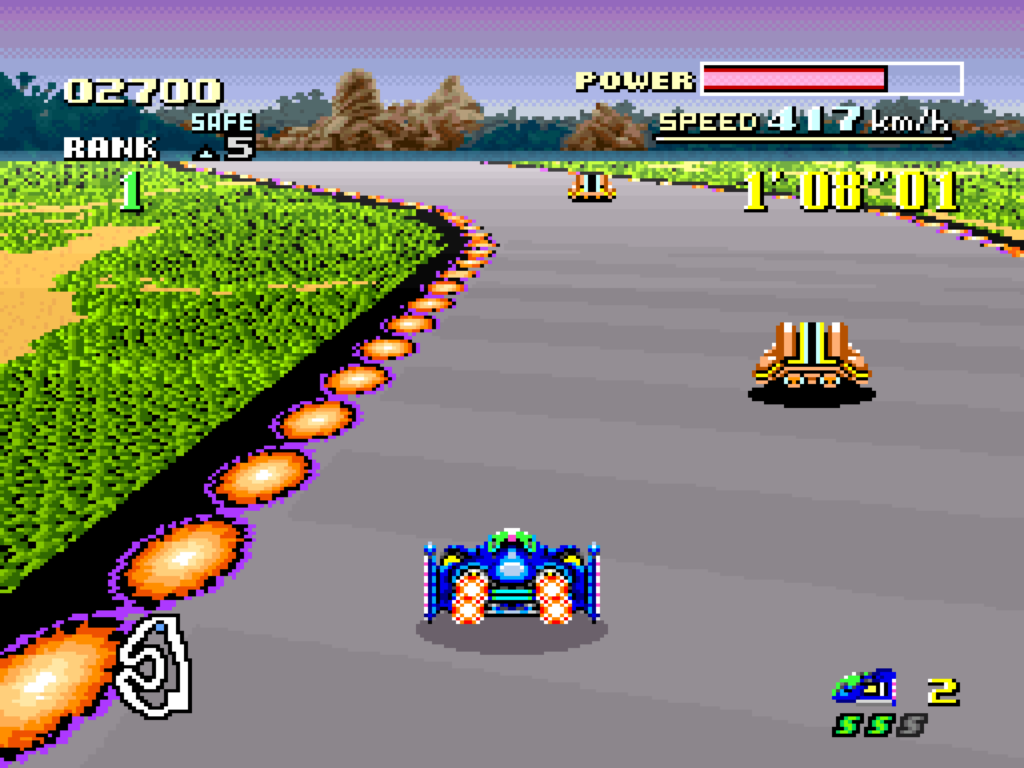
Forest I
FOREST I: One of only two tracks with no pit area for recovering energy! The Forest tracks are fairly simple tracks, but have large areas with slip zones.
Big Blue II
BIG BLUE II: Many changes from Big Blue in F-Zero, including a branch with a hard jump on the left, and an easy jump on the right. If you take the hard jump and it doesn’t look like you’ll make it, you can fairly easily steer in the air back onto the easy jump route.
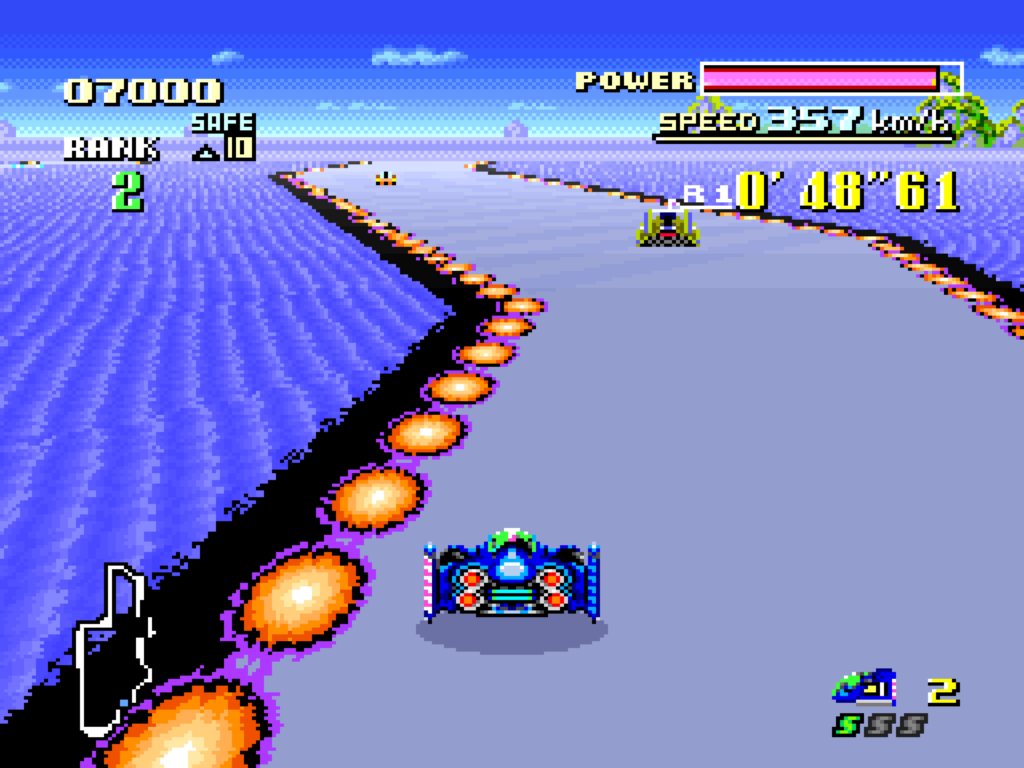
Sand Storm I
SAND STORM I: Somewhat like an easier version of Fire Field, and with the Fire Field music to boot. Watch out for the narrow hazard zone with land mines down the middle! It’s hard for me to tell exactly, but it seems like this track uses Death Wind’s gimmick, where you’re constantly being pushed around as you drive.
Forest II
FOREST II: In addition to being the other track with no pit zone, a large part of the track is composed of one long slip zone.
Silence II
SILENCE II: The many 90-degree turns of the original Silence have been simplified, but in their place are two sections with land mines that are worse than any of their use in the original F-Zero. There’s also a highly dangerous section where all the walls of the track have been replaced with jump pads, giving unskilled drivers ample opportunity to launch themselves into oblivion.
BS-2 League
Mute City IV
MUTE CITY IV: The original three Mute City tracks began each of the original game’s leagues, and were mostly the same except for a significant changed area in the middle of the track. In Mute City II it was a difficult branch, and Mute City III added a narrow section and some landmines. Mute City IV does the same thing, except its new area is a huge series of jumps over open space! When you see the big arrows made of jump pads pointing the way back on to the track you had better follow them! It’s easy to die here even if you know what you’re doing, since at high speed you’ll probably have to aim for the narrow parts of the arrow.
Forest III
FOREST III: The only Forest track with a recharge area. It’s still not a complex track, but there are a couple of slippery areas with mines to avoid.
Sand Storm II I had enough of an issue getting through this that my only screenshot is of finally finishing it. Note how much energy I have left-none!
SAND STORM II: The most difficult track of the new set, with lots of tight turns and an area with the magnets that pull you to the side, in addition to the strong winds.
Metal Fort I
METAL FORT I: Not so hard a track, except for the place where you have a jump onto a narrow section with magnet hazards on the sides. Make sure you’re lined up right, or BOOM.
Metal Fort II
METAL FORT II: For the last of the new tracks, it’s not really that challenging. There are two jumps on the side of the track, with boost pads just before them. For the first jump, if you miss the boost pad you probably won’t have enough speed to make it to the end of the jump unless you steer back onto the track, but if you hit the boost you should be okay. The second pad, you’ll probably have to steer back onto the track regardless, you simply don’t have enough speed to keep going straight even if you hit the boost.
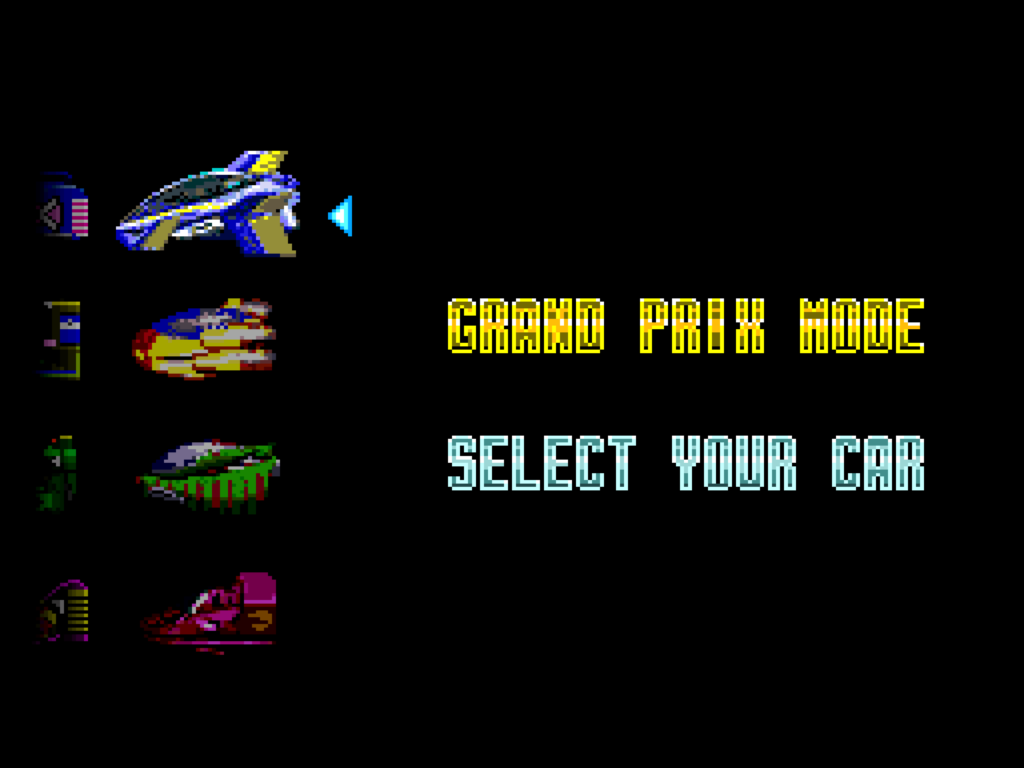
BS F-Zero Deluxe also includes four more vehicles, with notably different properties from the classic four familiar to everyone who played the original (and F-Zero 99 for that matter). They’re presented alongside the first four, and can even be driven on F-Zero’s 15 tracks.
The new cars
When I start thinking about Nintendo’s Japanese consoles in context with these kinds of events, I start to realize that Nintendo’s long been doing special events to connect with its fans, it wasn’t something that started in the Switch era. On the Famicom they released special Disk System releases in conjunction with contests; on the Super Famicom there was the Satellaview; and on N64 there was the 64DD. I don’t know of something similar they did on the Gamecube, but the Wii and Wii-U were internet capable and had special software like the Everybody Votes channel to try to engage players. On the portable side of their lineup, there was the e-Reader, special Pokemon events, the DS Kiosks and software experiments like Dusty Diamond and the Nintendo Badge Arcade, and the Nintendo Wi-Fi Connection before they shut it down. I’m sure there’s a lot of things I’m forgetting too.
It’s a shame that Nintendo tends to regard all of these things as trash, never to be revisited except maybe in the occasional trophy or sticker in Smash Bros. The people who all of this would matter to aren’t getting younger; it seems like a huge missed opportunity for them.
It’s too light to make it an official Romhack Thursday post, but it is Thursday, so…. or rather, it was, yesterday, when this was slated to go originally, except Fully Ramblomatic premiered and I figured I should strike while that iron was hot. This iron, after all, is more malleable at lower temperatures.
Alex Zandra on Mastodon, @zandra@mastodon.social, who is @zandravandra on Cohost, put together a list of her favorite Mega Man romhacks that looks pretty interesting.
The games are (in order through the series): Mega Man Speed Bomber, Rollchan No Constancy, Rollchan At The Tokyo Olympics, Mega Man 4 Voyage, Mega Man 5 Double Jumper, and Rockman 6 Spirit of Hackers. The closest I’ve come to playing any of them was Rockman No Constancy, before Roll was put into it. There are lots of hacks that are difficult even to play, so curated lists of them are very useful!
On Romhack Thursdays, we bring you interesting finds from the world of game modifications.
It’s another video! And it’s Nintendo related! I bet you’re just thrilled!
This is one, however, is far from something the Big N would approve of. Snooplax goes into great detail in explaining the history of hacking Super Mario 64, the first 3D game to really have a substantial hacking scene–I don’t count things like DOOM, since to a degree it was made to be extensible. Nintendo never dreamed that people would do the things to the Mario 64 engine that they have, which has included optimizing it to the extent that it can run at 60 fps on original hardware!
Seeing all these hacks together in one video is rather inspiring. There’s been not one, but at least three, major Super Mario 64 level editors, with different degrees of flexibility and detail. What enthusiasts have done with the engine over the years is surprising, and there’s no end in sight, so please enjoy this look back at this prolific scene.
On Romhack Thursdays, we bring you interesting finds from the world of game modifications.
Look at that title and marvel a bit. Doom on a C64! What an idea. How could it even be possible? What an age we live in. It is a time of wonders. Children are our future.
Of course there’s more to it than that. There is a whole class of “retro” game that amounts to implementing the actual game on separate hardware, and using the supposed host platform as a glorified display and input device. That’s what’s going on in this case. Doom is really being run on a Raspberry Pi in a plug-in cartridge on a processor that’s underpowered by modern standards but far outpaces that of even Doom’s base configuration, and is thousands of times more powerful than the Commodore 64 to which it pipes its output.
But there’s still some technical interest in the means. The device that runs it is a “RAD Expansion Unit,” a DIY device that emulates a C64 RAM expansion, and apparently can even take over from the 6510 CPU and drive the system’s hardware directly. It works by writing to the VIC-II video and SID sound chips itself.
There was still a lot of coding work required to make this possible. A C64 has somewhat decent sound hardware, but the VIC-II chip has severe limitations on what it can display. The Raspberry Pi has to take the game’s display and port it, in real-time, to a graphics chip that can only display up to four colors (out of only 16) in each character cell, and that’s by sacrificing half of its horizontal resolution. Doing that on the fly itself is a noteworthy hack.
Could it be possible to run DOOM on a C64 without such assistance? At native resolution, ha ha ha: no. The memory limitations are too grievous, so at the very least you’ll need a RAM expansion.
I’ve mused at times on whether it might be possible if one uses the character screen as a kind of super-low-resolution graphics mode, each 8×8 character block representing either a 2×2 pixel grid (so, a resolution of 80×50) or a single pixel (40×25). Even at such a resolution 60 fps is probably out of the question, for it takes a lot of cycles to change every tile every frame, but maybe at 30 or 20? 15, 12, 10? (60 is divisible by a lot of numbers.) I will leave that question to people who are more current with C64 assembly coding.