Atari 2600 Graphics Construction

We’ve talked about this topic before, but I recently found a video, from Mark Rotondella, on how the Atari VCS/2600 creates its graphics. (6 minutes)

It makes the useful observation that the first programmable game system (that is, with interchangable cartridges that contained program code), the Fairchile Channel F, contained 2K of RAM to use as a framebuffer, a region of memory the system’s graphics controller referred to in building its display. Using a framebuffer simplifies video creation, but at the time RAM was very expensive.

The Atari VCS/2600, however, only has 128 bytes of on-board RAM. It doesn’t create a framebuffer, it doesn’t have enough memory. Instead the processor, a MOS 6507 (a variation of the 6502), works with the TIA graphics chip to build the signal in real-time. Effectively, the VCS has a one-dimensional display: it focuses on building the video signal by focusing on it one raster line at a time.

There’s a danger when talking about these things, of telling people something they already know. It’s been observed that some game facts that were once obscure are fairly well known among enthusiasts, like that Super Mario Bros. 2 was adapted from an earlier Japanese game called Doki Doki Panic. I feel like the unusual way the VCS constructed its graphics might be one of these things. I’m still fascinated by how it works though. I’ll probably end up bringing it up again someday.

Review: Two Cozy Games to Enjoy

This is a double review of Spilled! and Pilo and the Holobook both played with press keys.

00:00 Intro
00:13 Spilled!
2:27 Pilo and the Holobook

A Bunch of Sites You Should Follow

I think you might find it interesting or useful or entertaining, or some combination of the three, to have a list of interesting gaming websites to look through and follow. They’re all pretty cool; I’ve tried to weed out some that don’t update often, but sometimes the content on the site overrides that.

The three big indie gaming sites at the moment are Second Wind, the newly-liberated Giant Bomb, and Aftermath, even if they do annoy me greatly whenever they call blog posts “blogs.” I feel like they do it on purpose, or something. Take note that currently Second Wind does not actually have a dedicated website of their own; their internet presence is on other sites and services, especially Youtube and Discord.

Two sites I suggest avoiding are Kotaku, which is run by soulless drones, and, whenever possible, the vast array of Fandom.com sites. This is often not possible, as lots of people use them for free site hosting, but it’s frequently the case that Fandom doesn’t have its users’ interests foremost on its mind, and if a wiki creator decides to leave Fandom for green pastures, you’ll often end up competing with your old site, and it’ll come in ahead of your new site in Google searches for a long time after, maybe forever, because of their strong search engine optimization. Notably the Nethack Wiki had to fight against the ghost of their old selves for a long time, and the Fandom version of the site still, after over a decade, comes up in the first page of Google results. (A useful browser extension for Chrome and Firefox is Indie Wiki Buddy, which marks search results that turn up Fandom sites, while not removing them entirely in case they’re the only real option.)

Some other useful sites:

The Cutting Room Floor, of course, is an amazing resource, bringing together development information on thousands of games.

Hardcore Gaming 101 may be the website with the most complete information on all kinds of video games that exists, other than Wikipedia of course, and WP prioritizes general audiences, not enthusiasts.

Thrilling Tales of Old Videogames has had quite the uptick in posts lately, but always has something new and unexpected to say.

Gaming Alexandria is preservation-focused, and hosts scans of old gaming and computer magazines, including scans of Japanese type-in computer magazines, a category that has not been well-preserved in the West despite some programmers having moved into mainstream commercial development after having gotten their start with magazine publishing.

Game Developer Research Institute collects information on a vast array of companies and hosts a number of interviews with classic gamedevs too. They also keep an informative blog (being, a series of blog posts).

Computer Archeology updates but rarely, but has useful information on several classic arcade games. They’re the site that figured out the cause of the long-standing arcade Galaga bug that sometimes cause the enemy insects to stop firing.

Sonic Retro hosts a huge wiki on many topics related to the Sonic games.

We’re now moving into the category of personal sites, but don’t count them out because it’s mostly one or two people who make them!

Finally, more out of a sense of memory than anything else, there’s Press The Buttons, home of the blog and podcast of my late friend Matthew Green, currently still on the internet. I don’t know what will happen to it now that he’s gone. He wasn’t the only host of the Power Button podcast. I hope the surviving members keep it going. If they do, you should follow it, too.

Avoiding Walls in Mario Kart DS & Wall Assisted Super Bouncing

The gold standard of game breakdowns continues to be PannenKoek’s extremely detailed and approachable examinations of Super Mario 64, but there’s other people out there are also nerding out excessively over games.

Suuper W‘s makes videos about several different Mario games, but Mario Kart is their primary beat. They recently explained how Mario Kart DS detects when you’ve hit a wall. It’s worth a look if you want to either how the detection works, how it can be abused, or, just possibly, both. (14 minutes)

Also of interest is a video they’ve done about “Wall Assisted Super Bouncing,” a Mario Kart DS technique that can cause you to game big air and leap over barriers under the right conditions. It’s 11 minutes, and even if (as is likely) you’re not in the Mario Kart DS TAS speedrunning scene, it may be interesting for its look at the specifics of MKDS’s engine.

Jed’s Journey (on Loadstar 87)

Jed’s Journey is a fun little Zelda-like game for the Commodore 64. If you weren’t a Loadstar subscriber around 1993 or so, you’ve probably never heard of it. It’s one of the many programs from Loadstar’s 22-year run, which I’ve put up for sale (with permission of J&F Publishing’s co-owner Fender Tucker) on itch.io, but the disk can also be found on the Internet Archive. (We talked about making Loadstar available to people back last month, here.)

Jed lost drawing straws with his villager friends, and so it’s up to him to do something about all the monsters infesting his world. The monsters move quickly and randomly, so fighting them is a mix of reflexes, strategy and luck. Clear a screen and you get rewarded with coins, and possibly a potion that you can save for later. The potion colors are green for health, blue for invisibility, yellow to be teleported back to the starting point, and red to clear all the monsters from the screen.

Jed’s world is pretty big. If you explore for a bit, you’ll find treasure rooms with lots of money inside, a place to pay for healing, buyable weapon upgrades and keys for purchase. It’s not known at the moment if there is a way to win at Jed’s Journey, but the fact that the locked doors must be leading somewhere important suggests that there is. To even have a chance of reaching the end, if it exists, you should make a map of the world, and I mean by hand.

Jed’s Journey makes use of a hardware trick, seen in some sprite-based video chips, to get free collision detection. When the C64’s VIC-II is drawing sprites on screen, if two of them would be drawn on the same pixel, it’ll note a collision between them, and note this fact in a register. There are quirks to this system though. On the C64, this is pixel-based collision detection, not using hit boxes, which might mean occasional misses for players used to hitbox detection. Only two of the possible three colors in a multicolor sprite set off the collision detection. And the collisions only register which sprites are colliding, not what they were colliding with, which sometimes means, when you kill one beast, two others that were touching each other onscreen elsewhere will also be considered slain.

Will someone finally finish Jed’s Journey after all these years? Will it be you? If you try it, please let us know!

Indie Showcase For 5/25/25

The indie showcases highlight the many indie games we play on the channel (Game Wisdom) and feature a mix of demos, games bought, and press key submissions.

0:00 Intro
00:14 Crown of Pain
2:46 Sulfur
6:01 Our Adventurer Guild
7:45 Alien Boom Boom
8:46 Galaia
10:13 Oddsparks: An Automation Adventure

Sundry Sunday: Eggpo, in Instruction Book

Sundry Sunday is our weekly feature of fun gaming culture finds and videos, from across the years and even decades.

Eggpo is a video game-themed series that was part of the “Two More Eggs” animations that The Brothers Chaps, Mike and Matt Chapman, creators and makers of Homestar Runner, made for Disney’s XD service. While the series is nine years old now, nearly all are still viewable on XD’s Youtube channel, minus a couple that were removed for some reason.

This is the fifth of the Eggpo cartoons, and clocks in at a minute-forty. We’ve seen the previous four here so far. They’re about a couple of Goomboid creatures from an 8-bit game questioning their places as underlings in video game world. They’re pretty good, and short. In this one, the Eggpos explore their game’s instruction manual. It’s not explained how they got in there.

There’s another game-related sequence in Two More Eggs, “CG Pals,” which follows the adventures of a bunch of low-polygon friends and their adventures in the Third Dimension. Since there’s only two Eggpo cartoons left, maybe we’ll look at those after Eggpo runs out.

8-Bit Show-And-Tell Finds Fake C64 Programming Books On Amazon

Amazon has, in some areas at least, become a slop-pile, full of entries for misleading and scammy products. It seems just about anyone can advertise on Amazon for any product, including endless products with fake machine-generated brands, and flash drives that misreport their size as bigger than they really are and corrupt your data if you try to fill them.

These are just more recent versions of an old scam, computer-generated self-published works, with content stolen from other sources, and presented at new material. They’re not even LLM-generated, except maybe for a few sentences. The bulk of the content was written by others, people who have no idea their work is being appropriated to make a quick buck.

Robin, the worthy creator of 8-Bit Show and Tell on Youtube, has done a 54-minute examination of some of these books, all on the topic of programming Commodore 64s, surely a growth market in 2025!

The five books Robin found, and bought to show off on his channel, are laughably fake. The computers pictured on the cover are the furthermost things from Commodore 64 machines, and the middle initial of their supposed authors consistently puts the period before the letter! They practically flaunt how easy it is to create AI slop, how little effort and money they must expend to get obviously fake books up, to sell to the maybe dozen people, tops, in the world today seeking info on how to program a forty-year-old 8-bit computer. (The books are copyright 2023, so at that time it merely a 38-year-old computer.)

The third book’s introduction in particular is great. All the books offer “Funny helpful tips” on the first page of content, but this one tells us to “incorporate activities that promote lymphatic drainage.” See! Look!

IMPORTANT FUNNY HELPFUL COMMODORE 64 LYMPHATIC TIPS

The stolen text, down to swiping the very images from the original, seems to come from this book from 2020, Beginner’s Step-by-Step THEC64 Coding Course by Rich Stals, a book written to support one of those recent-vintage, all-in-one platform revivals, the THEC64 Maxi.

Almost as infuriating as Amazon selling the same book under five different titles and with content pirates from a different book, the hoops they made Robin jump through to return them for a refund were a terrible experience, limiting him to picking an option to return them from a list, none of them being “this is an illegal copy of a different book.” Depending on the reason he picked, but not in any logical sense, he was offered a free copy of the same book in recompense. Awful.

Also on the subject of Commodore 64s…. I am still working feverishly on my Loadstar explorer menu program, which seeks to make leafing through the 22-year history of that C64 magazine much easier than having to individually open disks into an emulator and seek them out through the disks’ original menus. I hope to have something to share on that count very soon! Set Side B is a general (if esoteric) video gaming blog, we aren’t going to go all-out Commie for Commodore, but you might see a marked uptick in C64 info for awhile.

Indie Showcase For 3/23/25

The weekly indie showcases show off the many games we check out on the channel and I’m (Josh Bycer) always looking for submitted games to try.

00:00 Intro
00:14 Sentry
2:33 The Last Humblebee
3:57 Vellum
6:39 Ufouria The Saga 2
8:50 Yellow Taxi Goes Vroom
10:34 Lakeside

White Pointer Gaming on Pokemon Gold/Silver’s Real Time Clock & GB Mappers

White Pointer Gaming is another excellent source of retro game hardware information, and a few days ago they uploaded a dive into the specifics of the real time clock used in Pokemon Generation 2 (14 minutes), and as an encore discussed Gameboy mapper chips, a related topic. It seems the clock hardware is on quite a few other GB games as well, as it’s built in to a common mapper chip, but it needs extra power to run the clock, and an oscillator to keep the time accurate. Another game that uses the same mapper, but doesn’t have the oscillator? Pokemon Generation One. Hmmm!

The video mentions that powering the clock and oscillator causes Pokemon Gold, Silver and Crystal cartridges to run out of battery power, and lose their saved game data, much faster than other Gameboy carts with save game battery. Sorry to break it to you; your Pokemon are probably gone by now. Poor out a health potion for Pikachu.

Another interesting fact revealed is, the clock works by recording raw time since the game was last powered on, and the actual date and time are fully updated when the game is started up. If you wait a long time between plays, over 511 days, the timer can wrap around and lose track of how long it’s been.

On Rescuing Mario Paint Projects From Cartridges

Mario Paint, Nintendo’s weird but beloved image, animation and music creation tool from way back on the SNES, is an anomaly. As with the Gameboy Camera and everything else Nintendo makes that has creation as its purpose, so much love went into it! It has an interface with whimsical characters like the Save Robot and Undodog! There are jolly icons representing the musical notes in the music maker! You can play with the title screen! Totaka’s Song is hidden there! There are randomized startup and erase animations! There’s that fly swatting minigame! Homestar Runner wouldn’t have existed without Mario Paint! I could, and should, go on, but I should more get to the point.

The post needs some visual interest, and Mario Paint’s title screen contains more joy per square pixel than almost anything else in this life, so here!

The point is, Mario Paint was also pretty unsuited to its hardware. I mentioned recently the fact that the cartridge doesn’t actually have enough memory to save all of its data and tries to use data compression to make everything fit, which, due to the nature of compression, doesn’t always work. Also, Mario Paint came with the SNES mouse which it requires, packed in, raising its price and increasing it even more in the aftermarket. And, worst of all: you can only save one image to the cart at a time, and the official supported way to preserve your work, as the Brothers Chaps did with the Homestar Runner link above, is to record it using a VCR.

This sounds like the kind of thing the hacking community could solve, but a rapid Google search (I’m running out of time in making this post) doesn’t turn up anything, even though I’m sure this exists somewhere. Someone on hackaday.io says they’re working on a physical device that could rescue the image off of a Mario Paint cartridge, and would even have an LCD screen built into it so you could see a cart’s image saved onto it, which I’m sure would have blown a young Mark and Matt Chapman’s minds long ago. But the last update was in 2023.

Going the other way, putting outside images onto a Mario Paint save, is not only possible but there’s a tool to do it automatically, hosted, awesomely, on Neocities.

The homepage of AutoMP, which can put images into Mario Paint save data, but not currently get them out. With that good old-time web design aesthetic!

There’s speculation that Nintendo themselves might do something with Mario Paint and the Switch Online service on the Switch 2. The Joycons on that system can be used as mice! But given the direction Nintendo’s been going with Sw2 (“switwo”) it’d probably be a paid feature, and nothing’s even been hinted at yet so who the hell knows. But imagine support for exporting Mario Paint images to your SD card, or onto your smartphone?

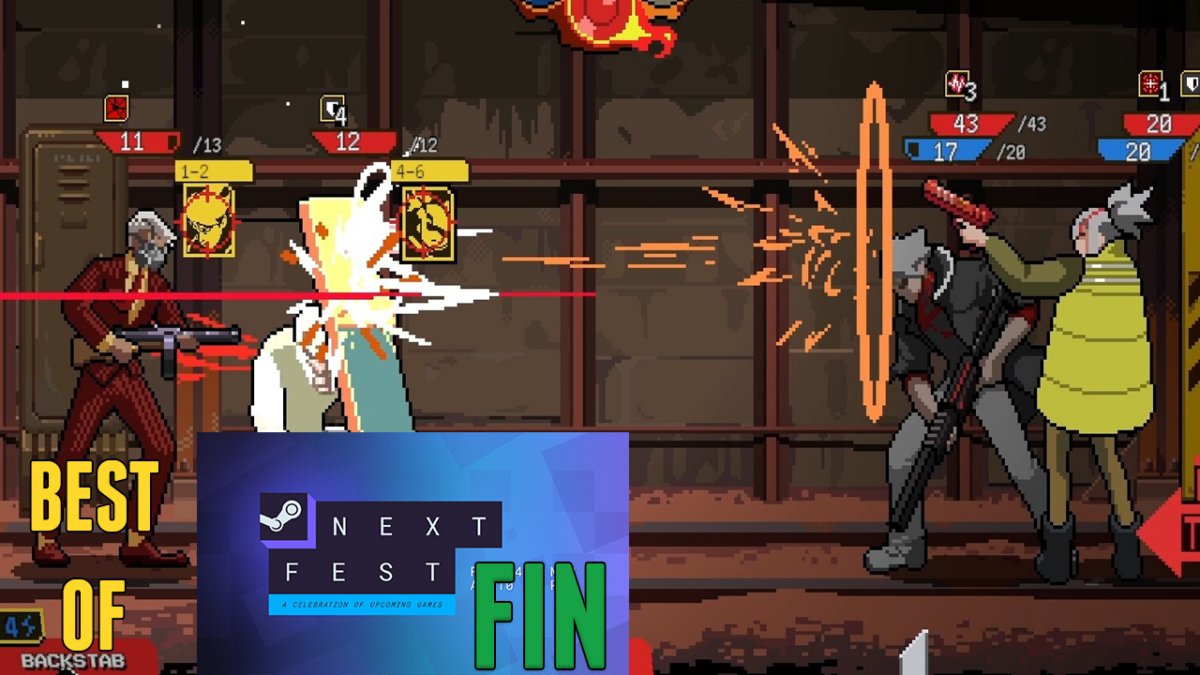
One More Best Demos of Next Fest Showcase

The final, and bonus episode, of my (Josh Bycer) favorite demos from Steam Next Fest February 2025 edition.

00:00 Intro
00:26 Cantaloupe Chronicle
01:54 Kaya’s Prophecy
4:25 Opus Cortex
5:28 Touhou: the Unreachable Oneiroborder
6:50 Blasted Dice
8:45 Katanaut
10:44 Artis Impact
11:52 Fumehead
14:21 Starless Abyss