
Part 2 of my (Josh Bycer’s) favorite demos from Steam Next Fest October 2025 edition. EDITOR’S NOTE: is that a certain bobcat we all know in the preview image?
The Website of Benimaru Itoh
I was listening to Retronauts 768 a couple of days ago, about the 20th anniversary of the release of Mother 3. It was interesting and you might enjoy it too, but the reason for this post is that they mentioned that Nintendo art legend Benimaru Itoh still maintains an old-school website.
That is a thing about Japan; it’s on average behind the times concerning technology and internet trends, for example Geocities Japan outlived the original by a decade, but it looks more and more like that’s actually a really good thing as the Western internet dives enthusiastically down the cyber-commode. Old-school websites are in again, at least among the right people, and one of those people is Benimaru Itoh.
The focus is mostly on his art, all of which I find very nice. Like this one:
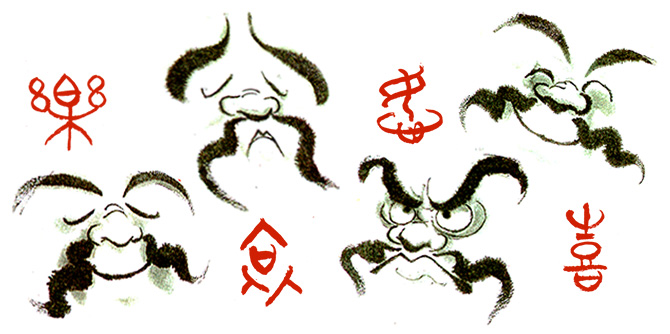
Or this heartfelt image in memory of Nintendo’s beloved late president Satoru Iwata, who programmed many games for HAL Laboratory:

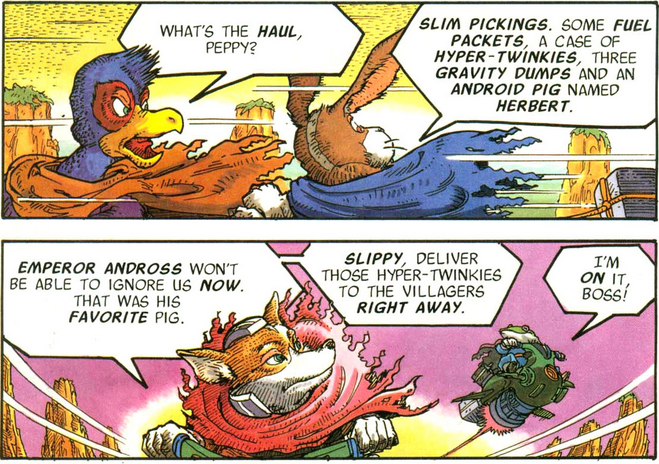
There’s plenty of other examples on the site, many of them promotional music posters. More in line with our focus here at Set Side B, Itoh was the artist of some of the old Nintendo Power comics, like the Metroid and Star Fox series. He’s also a musician, and has “a doubleneck acoustic/electric mandolin/ukelele!”
Sundry Sunday: Pac-Man Snack Breaks
Sundry Sunday is our weekly feature of fun gaming culture finds and videos, from across the years and even decades.
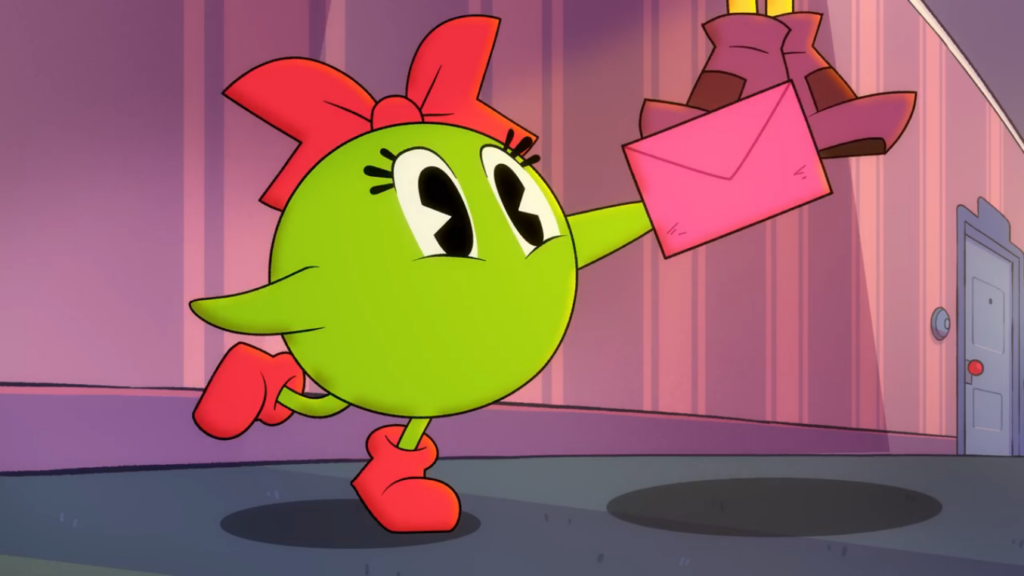
Bandai Namco has yet another new Pac-Man cartoon series, I think this is the fourth? This one is a monthly series of short (not Short) Youtube videos called Snack Breaks.
Namco’s commissioned a bunch of sidelines based on their characters. Anyone else remember Shiftylook? None of them seem to last for long, and they seem to have no interest in preserving them. This one’s a series of Youtube videos, and while videos there are by no means guaranteed to last indefinitely, so long as they get even a trickle of views they seem to last.
I’m full of little observations of these cartoons, the result of an obsession with Pac-Man that began for me in third grade. Like, there’s no Ms. Pac-Man in these, due to B-N retconning her out of Pac-continuity due to GCC’s co-ownership of that game. However, in the trailer, we do see Professor Pac-Man, which is much further from Namco’s ownership since they didn’t make any of that game.
Then there’s the ghost’s personalities. The arcade game, of course, gave them different personalities from their programming (as delineated by the terrific Pac-Man Dossier), but different animated depictions of the ghosts (or “monsters,” in original parlance) tend to be inconsistent. The Saturday morning Pac-Man cartoon show made the Red monster Blinky, the most tenacious pursuer in the games, a coward, but the Orange ghost Clyde, the least threatening one, the leader of the group. While Snack Breaks matches the colors with the personalities a lot better, it makes the Pink monster (Pinky, of course) a girl. I have nothing against the chosen gender expression of a 16×16 pixel sprite, but I thought Sue was the girl ghost? Ah, but I guess Sue is also owned by GCC.
The animation’s pretty good, I’ll say that much. Pac-Man’s character design looks closer to Namco’s official art of the character. The telling details are the classic Mickey Mouse eyes and the orange gloves. (No Pac-Man animation has ever attempted to use Bally-Midway’s strange cabinet art as inspiration, see below.) There are a few nice jokes too (Pac’s cranky neighbor is great), but the pacing feels rushed in that way a lot of cartoons feel, like they’re trying to squeeze too much writing into too little time.
And so another attempt to cartoonify those evocative bits of 8-bit art has begun. Will they eventually be as neglected as Shiftylook became? Will future Pac-Man collections mine them for artwork, as Pac-Man Museum regrettably did for Ghostly Adventures? I can’t read the future, I’m not a Magic 8-Ball, but: signs point to yes.
Trailer (40 seconds):
Episode 1 (3 minutes):
If you wish to compare it to Hanna-Barbera’s take, here’s an episode of the old SatAM show (11 minutes). And here’s some of Bally-Midway’s weird U.S. cabinet art for arcade Pac-Man, as referenced above. Try to imagine what an animation of this would be like:

Obscure Arcade Games, Presented By Gary
Used to be there were many thousands of different arcade games that you could find nearly, in arcades, convenience stores, grocery stores, gas stations and sometimes even just on a street corner. In the US (the country that originated arcade games somehow), those days have been gone for a long time, unless you count video poker machines as arcade games, and I don’t, as doing so would send me into a profound depression.
More than that, arcade games in the days of their ascendance had a breadth and variety that no other style of video game has ever had. Even home microcomputers, to my eyes, didn’t see games as ludicrously peculiar as arcade games could be, especially in their early days.
Somebody on Youtube with the user name GaryRetroGamer has made a three videos showing off obscure but interesting arcade games from the 80s, ranging in length from 20 to 25 minutes, 127 games from 1983-1984 (25 minutes):
133 from 1985-1986 (22 minutes):
and 100 from the late 80s:
To help you track down individual games, the ones in each video are presented here, in order. Please excuse errors, these lists were compiled with the aid of text processing tools. (For any bashheads out there, of particular use: cut, tr, wl-paste, wl-copy)
1983-4
Dr. Micro, Exerion, Guzzler, Harem, High Way Race, Hoccer, Hopper Robo, I Robot, Intrepid, Joinem, Joyful Road, Jump Coaster, Kick Boy, Lover Boy, Markham, Marvin’s Maze, Money Money, Mouser, Mr. TNT, New Sinbad, Nova 2001, Phozon, Popper, Raiders, Regulus, Roc’n’Rope, Saturn, Scrambled Egg, Senjyo, SF, Sinbad Mystery, Sky Lancer, Star Jacker, Stinger, Super Doubles Tennis, Super Glob, Tin Star, The, Traverse USA, Tropical Angel, Uncle Poo, Van, Vastar, Yamato, Acrobatic Dog Fight, Appoooh, BanBam, Bank Panic, Battle, Ben Bero Beh, Bull Fighter, Bullfight, B-Wings, Champion Boxing, Cheyenne, Chicken Shift, Chinese Hero, Circus Charlie, Complex X, Country Girl, Crater Raider, Crowns Golf, Cycle Mabou, D-Day, Demolition Derby, Do Run Run, Dragon Buster, Drakton, Driving Force, Eeekk!, Eight Ball Action, Equites, Field Day, Fighting Basketball, Fire Battle, Freeze, Future Spy, Gladiator 1984, Goalie Ghost, Great Swordsman, Grobda, Gyrodine, Hero, Hole Land, Hunchback Olympics, Imago, Itazura Tenshi, Jack Rabbit, Jumping Cross, Jumping Jack, Kamikaze Cabbie, Kick Rider, Kick Start, Liberation, Lode Runner, Mad Crasher, Mister Viking, Mr. Kougar, Mysterious Stones, Ninjakun Majou No Bouken, Off The Wall, Pandora’s Palace, Peter Pack Rat, Pinbo, Pirate Ship Higemaru, Progress, Revenger ’84, Roller Jammer, Rumba Lumber, Sea Fighter Poseidon, Seicross, Snacks’n’Jaxson, Snake Pit, Son Son, Spatter, Star Force, Super Bag Man, Super Basketball, SWAT, Three Stooges in Brides Is Brides, Timber, Tube Panic, Two Tigers, Wai Wai Jockey Gate, Wanted, Wily Tower, Zaviga, Zwackery
1985-6
4-D Warriors, Alien Sector, Arm Wrestling, Bogey Manor, Boulder Dash, Canvas Croquis, Cerberus, Chanbara, City Connection, Combat, Cop 01, Crazy Rally, Crowns Golf in Hawaii, Doki Doki Penguin Land, Field Combat, Finalizer, Flashgal, Galactic Warriors, Go Go Mr. Yamaguchi, HAL21, Heavy Metal, High Voltage, I’m Sorry, Ikki, Knuckle Joe, Lady Master of Kung Fu, Lizard Wizard, Lode Runner III, Lot Lot, Mat Mania, Mayhem 2002, Metal Clash, Mirax, Motos, N.Y. Captor, Penguin, Performan, Pinball Action, Pitfall 2, Porky, Powerplay, Raiders 5, Repulse, Samurai Nihon, Sarge, Scooter Shooter, Sega Ninja, Shanghai Kid, Shoot Out, Shot Rider, Sky Destroyer, Sky Kid, Special Forces, Spelunker, Splendor Blast, Street Heat, Submarine, Super Speed Race Junior, Tank Busters, Team Hat Trick, Teddy Boy Blues, The FairyLand Story, Typhoon Gal, Wink, Wiz, Wyvern F, Argus, Baluba, Battle Lane! Vol 5, Big Event Golf, Body Slam, Brain, Calorie Kun vs Moguranian, Chiller, Clash Road, Clay Pigeon, Competition Golf Final Round, Danger Zone, Darwin 4078, Empire City 1931, Fire Trap, Flower, Gardia, Genpei ToumaDen, Gigas, Gladiator, Guardian, Halley’s Comet, Hopping Mappy, Joust 2, Kiki KaiKai, Land Sea Air Squad, Legend, Lock, Lost Castle In Darkmist, The, Mania Challenge, Max RPM, Merlin’s Money Maze, Mighty Guy, Mission 660, Mr. Goemon, Night Stocker, Ninja Emaki, Noboranka, Omega, Power Drive, Prebillian, Rack + Roll, Rafflesia, Red Robin, Return of Ishar, The, Riddle of Pythagoras, Robo Wres 2001, Rock ‘n Rage, S.R.D Mission, Shackled, Sky Kids Deluxe, Slap Shooter, Soldier Girl Amazon, Space Position, Spiker, Stompin, Super Stingary, Thunder Ceptor, Tokio, Top Gunner, Top Secret, Toypop, Transformer, Ufo Robo Dangar, Up Scope, XX Mission, Youjyuden
Late 80s
Aaargh, Act Fancer, Bakutotsu Kijuutei, Battle Shark, Black Panther, Block Hole, Bonze Adventure, Buccaneers, Burning Force, Champion Wrestler, China Gate, Chopper, Chuka Taisen, Crazy Climber 2, Crime City, Crime Fighters, Cue Brick, Dead Angle, The Deep, Demon’s World Horror Story, Devastators, Devil World, Diamond Run, Don Doko Don, Dr. Topper’s Adventures, Dragon Punch, Dragon Unit Castle of Dragon, Dynamite Duke, Enforce, Extermination, Exterminator, Exzisus, Fast Lane, Final Round, The, Finest Hour, Gang Wars, Garyo Retsudent, Ginga NinkyouDen, Gold Medalist, Gondomania, Gorodki, Hachoo, Hard Head, Hippodrome, Hot Chase, Hyper Crash, InsectorX, Kabuk, Kageki, Kitten Kaboodle, Konek, Kozure Ookami, Kuri Kunton, Kyros, Legend of Hero Tonma, Legend of Makai, Legion, Mad Gear, The Main Event, Marchen Maze, Maze of Flott, Metal Freezer, Metal Hawk, Mirai Ninja, Mustache Boy, Mutant Night, Night Striker, Ninja Kazan, Ninja Kid II, Ninja Mission, Pig and Bombers, Plump Pop, Poker Ladies, Psychic 5, Psycho, Python, Rabbit Punch, Racing Hero, Raimais, Reikai Doushi, Rompers, Shingen Samurai, Skull & Crossbones, Sky Robo, Snezhnaja Koroleva, SOS, Spark Man, Special Project Y, Star Guards, Street Smart, Super Ranger, Shadowland, Tough Turf, Trick Trap, Tricky Doc, Trio The Punch, Ufo Senshi Yohko Chan, Viper, Wild Fang, Wit’s, Wonder Momo
Nerdly Pleasures Breaks Down The History of Wizardry
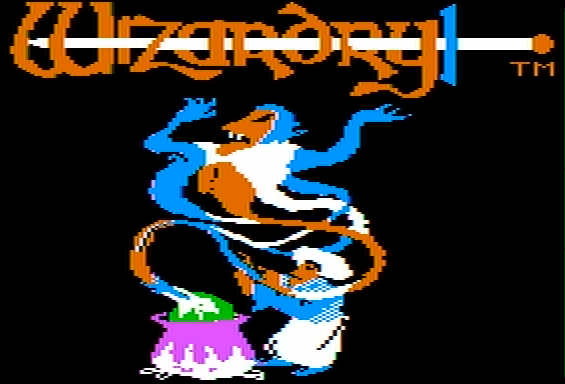
NOTE: WordPress has malfunctioned and isn’t allowing me to use the Visual Editor right now, so I’m writing this with the code editor. I don’t have much experience with this, and I don’t know how to add images using it other than a featured image (which might not even show on the web). It’s a good thing I can write HTML code.
Wizardry was the first popular (actually, mega-popular) CRPG, though as with many CRPGs from the time it’s much forgotten about now, even if its legacy is truly gigantic. It is indeed fortunate that Digital Eclipse has released that modern remake of Wizardry I, Proving Grounds of the Mad Overlord, which is a lot more than you can say about Ultima, Phantasy, Might & Magic or a bunch of other games.
Nerdly Pleasures has posted a detailed history of the original games and their microcomputer ports, breaking down versions, features and bugs. It reminds of a number of interesting things, like that the original Apple II Wizardry would write to the Scenario Disk if you defeated a certain encounter, and thus make it permanently impossible to encounter it again on later playthroughs. Or that character growth was badly broken in the original PC version, with stats going down when they should have gone up. Or that the Commodore 64 version came out so late that it not only includes support for the C128’s extra memory, but even Commodore’s bankswitching RAM expansion modules.
I have come to realize that I much prefer the gameplay in these early CRPGs to those of more recent takes like Skyrim. The simulationist depth of those founding games has largely been replaced with gamish fluff, and in place of the imagination that the first CRPGs asked players to bring to the experience, everything has been made literal, explicitly rendered on your screen just as you’re supposed to perceive it. I know this comes across as nostalgia talking, but I don’t think it necessarily is. There’s a whole approach to making RPGs that has been lost, and I think we’re all poorer for it.
Drew Mackie’s 101 Facts About Mario
Mackie’s Thrilling Tales of Old Video Games often covers Nintendo-related topics, and this one is much more so than usual: a barrel-full of trivia related to Mario, his games, and his friends, enemies, rivals and hangers-on, spread out across seven long pages, all glorious text with some images and other media scattered through.
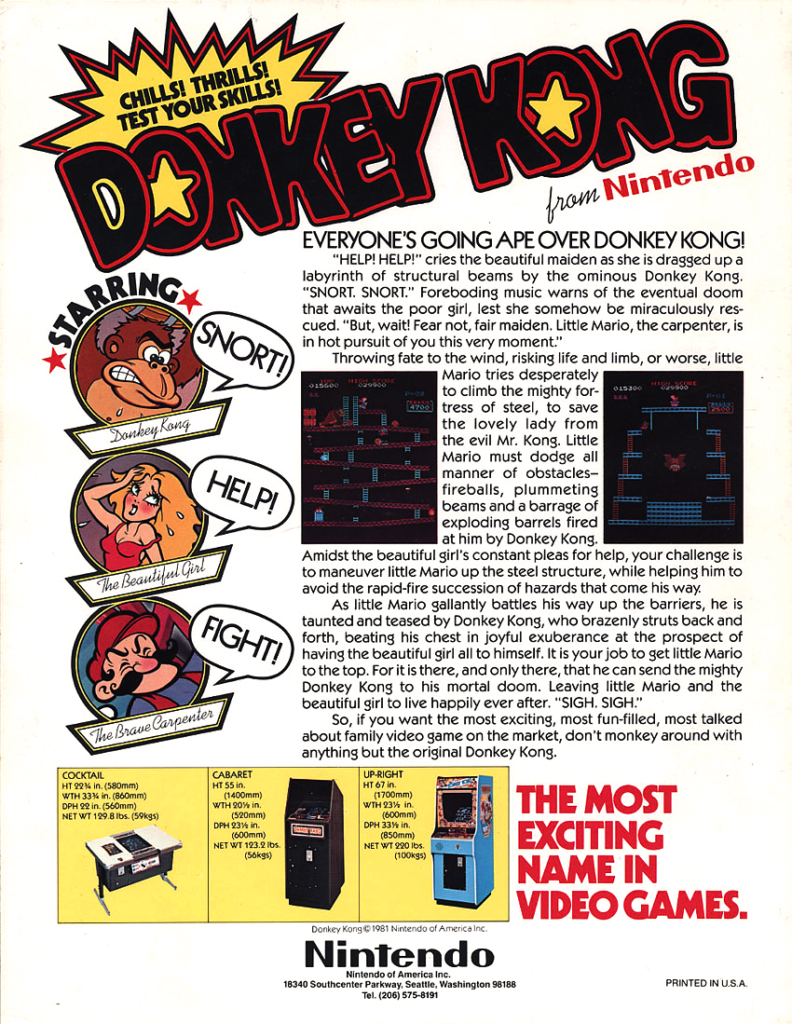
Most of it is new information, including a fair bit of arguing against perceived elements of Mario lore, like his getting his name from a Nintendo warehouse landlord. I’m personally glad that one of the many sources cited is Matthew Green, deceased game journalist and the maintainer of the (also deceased) blog Press The Buttons. Wherever you are Matt, I hope there’s lots of great games to play.

There’s a bunch of stuff there. It’ll take you quite a bit of time to work through it all, but honestly? It’ll still be much faster than if it were all presented in a two-hour Youtube video, so count your blessings! Wait, they’re already counted: 101, a hundred-and-one blessings. How holy!
Using COBOL As A Shader Language
Yep, what’s in the title apparently can be done.
COBOL stands for Common Business-Oriented Language, and is an extremely verbose language designed purposely to be understandable to managers. Everything in COBOL reads like it does, which makes it hard to work with. A fair portion of the financial world still runs on COBOL, in some cases using programs nearing their 60th year of existence. And someone wrote a way to use it write code for Vulkan.
Here’s the Github repository. The About blurb says it’s the shader language you didn’t know you needed. With due respect, that’s because no one ever needed it, but it’s still a fun thing that exists.
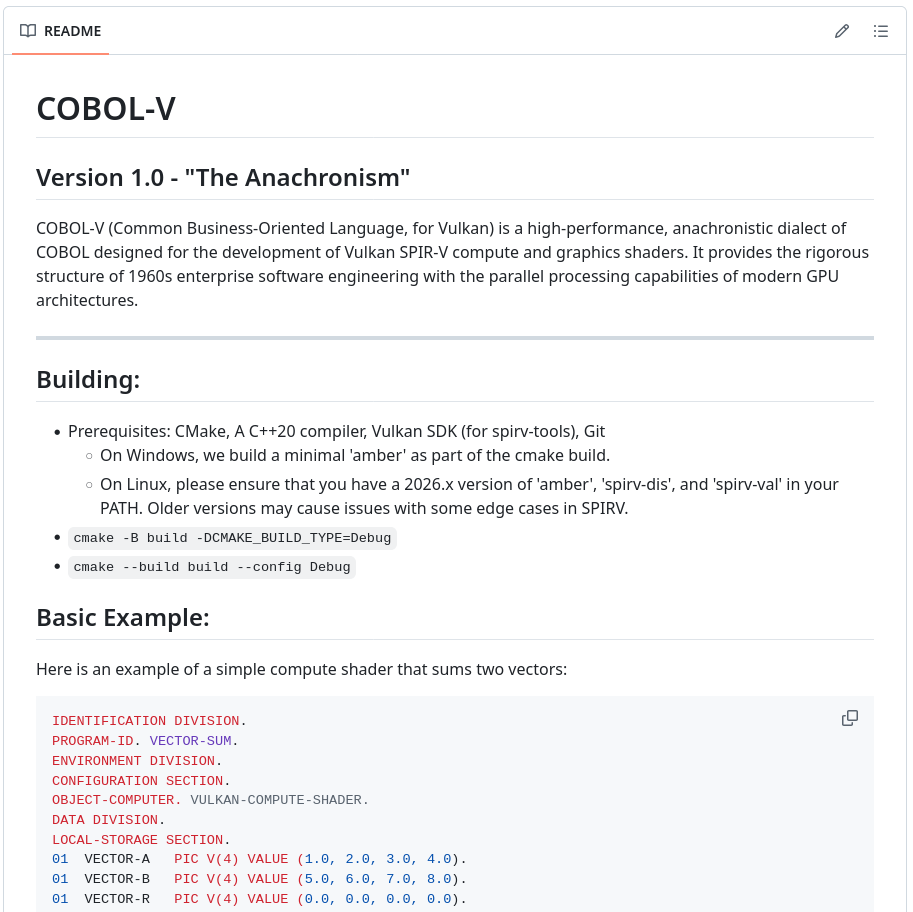
There appear to be no examples of output online. I had a look at building it myself, but my distro doesn’t seem to have the necessary programs to do that. Would any of you care to give it a try?
Next Fest 2025 Demo Showcase Part 1


This is the first part of my (Josh Bycer’s) collection of videos of my favorite demos from Steam Next Fest, October 2025.
The 8-Bit Computer Implemented in K’NEX
It’s an oft-forgotten fact that the workings of the modern computer don’t require electronics. All of the basic logic gates can be implemented, although much more slowly and prone to malfunction, with physical Newtonian parts.
Shadowman39 has been working hard to implement an 8-bit computer entirely out of parts of the building set K’NEX. He’s just released his fourth progress video (18 minutes):
Here are the previous videos in the series: Part 1: the ALU (15 minutes), Part 2: Registers, RAM and Data Transfer (18 minutes) and Part 3: ROM, Program Counter and Jumps (20 minutes).
This isn’t the only K’NEX-based computing device out there, but it seems to be the most complex and capable of doing actual work. I do hope that none of the little plastic parts on the inside of that multicolor computational Borg cube doesn’t break a tooth, because replacing it seems like it would be nearly as hard as fixing a cylinder in an engine block.
Sundry Sunday: The Gameoververse Pilot
Sundry Sunday is our weekly feature of fun gaming culture finds and videos, from across the years and even decades.
Glitch Productions has made a number of well-loved bits of Youtube culture, most notably so far: the concluded Murder Drones, the nearly-done Amazing Digital Circus, and the forthcoming Knights of Guenevere.
Their newest pilot is heavily game-themed, so you can probably expect to see it return to Sunday Sunday eventually. Called “The Gameoververse,” it follows a team of hero-types that go out into the video game cosmos to prevent the good guys from winning, I think on the grounds that, if they win, their worlds cease to exist due to the player turning the game off or some such. Yeah, pretty much a similar premise to Reboot, if we’re honest, though there’s nothing wrong with that. (Wouldn’t the game world also cease to exist if it’s too hard and the player gives up? What about roguelike game worlds, that are generated anew whether the player wins or loses? Let’s see them make a Nethack episode, that would be something….)
Here is that pilot (32 minutes):
Gameoververse (Wikipedia) was created by RubberRoss, and existed before as a web series from 2009, though with substantial differences. Notably the new version has music by former Rare musician Grant Kirkhope. We look forward to seeing, should the pilot be picked up, the continuation of its story.
Three-Up From Pannenkoek
Everyone that counts loves Pannenkoek, whose two Youtube channels pannenkoek2012 and UncommentatedPannen are probably the best, certainly the best-known, videogame internal explainers on the internet. They somehow made people care about an obscure Super Mario 64 challenge to get through the game in as few A button presses as possible. How can that even be?
Not only do they explain, I won’t say effortlessly, but effectively how tiny implementation consequences in the foundational 3D platformer, but along the way they explain a bunch of useful computer science concepts. They are a wonder, and if Nintendo ever paid attention to their fan communities for purposes other than suing them or making them pay licenses to use Their Content, they would hire them like a shot. But they don’t, and they won’t*.
Whenever Pannenkoek publishes a notable new video I usually try to draw a little extra attention to it here, but it’s been a little while since the last one. So here’s three shorter ones, all permutations of the topic of 1-up Mushrooms.
From 12 years ago: 1-up Checkpoint Locations, all the places you can go to increase your already swollen extra life count from 72 to 73 (7 minutes):
There are a few 1-ups in the Bowser levels that aren’t always there. It turns out the game can be set to make them appear only if you’ve already gotten the key from a particular Bowser fight, and that’s what’s going on there. It’s explained here: (1 minute)
And the longest one at 12 minutes, why do some 1-ups flicker before disappearing? Along the way it painlessly explains object activation, visibility and spawning, and the six types of 1-ups:
* A few more contractions, all nonsense: bron’t, fron’t, plon’t, hron’t, vnon’t.
A Bunch Of C64 Music Remixes
Still working on various other things, but fortunately I found out today about remix.kwed.org, which is kind of a version of OCRemix that focuses (but I don’t think is exclusive to) Commodore 64 music remixes. These aren’t also not all played by a C64, but are remixes of songs from them, so, not all chiptunes. If you need a jam to get you started, try this remix of M.U.L.E.

One of those things I mentioned is, I’m getting a table at Vintage Computing Festival Southeast 2026 in Atlanta! And they said they wouldn’t mind if I did another presentation on the history of Loadstar, so it looks like I’ll be doing that again too! If anyone reading this is in Atlanta July 31, or on August 1-2, please drop by and say hello!